I have 2 doubts with integrals...
-
The first one is whether it affects to put thermal paste on the integrated video cards, and that if nothing happens if it expands a little all over the area in addition to the socket
And the second one is what is the small, soft, and square sponge for, that comes attached or in contact with the video card socket and also with the metal piece on top. Can it be removed? Should it be left? Does it affect performance, does it cause heat?
Can you help me?
-
hello and welcome
paste always improves temperatures, as long as it is decent (like Artic5 or similar)
but in your case, be careful because the sponge you mention is the heat sink and in many cases
you can't replace it with paste because it has a certain thickness so that it touches the processor
and the thermal paste doesn't fill the separation of that space, so leave it as it isregards
-
Hello and welcome
I think it's hard to understand you well.
Better put here some photos of what you mention in question so that we can get an idea of what aspects you doubt.Regards
>> i7-2600K Sandy Bridge @4.4GHz || Noctua NH-D14 || ASRock Z77 Extreme4 || 4x8Gb G.Skill Ripjaws X DDR3 1600MHz || XFX RX 5700 XT 8Gb || SSD Samsung 850 PRO 256Gb & 850 EVO 500Gb || WD Caviar Green 1Tb || Barracuda 1Tb || Corsair TX650 V2 || M-Audio Fast Track Pro || KRK RP8 RoKit G3 || BenQ GW2750 27"
>> Athlon 64 X2 5600+ Brisbane @2.9GHz || Gigabyte GA-M61PME-S2 || 2x2Gb DDR2 Kingston 800MHz || Sapphire Radeon HD 5850 Xtreme 1Gb || Maxtor 320Gb SATA2 || OCZ ModXStream 500W Modular || TEAC PowerMax 120/2 || Acer X243w 24"
>> Intel Core2Duo E6600 Conroe @2.4GHz || Asus P5N32-SLI SE DELUXE || 2x1Gb DDR2 Kingston 800MHz || Asus nVidia GeForce 9800GT 1Gb GDDR3 || Seagate Barracuda IDE 80Gb 7200RPM || Linkworld LPK12-35 450W -
Now I understand, let me see, right now all the chipsets (which I imagine you call integrated graphics, which the old ones had inside the chipset but the new ones are on the processor) have a heatsink and its thermal paste, it is not necessary to change it. If you have already done something, the paste has to go only on the DIE, the metallic area, so put very little. And the sponges are for decoration but they remind you that if you put the heatsink on top and apply pressure without being at a 90º angle, that metallic thing breaks and you can ruin it, that is, be careful.
PD. What are you doing touching if you don't know?! :wink:, regards!

-
Ok I think I'll have to open the laptop one more time since I removed that little sponge from the processor... Does something happen if I leave it without that sponge... Does the performance decrease?
-
If you put thermal paste on it, you always have to remove that sponge (which is nothing more than a thermal 'paste'), the problem is what they tell you up there, that many times that sponge fills a gap that is impossible to fill with thermal paste alone. If it is a normal heatsink that sits on the chip, you shouldn't have any problems replacing the sponge with thermal paste
-
Let's see what kind of sponge we're talking about, I'm referring to those that were placed on the corners of the chips outside the DIE or they make a kind of border protecting the DIE, I don't know of any other sponges besides "Bob". If by sponge you mean the blob/glue/paste of thermal paste that goes between the DIE and the heatsink, obviously you have to remove it and replace it with the new thermal paste.
-
Let's see what kind of sponge we're talking about, I'm referring to those that were placed on the corners of the chips outside the DIE or they make a kind of border protecting the DIE, I don't know of any other sponges besides "Bob". If by sponge you mean the blob/sticker/play-dough of thermal paste that goes between the DIE and the heatsink obviously you have to remove it and replace it with new thermal paste.
I understand what many manufacturers put as thermal paste, but it's like a sponge that comes off in one piece (like it's a double-sided tape)
-
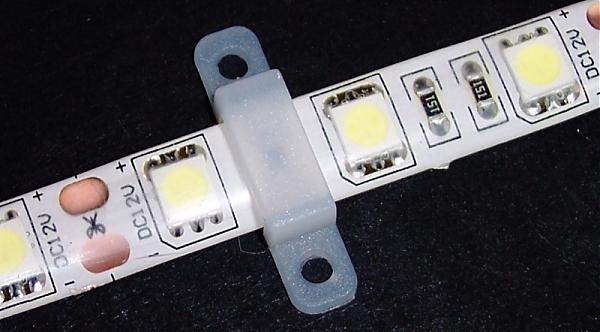
No I am referring to those sponges that are like tapes but thick and soft that come between the laptop dispenser and the processor, I will leave you a picture of those small white squares that have that instrument that I don't know what it is…
-
Either the image is wrong or I am completely lost
-
Either I see it badly or they look like leds…
>> i7-2600K Sandy Bridge @4.4GHz || Noctua NH-D14 || ASRock Z77 Extreme4 || 4x8Gb G.Skill Ripjaws X DDR3 1600MHz || XFX RX 5700 XT 8Gb || SSD Samsung 850 PRO 256Gb & 850 EVO 500Gb || WD Caviar Green 1Tb || Barracuda 1Tb || Corsair TX650 V2 || M-Audio Fast Track Pro || KRK RP8 RoKit G3 || BenQ GW2750 27"
>> Athlon 64 X2 5600+ Brisbane @2.9GHz || Gigabyte GA-M61PME-S2 || 2x2Gb DDR2 Kingston 800MHz || Sapphire Radeon HD 5850 Xtreme 1Gb || Maxtor 320Gb SATA2 || OCZ ModXStream 500W Modular || TEAC PowerMax 120/2 || Acer X243w 24"
>> Intel Core2Duo E6600 Conroe @2.4GHz || Asus P5N32-SLI SE DELUXE || 2x1Gb DDR2 Kingston 800MHz || Asus nVidia GeForce 9800GT 1Gb GDDR3 || Seagate Barracuda IDE 80Gb 7200RPM || Linkworld LPK12-35 450W -
That is definitely a strip of LEDs…you can even see where they need to be cut..check out the photo,you have us crazy.
PD. What a great phrase from Bm4n.."I don't know any other sponges besides Bob"
Best regards.
-
indeed that is an LED strip.
or I was referring to the 'chewing gum' that many heat sinks have (especially the ones that come pre-assembled)
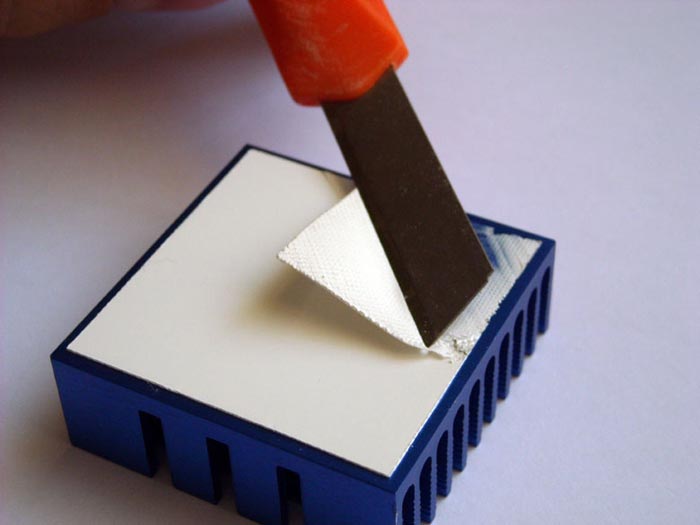
or

-
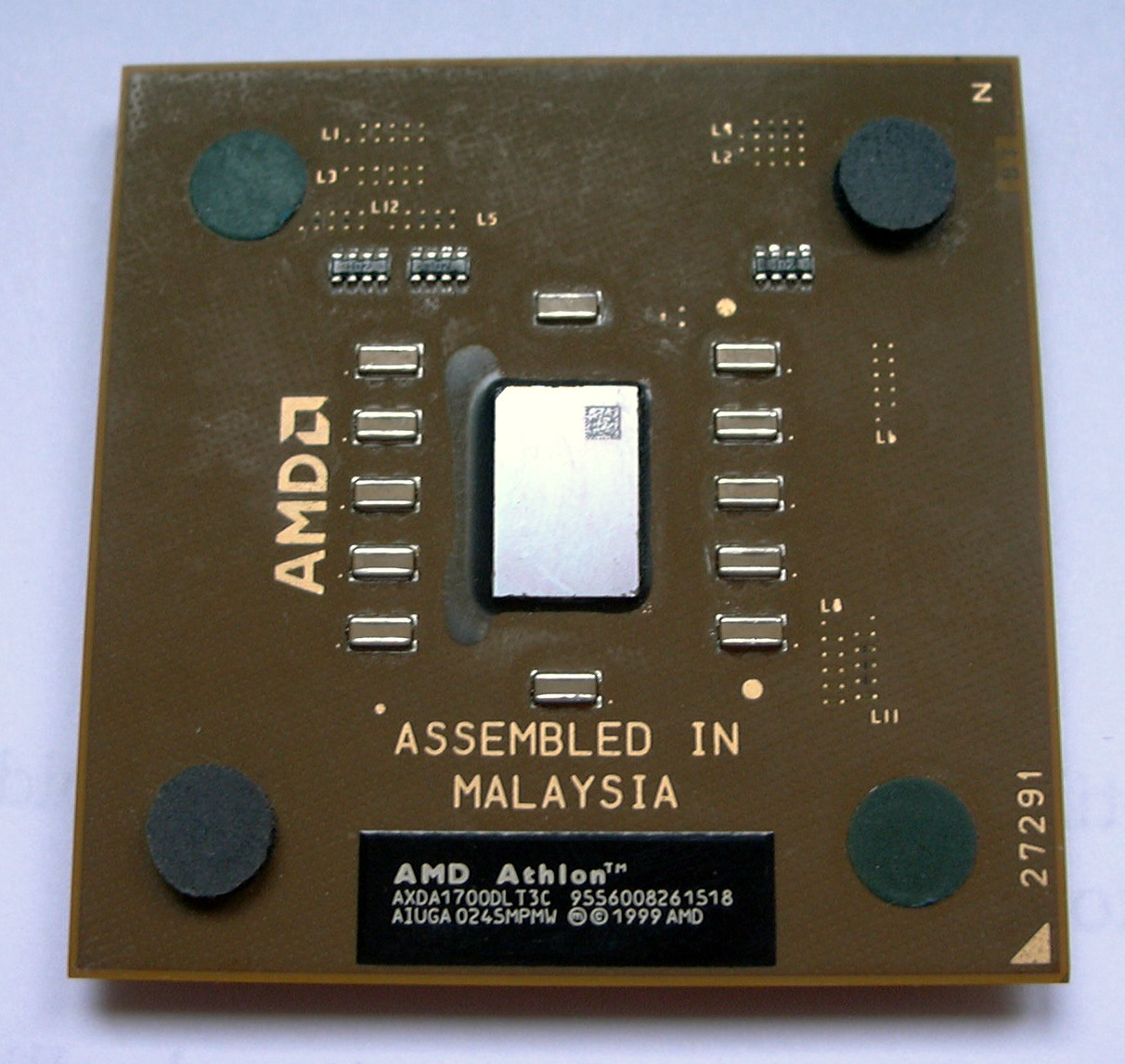
I was talking about the protective sponges, like the black one you can see in the last heatsink that Pako put on, or the ones that used to be seen in the AMDs:
-
This smells like a fake or a blatant error :nono: Regards>> i7-2600K Sandy Bridge @4.4GHz || Noctua NH-D14 || ASRock Z77 Extreme4 || 4x8Gb G.Skill Ripjaws X DDR3 1600MHz || XFX RX 5700 XT 8Gb || SSD Samsung 850 PRO 256Gb & 850 EVO 500Gb || WD Caviar Green 1Tb || Barracuda 1Tb || Corsair TX650 V2 || M-Audio Fast Track Pro || KRK RP8 RoKit G3 || BenQ GW2750 27"
>> Athlon 64 X2 5600+ Brisbane @2.9GHz || Gigabyte GA-M61PME-S2 || 2x2Gb DDR2 Kingston 800MHz || Sapphire Radeon HD 5850 Xtreme 1Gb || Maxtor 320Gb SATA2 || OCZ ModXStream 500W Modular || TEAC PowerMax 120/2 || Acer X243w 24"
>> Intel Core2Duo E6600 Conroe @2.4GHz || Asus P5N32-SLI SE DELUXE || 2x1Gb DDR2 Kingston 800MHz || Asus nVidia GeForce 9800GT 1Gb GDDR3 || Seagate Barracuda IDE 80Gb 7200RPM || Linkworld LPK12-35 450W -
Termalpad I think that's what that "chewing gum" is called, it has several thicknesses to fill the gap, as they said up there.
Regards. -
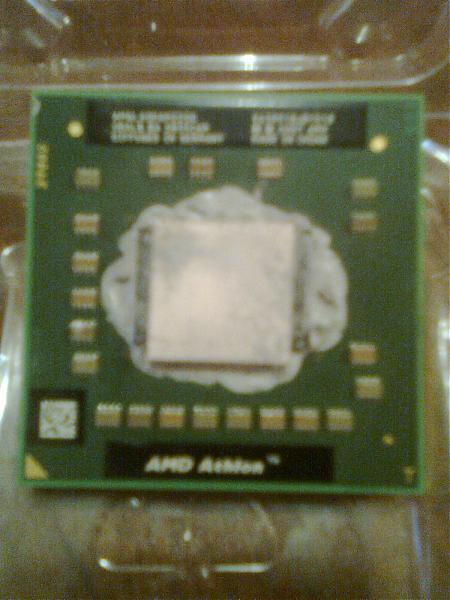
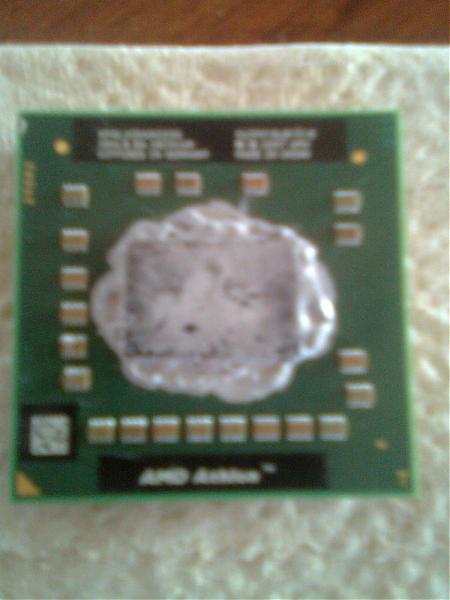
mmm here's another better one, look here an old athlon that's not mine but there's a photo without that sponge and another with that I hope this one is visible lol
-
q strange they continue without seeing each other alone I only see them if I start a session
-
If you look, it looks like a thermalpad as Nemo says.
If it's from a laptop, it's usually there so that the heatsink can make contact with the processor, but over time that thermalpad degrades and it's good to replace it with a new one or with thermal paste if necessary.Regards
-
if they are right, thanks, they call it that or in Spanish almoadilla termica, but if the thermal paste doesn't fill the gap between the processor or the graphics and the dispenser is bad if I remove it? I say this because there is a risk if that gap remains





Hello! It looks like you're interested in this conversation, but you don't have an account yet.
Getting fed up of having to scroll through the same posts each visit? When you register for an account, you'll always come back to exactly where you were before, and choose to be notified of new replies (either via email, or push notification). You'll also be able to save bookmarks and upvote posts to show your appreciation to other community members.
With your input, this post could be even better 💗
Registrarse Conectarse