[Help] Intel Core 2 Quad Q8300 + Asus P5G41-M LX
-
So I'll tell you that your memory is DDR2 800.
The FSB of the micro is 333, which multiplied by the multiplier, 7.5 gives the 2500 of the micro.
I don't know your motherboard, it seems basic, but go into the Bios to see if it lets you touch the FSB and voltage of the micro.Si, if so, I would say you should set the FSB to 400. If you're lucky, if the computer starts up, you'll have it at 3000. If it doesn't start up, then increase the voltage of the micro a little, 0.05 at a time, and little by little, increasing the FSB and voltage, you'll reach 3000 or more.
Install the Core Temp program to control temperatures and see the VID of your micro, to know if you have a micro that overclocks easily or not.
It's important to know if you have the stock cooler, because OC increases temperatures.
So much for now, I hope I didn't confuse you too much.
Summary: If the motherboard lets you, increase the FSB little by little, at the moment it doesn't start up, increase the voltage of the micro a little until it starts up and keep increasing the FSB up to 400. If you succeed, you'll have the micro at 3200 and then it's a matter of continuing to increase if the micro lets you.
Yes it's worth it, I have a Q6600 of 2400@3200 and it performs similar to the Q9650, a faster and more expensive micro. Increasing the speed will give a few more frames in games, you'll notice less speed drops, and you'll run everything smoothly, extending the life of the PC.
It's still a competent PC if you don't want to be at the cutting edge. In fact, with a more decent graphics card, you can still squeeze the PC for a good time, but be careful that your power supply is bad, a new graphics card = a new power supply.
-
I've been looking at the bios, and it has 3 types of profiles when it comes to overclocking,
1 auto
2 overclock profile
3 manualThe first one is the default.
In the overclock profile, it has the ability to increase by 5%, 10%, 15%, and 20%.
I've been testing and the 20% doesn't boot my computer, it gives me an overclock error for overvoltage (my English isn't very good but I think I translated it well) so the error could be because of my power supply?
At 15% it works, it increases the bus speed to 382.80 mhz, which gives me about 2.8ghz more or less, but I've also noticed that the multiplier is not fixed, it works both at x6 and x7.5, I don't know if that's normal.
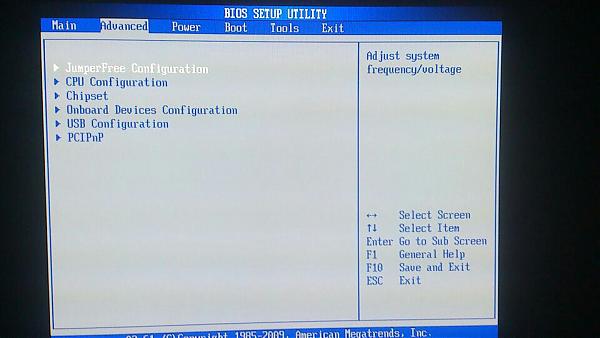
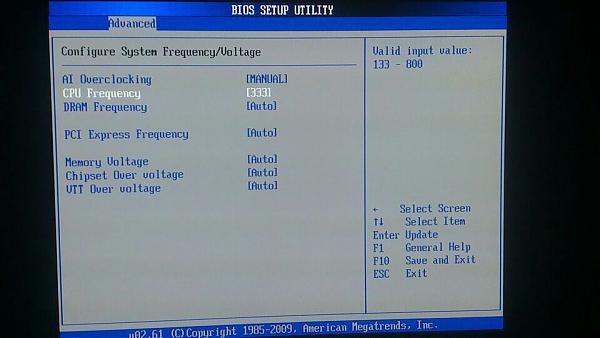
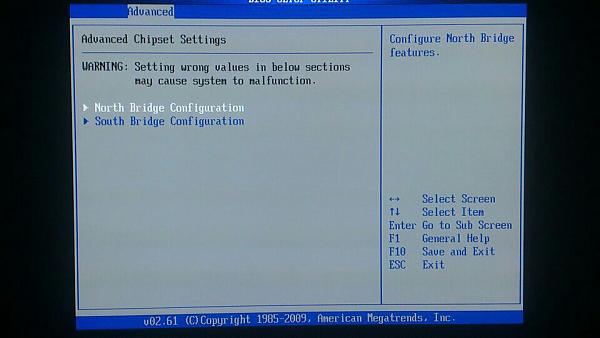
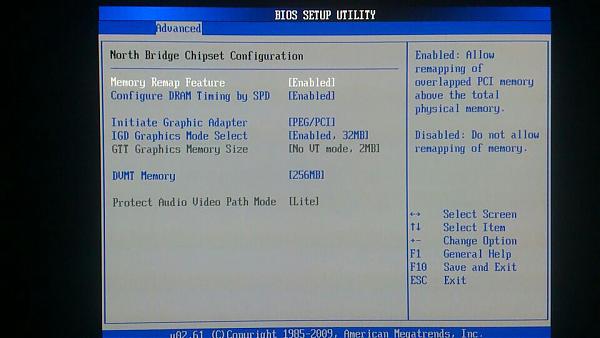
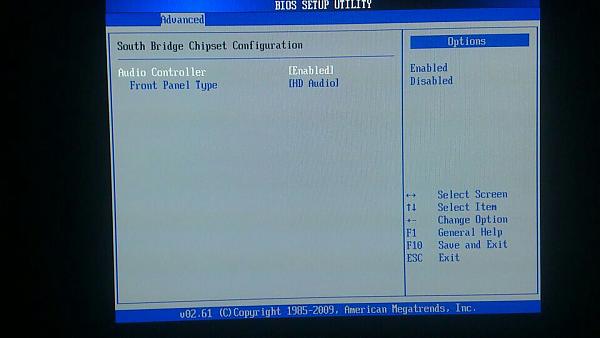
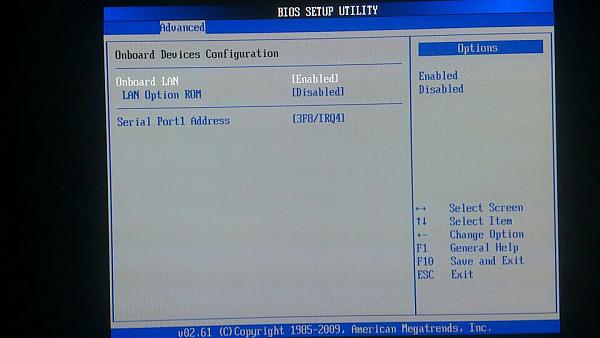
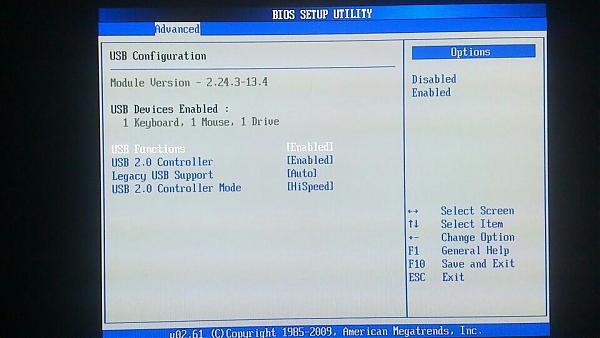
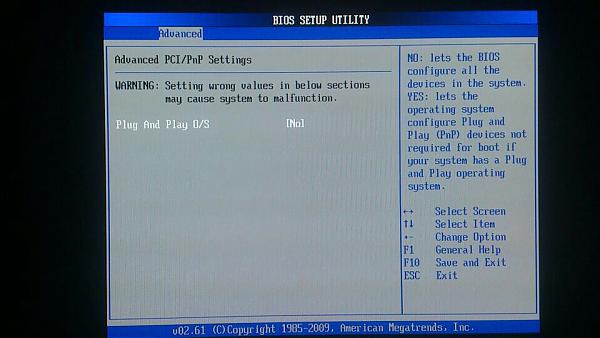
Well in MANUAL mode I have the following to modify, the FSB does let me modify it, but the voltage I'm not sure if it's the cpu's. This is what it shows me in the BIOS (see images)
Image 1 is the main menu, and then the submenus are in order.
Can you manually increase more than the 15% I mentioned before? or am I limited by the power supply?
thank you very much.
-
and here the last 2
-
The motherboard is very basic, and the chipset is not good for overclocking. If you can't touch the voltage, or you have a very good micro that goes up like foam, then it's bad to reach 3.000 just by raising the 20% that the motherboard tells you.
If you set AI Overclocking to manual, it won't let you touch the CPU Frequency and the DRAM? You can't set the frequency to 400? If you see that you can, but it doesn't start, go down 10 at a time. In any case, if you can't modify the micro's voltage, there's not much more you can do. If it lets you set 15%, you can reach 2.875, which is something.
Regarding the multiplier varying, don't worry, the Bios has an option so that when the micro is working, it lowers the multiplier if it doesn't need to work much. I have my micro set to 8*400 = 3200, but when it's not working, it lowers the multiplier to 6, so it lowers the voltage and consumes less. But don't worry, when the computer requires power, it will go full throttle.
Install a program like OCCT to give it a go on the micro, you'll see that the multiplier doesn't go down, as the 4 cores go to 100% and then you'll see how the micro heats up ¬¬ so be careful with temperatures.
-
up to 2800Mhz it will go up without problems, more than that is difficult with that board and with the stock cooler it is also dangerous
regards
-
Hello again and thank you very much for your reply!
Well, I've been tinkering a bit and I finally managed to increase the FSB to 395, so my micro is running at 2.9 ghz, not bad. Moreover, the temperature has not increased excessively, only 5-7 degrees, being at 35º at rest and 50º working, it should be noted that the heatsink is not the one that comes from serie.Al if I increase the FSB to 400 the computer won't start, so for now it stays at 395.
Now I have a question, should I modify the DRAM frequency? I'll tell you the options that appear with the FSB at 395:
auto
790 MHz
948 MHz
1185 MHz
1317 MHzI should also mention that I had a problem with Battlefield 3 after overclocking the micro, giving me a graphics error, but after researching on the Internet I discovered that it's a game problem, and that it's solved by lowering the graphics speed a bit, so it's already solved.
Is the multiplier better to keep stable all the time or let it regulate itself depending on the use of the pc?
In the BIOS options of the chipset, both the north and south bridge, should I touch something there?
And now, is there anything else that could be done in terms of OC?
Thank you very much indeed and goodbye.
-
Hello:
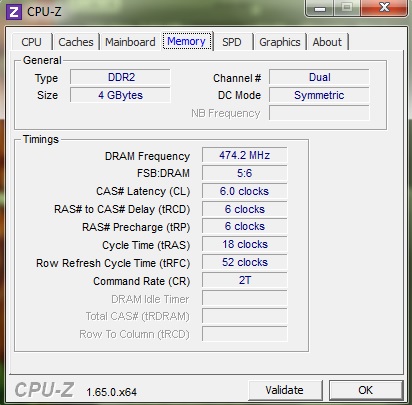
Check with a program like CPU-Z on the memory tab to see how your memory is running. I don't know the BIOS or your motherboard. In my case, I have the memory at 400*2=800, so in the memory tab of CPU-Z it shows: DRAM Frequency 400 Mhz and then FSB:DRAM 1:1, that is, the memory and FSB are running in parallel.
I would dare to tell you to set it to 790, which is double the FSB. With that, it should show you my values, but 395 instead of 400.
For the rest, your motherboard doesn't offer many more options, so it's better not to touch anything else. I think with this motherboard, there's not much more you can do, but look, you already have a good OC. Keep an eye on the temperatures with a program now that it's summer and because of the OC, but if you do the OC without touching the voltage, because it doesn't allow you to, in the micro, the temperature shouldn't rise much.
-
it turns me on like this:
-
And by setting the memories to 790?
-
you have the memory at 948, lower it or you will ruin it, put it at 790
regards

