Sound device (DOES NOT APPEAR)
-
In the bios utility you have two diagnostic tools, one for memory and another for the hard drive, the diagnosis was correct in both cases, however I will use the hiren.s boot and run the memtest, but I wonder if it were a memory issue it would have beeped with some code for the memory or something, I don't know.
Best regards and thanks, if you have more ideas I will be attentive.
-
A good memory test takes hours. In Hiren's you will find, among others, memtest 86+ and Windows Memory Diagnostics. Run both for a few hours.
The system does not have to notify you that the memory is faulty.
In any case, everything points to you having a hardware problem (either the memory or any other component).
Toda la actualidad en la portada de Hardlimit
Mis cacharros -
I am currently running memtest86 5.01 for you Another interesting thing, in case it helps with diagnostics (hause), is that the processor is AM TURION (TM) 64 X2 MOBILE TECHNOLOGY TL-60, I assume this processor is 64-bit, right? If it is, I installed the 32-bit Windows Vista Home Premium. I'm not sure if it would be better to install the 64-bit version, Another curious thing that happens to me is that the DVD drive appears and disappears whenever it feels like it. I'm going to try removing it and replacing it with another one to see what happens and I'll comment here if it was a hardware or software issue Lastly, if I touch about 3 cm of the upper left part of the keyboard, right above where the power button of this laptop is, the color of the screen changes when I tap it. A picture of the memtest86 5.01 diagnostic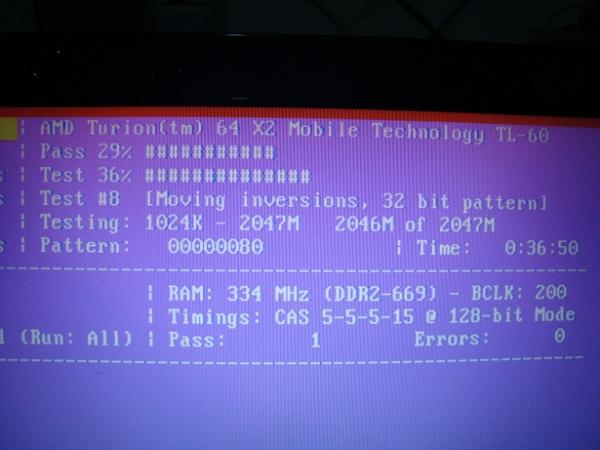
-
With the 2 gb of ram you have, the 32-bit version will work well for you.
With what you say about the touch that changes the color of the screen, it seems that the fault is some loose contact or a damaged cable.
If the memtests come out well (leave them for 3 or 4 hours), another test you can do is to start a Linux Live-CD to see if it detects the sound.
Toda la actualidad en la portada de Hardlimit
Mis cacharros -
The memory is fine, checked.
But the pc is driving me crazy, because sometimes the dvd device goes out, other times the screen goes out and I have to connect it to another external monitor and on top of that there's the sound issue.:wall:
Well, I'm going to run a test on the hard drive with the hiren's boot cd in case there are errors, and I'll use what you tell me with a bootable linux to see if the sound works. That is, if the dvd device leaves me alone.
Thanks.
-
Good as I said in another thread, everything is already solved, both the graphics and the dvd.
Forgive me if I have opened more threads than I should or if it is not in its section, I only have to solve this issue and that's it.
Hard drive and memory without errors, perfect graphics, dvd working, sound off as indicated in the photos.
I even went through the bios to see if there is any option to activate the sound device, but there isn't, there are no sound options, and I am running out of options.
The speakers work well with the Windows sounds of bit or error, that is, they are connected, but nothing, the device does not appear in the list, I have changed from Windows Vista to 7 and from Windows 7 to Vista and in both cases the sound device still does not appear.
In the case of Windows Vista, maybe I have not installed the drivers in the correct order, what is known is that the sound drivers, the 3 that appear for my motherboard, I have installed them one by one, and nothing, it remains the same, I know it uses Realtek High Definition, and creates a folder in program files, but nothing is heard.
Does anyone look at this list of specific drivers for my motherboard, and give an order to install them, so that the audio device might appear in the list?
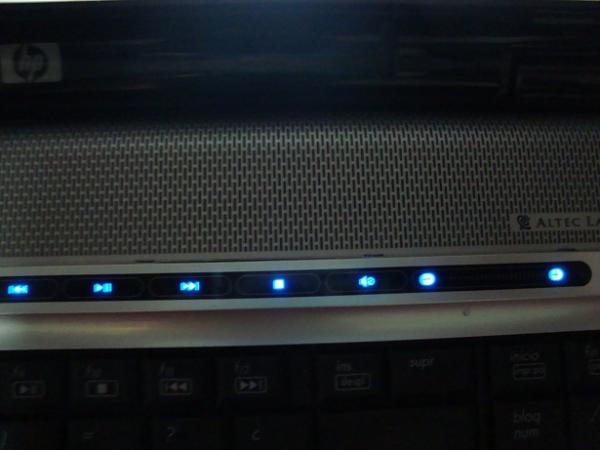
It is also true that this laptop has a front touch screen, where there are luminous blue buttons to press (dvd, update, page forward, back, etc.), and the sound icon appears with the speaker off, and this front panel does not work because I do not know which driver controls this front panel and maybe this could be the problem, I do not know.
I leave you the link to the drivers of my motherboard in case someone knows both the order to download them and which would be the driver of the front panel:
Download software & drivers for HP Pavilion dv9738es laptop | HP Support®
here is the photo of the front panel
-
In the page you provided, within Controller - Keyboard, mouse, and input devices, look for HP Quick Launch buttons, which is what should make those buttons work
-
LATEST NEWS: NO SOUND YET!! :wall:I think I'm making progress, but I still need help, a lot of help.
You see, I tried a Ubuntu 9 CD which gave me errors loading, so I used another Mandriva live CD which loaded fine, but the sound still doesn't appear, but at least it appears in the device list, I'm not sure if it's not compatible with this version or if Windows 7 is missing some specific drivers, either from the chipset or whatever, that's what I'm missing.
For me, I would have to look for the Windows 7 drivers for (MCP65 SMU), but I can't find them, I've seen several pages but nothing, everything is very messy and I don't know which one to choose,.. can you help me with this??
I'll put up pictures of some diagnostics and problems.
I scanned the hard drive erasing the errors from it, everything is correct, I think from here the screen was fine, I don't know, I left it in case someone finds it useful.
2.- Operating system devices in Mandriva, the sound doesn't work on this live CD either, maybe I'm missing the Windows 7 driver for the chipset or something, as I said.
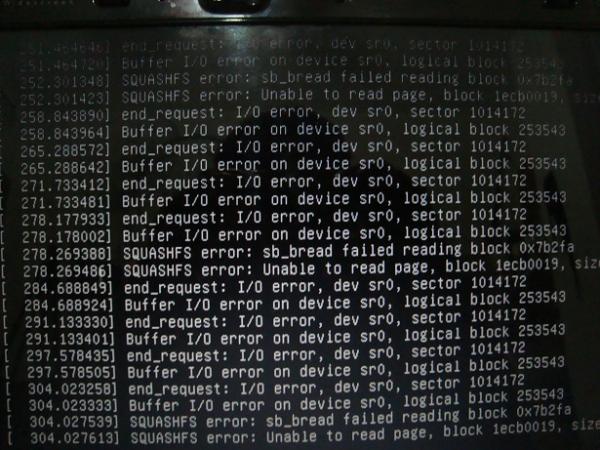
3.- Errors that I got when loading the Ubuntu 9 live CD, the disk is fine, maybe it's the version, I don't know
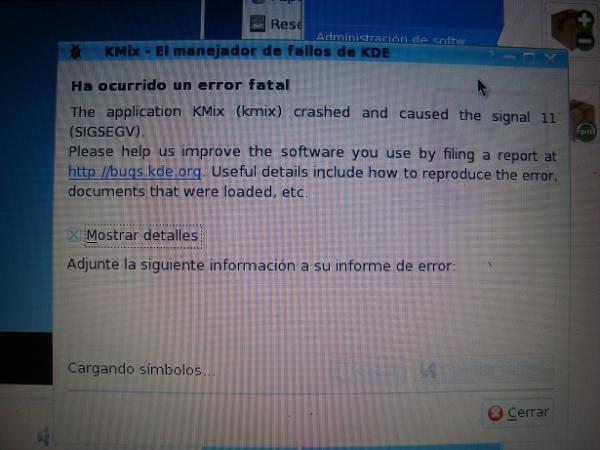
4.- Another error within Mandriva, I put a video that I could see, but you can't hear the sound.
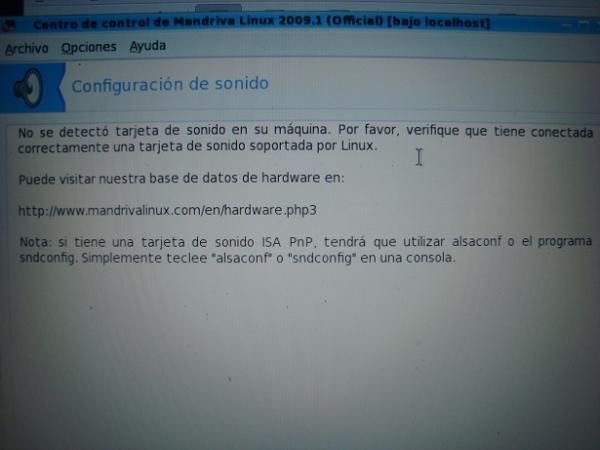
5.- And here's the message saying that I'm missing the sound in the Mandriva live CD disk
Remember: In Windows 7, the sound used to work for me, but in Vista something went wrong with the drivers or the motherboard itself, it's absurd I know, now I have Windows 7, everything is fine except the sound.
What might I be missing for the sound device to appear?
Regards and thanks.
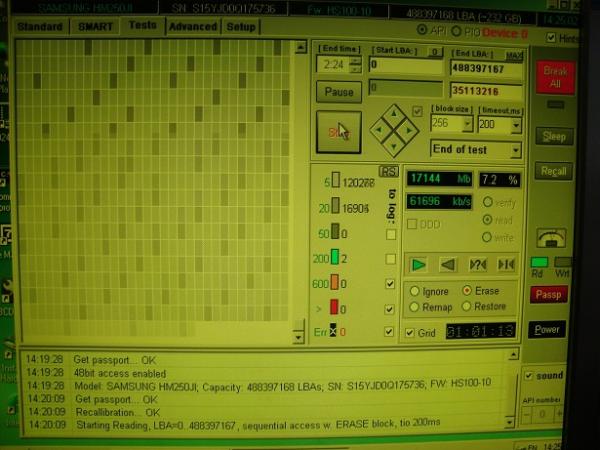
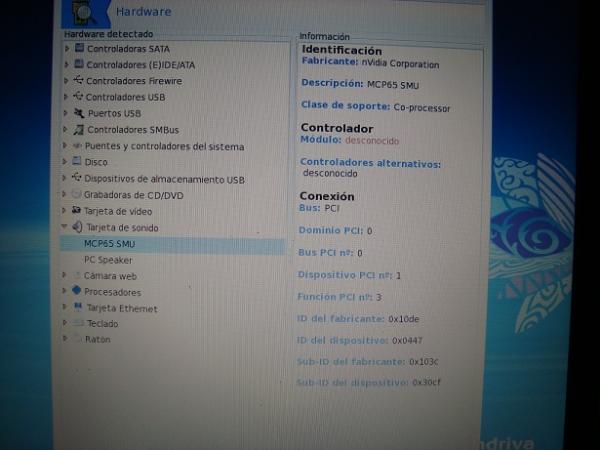
-
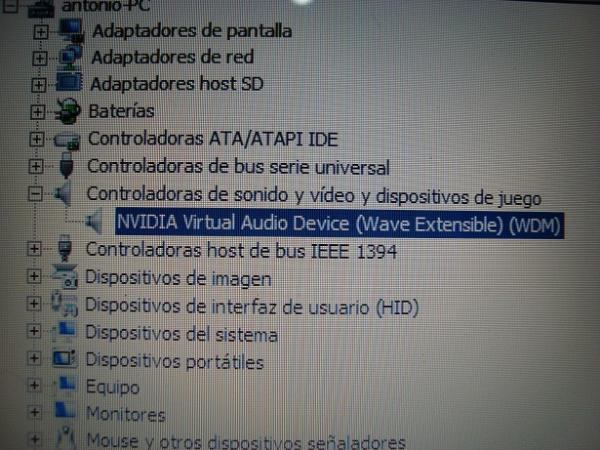
Well, well, well... after installing the official Windows 7 drivers for Realteck audio, the sound device has appeared, but... the sound doesn't work, and it seems like everything is in order. I've also connected an external speaker and there's no sound either. The player seems to work fine, at least VLC, but the Windows one says the driver is missing, and the speaker icon appears deactivated.
1. Incredible, the sound device appears in Windows 7, and in Windows Vista with its drivers it doesn't appear. I'm going crazy. And the laptop is for Windows Vista.
PD: I don't know if this is good or bad, but by the way, I've already tried updating the driver over the internet, but it says that this is the good one. What do I do??
-
You have used very old distros. The errors that ubuntu gives you are due to a failure to read the cd/dvd.
An image of a current distro is this. In it you will find all the drivers for your current PC updated.
You can burn it to a pendrive from Windows using this utility.
With all the information you have given, I would say that the sound chip has some problem.
Anyway, try with the live-dvd that I have given you to see if it works. If not, with that one, the solution is to use a USB sound card from which you will get audio for some headphones or external speakers.
Toda la actualidad en la portada de Hardlimit
Mis cacharros -
Well, I've tried using Ubuntu 12. and it doesn't work either, and the USB sound, it doesn't work either.
Is it the chip, or the BIOS, I don't know.
I've also thought that maybe the DVD seems to be damaged so that not all the Windows files were copied correctly, but I would have gotten some kind of error.I'll put up pictures:
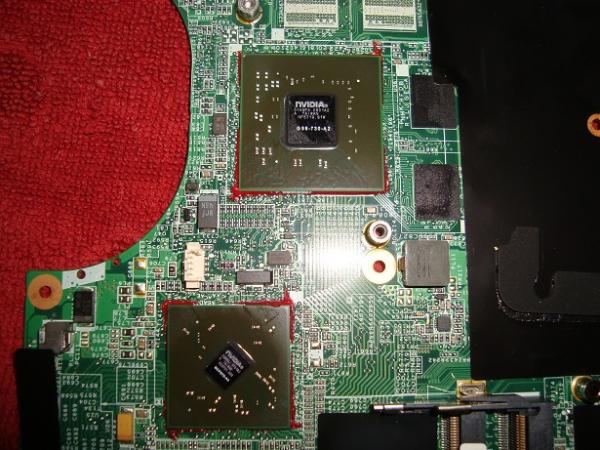
1. in this picture you can see the two NVIDIA chips, it has like a red paste, I suppose it will be glue, what I don't know is how to remove it or if this would damage the board even more.
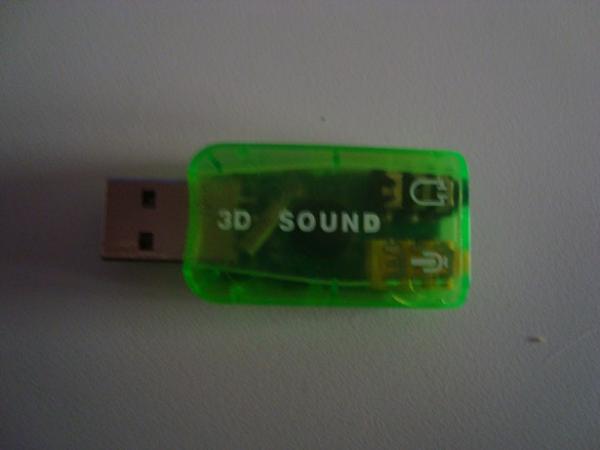
It seems to be well attached to the board, with nothing loose.2.- this is the external USB sound device, which doesn't work on the laptop, the USB ports on the laptop work fine with USB, there is power
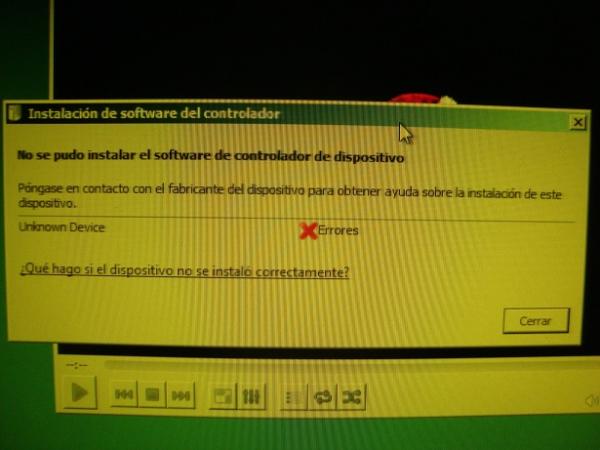
3.- and finally the error message when connecting the USB sound. It's curious because in the device manager everything looks perfect, even the sound device as in the previous photos, it's as if the computer doesn't want to sound out of pride.
and well that's all, I don't know what to do anymore, I'll try the USB with WinFlash and an updated Ubuntu last, and if this doesn't work, then I'll keep looking.
-
The red paste is used to mechanically fix the integrated circuits to the board. If you remove it, you can damage the connections.
At this point, everything indicates a problem with the board. If it helps, I have a laptop (from which I am writing this) that had numerous hardware problems and sometimes the computer wouldn't even start up. All the problems were caused by the network chip. I finally removed it (in a rather unorthodox way) and from that moment on it worked perfectly.
Removing integrated circuits soldered to the board is very dangerous in the sense that once removed, the computer most likely will never turn on again. On the other hand, you have to be completely sure which device is causing the problem.
In this thread you have the follow-up of the problem.
Finally, if it's a matter of "either I fix it or it's useless to me", you can try this. You might be lucky.
Toda la actualidad en la portada de Hardlimit
Mis cacharros

