I'm going crazy trying to configure the AP button on a TP-LINK VR900 router
-
Hello. I'll give you some background information. I have a 600 fiber connection with O2 with the famous Mitrastar router from Telefonica. I want to set up an access point using an old DSL router I have. The TP-LINK VR900 works very well. I'm doing the following: I connect the VR900 via LAN1 to the MitraStar (LAN3 which I have free) The configuration I do on the VR900 is as follows: Operation Mode. There are 3 modes and I've tried them all • DSL modem router mode • 3G/4G router mode • Wireless router mode (I think you have to use this one but I'm not sure) LAN IPv4 • IP: 192.168.1.2 (The gateway of the mitrastar is 192.168.1.1) • SUBMASK: 255.255.255.0 • IGMP Snooping disabled • DHCP disabled NAT forwarding • PPTP passthrough DISABLE • L2TP passthrough DISABLE • IPSEC passthrough DISABLE • FTP alg DISABLE • TFTP alg DISABLE • H323 alg DISABLE • SIP alg DISABLE UPnP DISABLE I haven't touched anything on the mitrastar. I have the 2.4 and 5ghz WIFI networks configured with their corresponding SSID. (WE CALLED THEM WMS24 AND WMS5 FOR OUR EXAMPLE). These networks work perfectly. If I connect to them I access the internet without any problems. On the TP LING I configure its networks also as WTP24 AND WTP5. Well, now comes the problem If I connect to the mitrastar wifis (the main router) I have no problem. In fact, if I access 192.168.1.2 I can perfectly see the configuration page of the TP-LING VR900, but if I connect to the tplink wifis, I DON'T GET AN IP, that is, the computer or mobile that connects to these networks stays with an IP like 169.254.241.141 and logically you can't browse the internet, nor see any equipment connected to the network. CAN YOU HELP ME? -
@Dixman I'm not sure but I think the Wireless router mode turns the access point into a router, separating the Wifi network from the LAN network into two subnets. If you want everything under the same network (seeing the IPs you use I think it is like that), try DSL modem router mode. That way it should behave like a switch instead of a router.
Toda la actualidad en la portada de Hardlimit
Mis cacharros -
Intel i5 3570k / ASRock Z77 Extreme 4 / G.Skill F3-12800CL9D-8GBRL / Sapphire HD5850 / Samsung HD103UJ / TR TrueSpirit / NZXT Source 210 / OCZ ZS550W
Intel i5 4570 / ASRock H87 Pro 4 / 2x G.Skill F3-14900CL8-4GBXM / Samsung 850 EVO 250Gb + ST1000DM003 + ST2000DM003 + HGST HDS723020BLA642 + Maxtor 6V250F0 / CM Seidon 240M / Zalman MS800 / CM MWE 550
AMD Ryzen 7 1800X / B350 / 2x8GB Samsung DDR4-2400 CL17 / NVIDIA GTX 1070 8GB / SSD 120GB + ST4000DM004 + ST6000DM003 / EVGA Supernova 650 G2 -
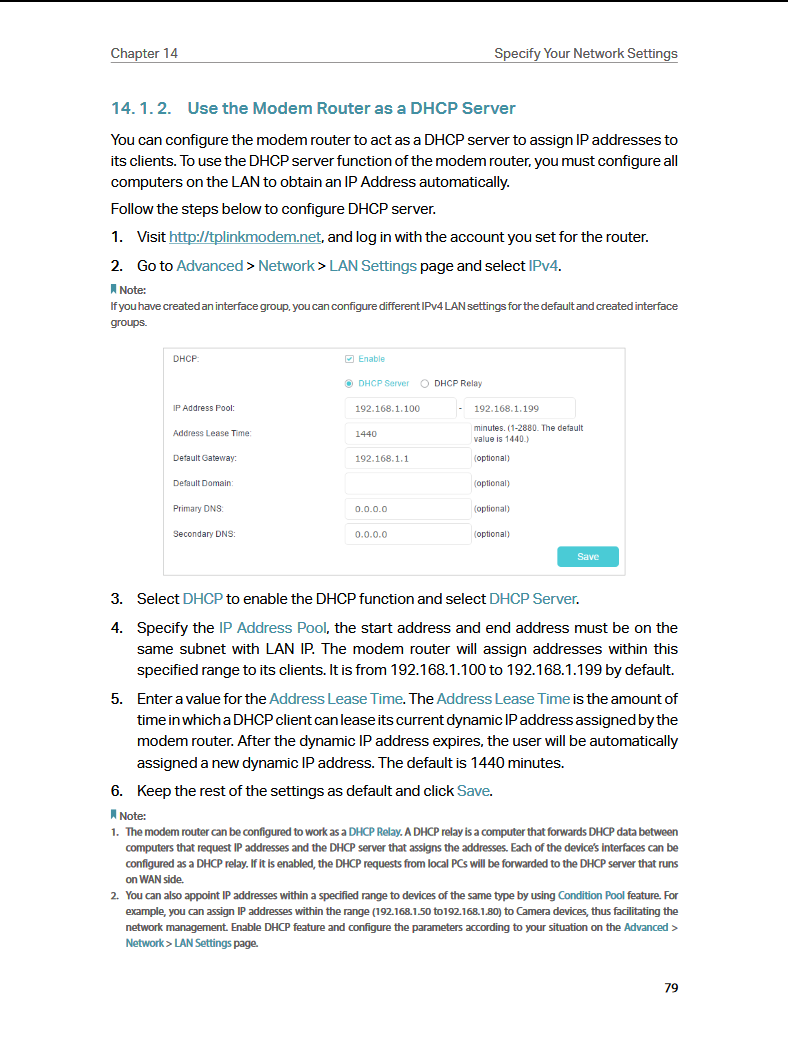
Check if you have the option of DHCP Relay
Intel i5 3570k / ASRock Z77 Extreme 4 / G.Skill F3-12800CL9D-8GBRL / Sapphire HD5850 / Samsung HD103UJ / TR TrueSpirit / NZXT Source 210 / OCZ ZS550W
Intel i5 4570 / ASRock H87 Pro 4 / 2x G.Skill F3-14900CL8-4GBXM / Samsung 850 EVO 250Gb + ST1000DM003 + ST2000DM003 + HGST HDS723020BLA642 + Maxtor 6V250F0 / CM Seidon 240M / Zalman MS800 / CM MWE 550
AMD Ryzen 7 1800X / B350 / 2x8GB Samsung DDR4-2400 CL17 / NVIDIA GTX 1070 8GB / SSD 120GB + ST4000DM004 + ST6000DM003 / EVGA Supernova 650 G2 -
@Fassou said in I'm going crazy trying to set up a TP-LINK VR900 router:
@Dixman You can find the manual here (if you tell us the version, more people can help you).
Salu2!
v1
-
Thanks FASSOU for figuring it out
Well, with everyone's help and a bit of trial and error I think I've got it. The problem was that I was disabling DCHP on the VR900, when in reality I should have set it to DHCP RELAY and as the DHCP server tell it that it was on the 192.168.1.1
It seems that now everything works for me.
-
@Dixman delighted that my meager knowledge is of help

In the end, I see that you managed not to put the router neutral

Salu2!

Intel i5 3570k / ASRock Z77 Extreme 4 / G.Skill F3-12800CL9D-8GBRL / Sapphire HD5850 / Samsung HD103UJ / TR TrueSpirit / NZXT Source 210 / OCZ ZS550W
Intel i5 4570 / ASRock H87 Pro 4 / 2x G.Skill F3-14900CL8-4GBXM / Samsung 850 EVO 250Gb + ST1000DM003 + ST2000DM003 + HGST HDS723020BLA642 + Maxtor 6V250F0 / CM Seidon 240M / Zalman MS800 / CM MWE 550
AMD Ryzen 7 1800X / B350 / 2x8GB Samsung DDR4-2400 CL17 / NVIDIA GTX 1070 8GB / SSD 120GB + ST4000DM004 + ST6000DM003 / EVGA Supernova 650 G2 -
What the hell.
-
No, that is another war that I am still trying to fight....





Hello! It looks like you're interested in this conversation, but you don't have an account yet.
Getting fed up of having to scroll through the same posts each visit? When you register for an account, you'll always come back to exactly where you were before, and choose to be notified of new replies (either via email, or push notification). You'll also be able to save bookmarks and upvote posts to show your appreciation to other community members.
With your input, this post could be even better 💗
Registrarse Conectarse