Find out local IP in Linux
-
This thread is part of the guide to set up a server on Debian.
Remember that the content of Hardlimit is under a Creative Commons license.
Summary
If you are going to manage your server via SSH from the beginning so that you can disconnect all peripherals, find out the IP address (from your router's DHCP table) and connect to it. If not, log in with your local username. From there you can find out the IP address using this command:
ip aExplanation
Once we have Debian installed on our machine, we need to perform some operations before having it completely ready to install and configure services. Thanks to the fact that we have done an installation including the SSH service, we can disconnect all peripherals from our server machine since from now on we will configure it through SSH. Its local handling would be identical.
Managing the machine remotely through SSH is very convenient for a matter of order (we do not need multiple peripherals) and because we can access it through any operating system. In this way, guides like this one can be consulted and commands can be copied and pasted directly.
The first thing we need is to find out the IP with which the server has registered through DHCP (you can try with the first IPs offered by your DHCP server or by looking at the IP assignment table of your router). If you can't get a clue, you will have to access the machine locally and use the command
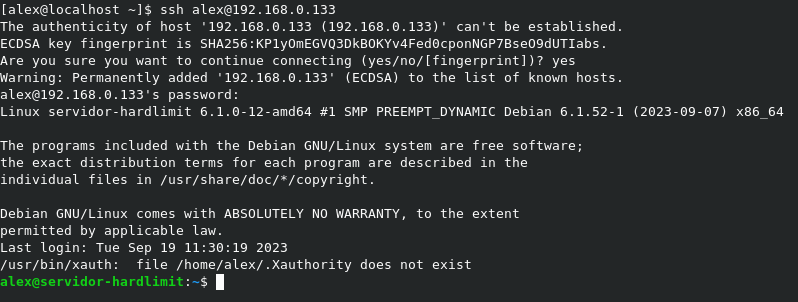
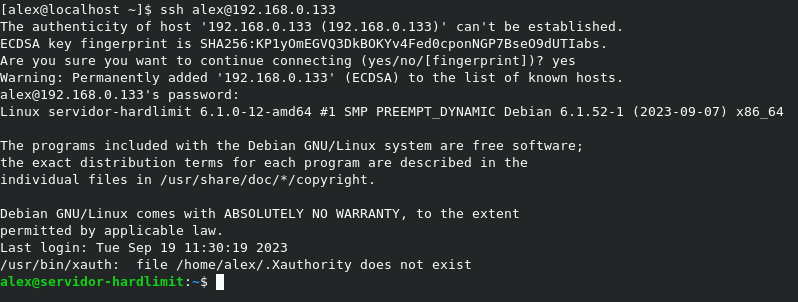
ip aOnce you have the address, you can access it from any console through SSH, as seen in the image.
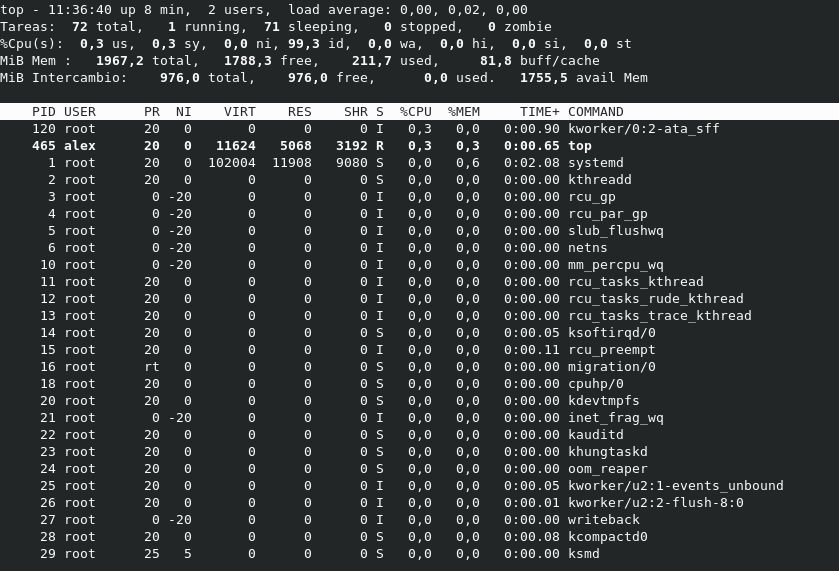
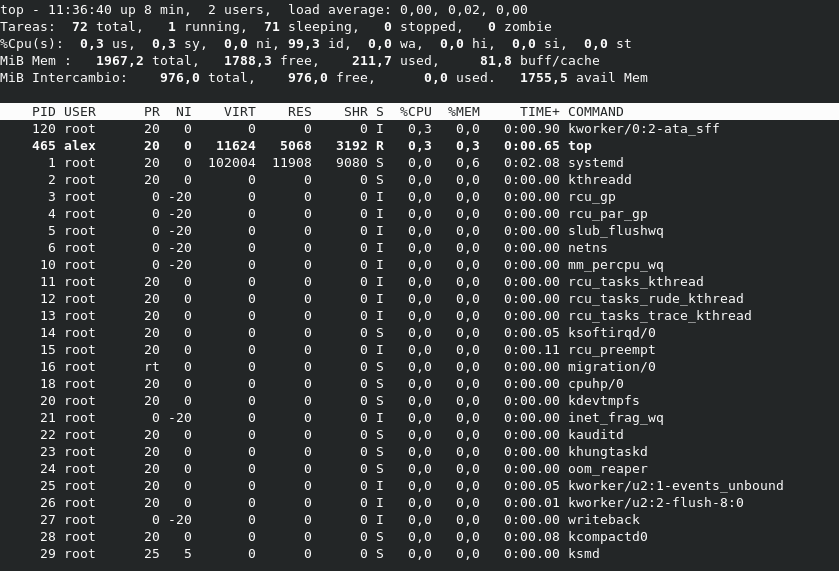
As a curiosity, with the server newly installed, you can check that the memory consumption is really low: about 200Mb of RAM. That will change as we start running services.
Toda la actualidad en la portada de Hardlimit
Mis cacharros -
 C cobito referenced this topic on
-
C cobito referenced this topic on
-
C cobito referenced this topic on
-
C cobito referenced this topic on
Hello! It looks like you're interested in this conversation, but you don't have an account yet.
Getting fed up of having to scroll through the same posts each visit? When you register for an account, you'll always come back to exactly where you were before, and choose to be notified of new replies (either via email, or push notification). You'll also be able to save bookmarks and upvote posts to show your appreciation to other community members.
With your input, this post could be even better 💗
Registrarse Conectarse