Apache web server on Debian
-
This thread is part of the guide to set up a server on Debian.
Remember that the content of Hardlimit is under a Creative Commons license.
Procedure
As root:
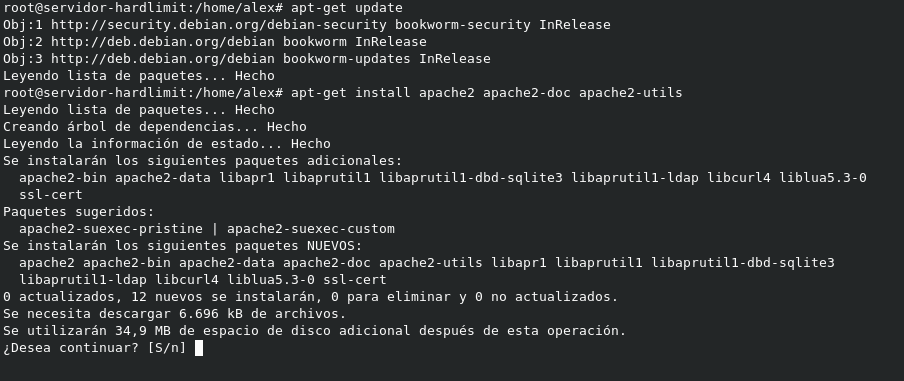
apt-get update apt-get install apache2 apache2-doc apache2-utilsExplanation
Apache is one of the most widely used web servers and is the one we will use in this guide. Debian comes with Apache 2.4, the latest stable version of the program.
To install Apache 2, you have to write the following command in the console as root:
apt-get update apt-get install apache2 apache2-doc apache2-utilsAt that moment, the following information appears:
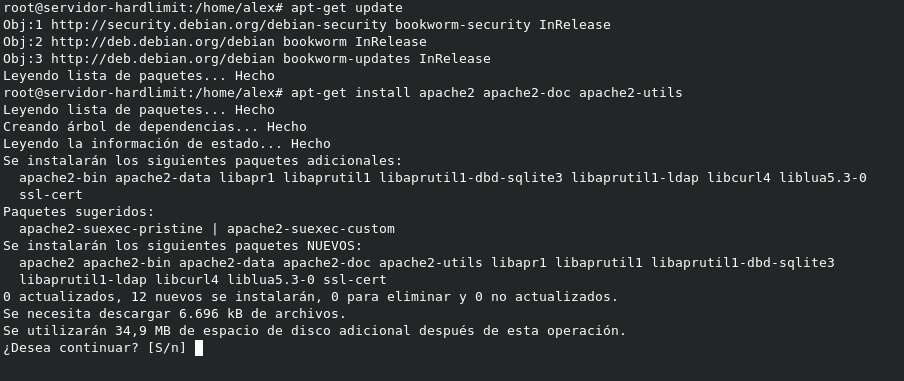
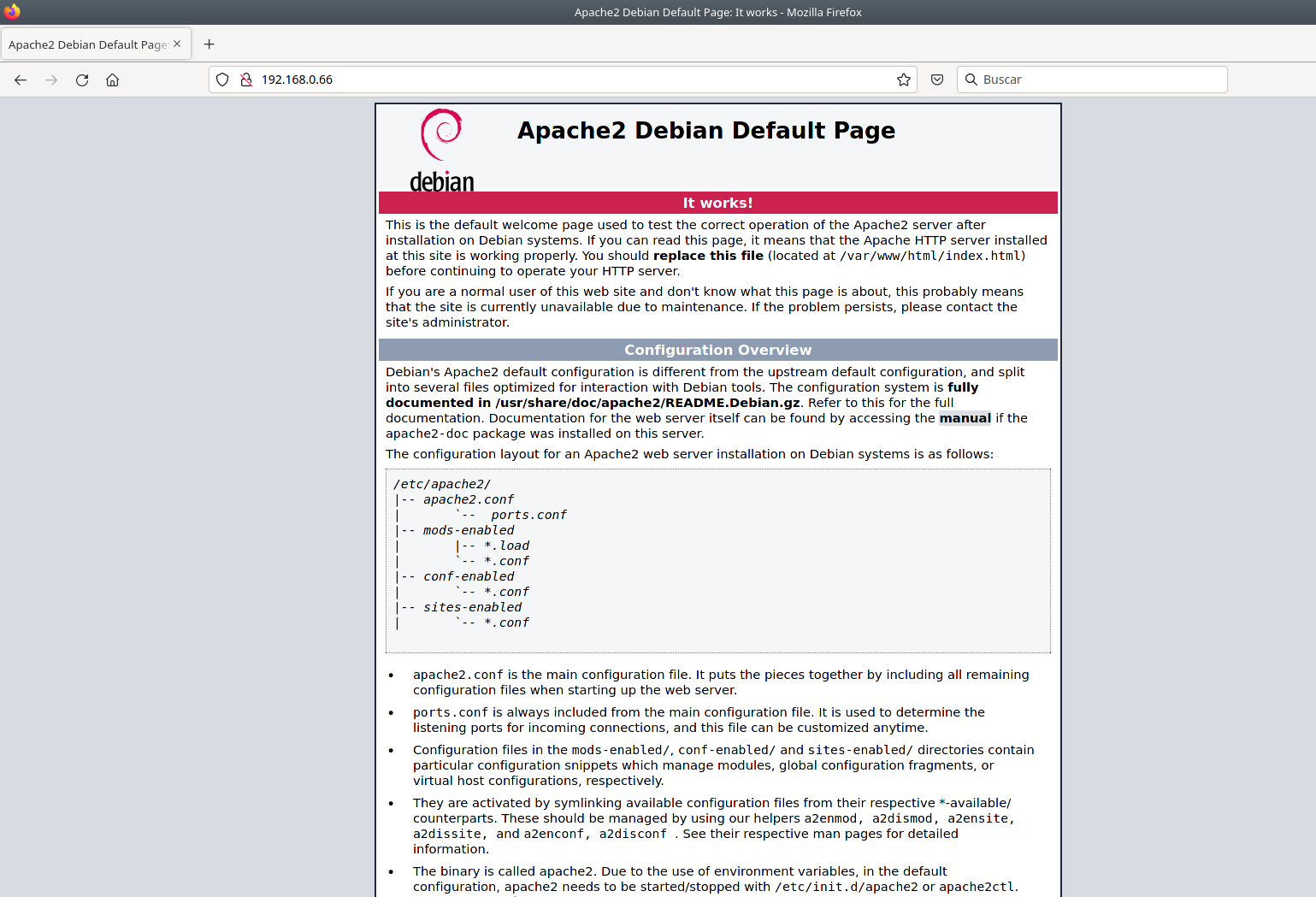
We confirm the dependencies and wait a few minutes. Once the installation is finished, the service will start and will do so every time we start the computer. To check that the web server is working correctly, we just have to access the local IP of our server from a web browser:
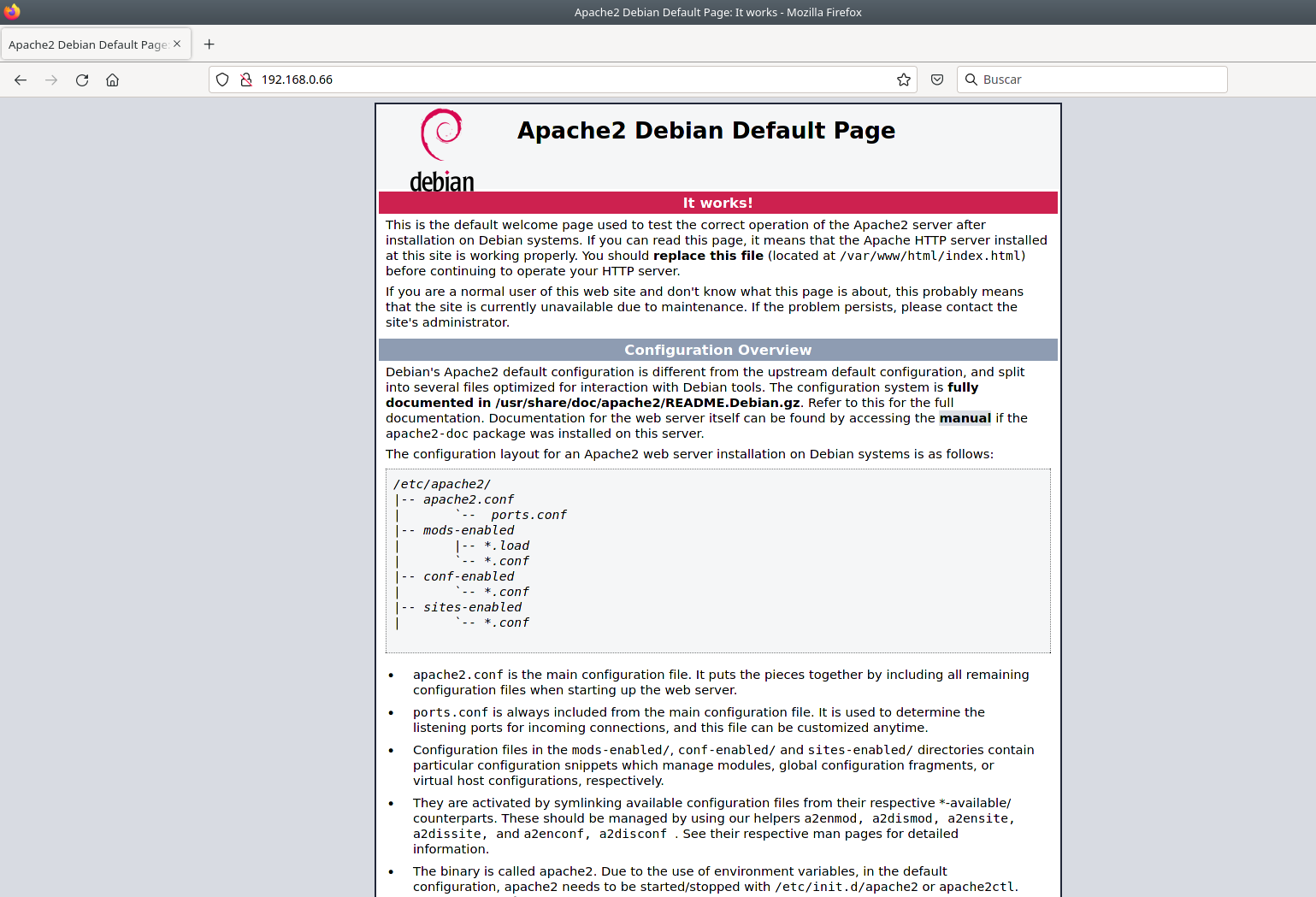
By default, the files of the web server are stored in /var/www/html where you will find the 'index.html' file that is shown by default (the page shown above). That file should be replaced by your index.html.
The route can be changed (we will see it in the next chapter). In any case, you can start uploading your content to that folder and it will be accessible from now on.
Toda la actualidad en la portada de Hardlimit
Mis cacharros -
 C cobito referenced this topic on
-
C cobito referenced this topic on
Hello! It looks like you're interested in this conversation, but you don't have an account yet.
Getting fed up of having to scroll through the same posts each visit? When you register for an account, you'll always come back to exactly where you were before, and choose to be notified of new replies (either via email, or push notification). You'll also be able to save bookmarks and upvote posts to show your appreciation to other community members.
With your input, this post could be even better 💗
Registrarse Conectarse