Help Installation Freeswitch-Fusionpbx
-
:verguen:
Hello, nice to meet you.
I was searching the web and I found this, I saw several guides and manuals about linux, raspberry etc., interesting.
I write here after searching and searching, because I don't know where to start and I hope someone can help me.It turns out that I have a Raspberry Pi 3, and I want to install Fresswitch-Fusionpbx and I can't see how, after many attempts, following guides and scripts that end up giving an error.
Let's see if someone can guide me or tell me a guide.What I do first, I copy the Raspbian-Jessie image to the sdcard, then I access via SSH through port 22. login: pi, pass: raspberry
And I follow the guide, but in the end it gives an error. I have seen this:
1- cd /usr/src
2- sudo wget https://raw.githubusercontent.com/fusionpbx/fusionpbx- scripts/master/install/debian/install_fusionpbx.sh
3- sudo chmod 755 install_fusionpbx.sh
4- sudo./install_fusionpbx.sh install-both auto
It starts to install, it asks for the database password, but in the end it gives an error.
I have tried many times with similar scripts but it gives me an error.
I would appreciate it if someone could help me, or tell me the procedure.
Thank you very much for everything. :verguen:
-
What database are you using? The project wiki recommends using SQLite or Postgres.
Toda la actualidad en la portada de Hardlimit
Mis cacharros -
Thank you very much for replying.
Yes, I use the Postgresql 9.0 database, I think, which is installed by default when I install this script:- wget https://raw.githubusercontent.com/fusionpbx/fusionpbx-scripts/master/install/ubuntu/install_fusionpbx.sh
installs version FS 1.4.26,
if I use this script:
- wget https://raw.githubusercontent.com/fusionpbx/fusionpbx-scripts/master/install/debian/install_fusionpbx.sh installs version FS 1.6.0
With FS 1.4.26, the older version, it installs but does not work when I try to make a test call, that is, from Windows "Jitsi" to an Android mobile with Csipsimple and vice versa. They register correctly but do not make a call. I had previously configured the extensions in the Fusionpbx panel via the web.
With the newer version FS 1.6.0 it does not install, it gives an error at the end after asking for the database password, and also by default it uses Postgresql. I do not know if the script is wrong... to be honest, I am not an expert.
Perhaps errors have been corrected with the newer version and calls can be made.
I have seen your blog, and I do what you say, but it does not work.
I have also given it a fixed IP, etc.
Thank you very much for your interest.
:verguen: - wget https://raw.githubusercontent.com/fusionpbx/fusionpbx-scripts/master/install/ubuntu/install_fusionpbx.sh
-
Do you have the system completely updated (both the firmware and Raspbian)?
Toda la actualidad en la portada de Hardlimit
Mis cacharros -
Yes, it is up to date, I think it may be more of a configuration issue in the web panel, I want it so that I can only talk from android mobile to android mobile.
I am talking about version FS 1.4.26
One strange thing is that on the local network it makes a call and rings both
Win jitsi to mobile and vice versa, but external calls do not make a call or ring, they register well.Thank you.
-
You will probably need to port forward on your router to receive external connections. Try forwarding these port ranges to your Raspberry Pi's IP: 5060 - 5090 for SIP on both TCP and UDP and 16384 - 32768 on UDP for RTP protocol.
Toda la actualidad en la portada de Hardlimit
Mis cacharros -
Thank you very much for responding to me again.
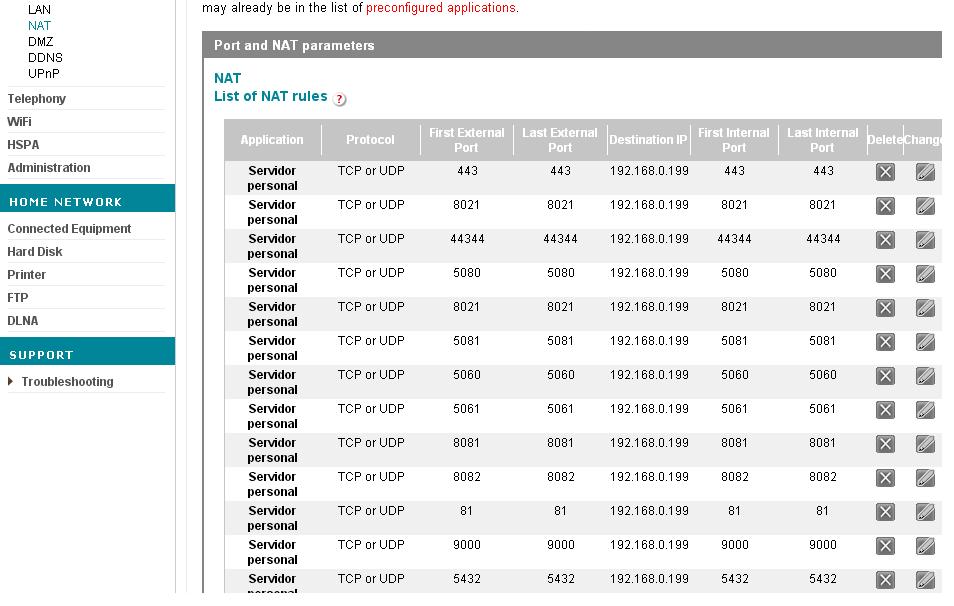
I have been opening ports on the router, everything is fine except for the range 16384-32768, which does not allow me.
I spoke with Vodafone support and they told me that there were ports reserved in that range.
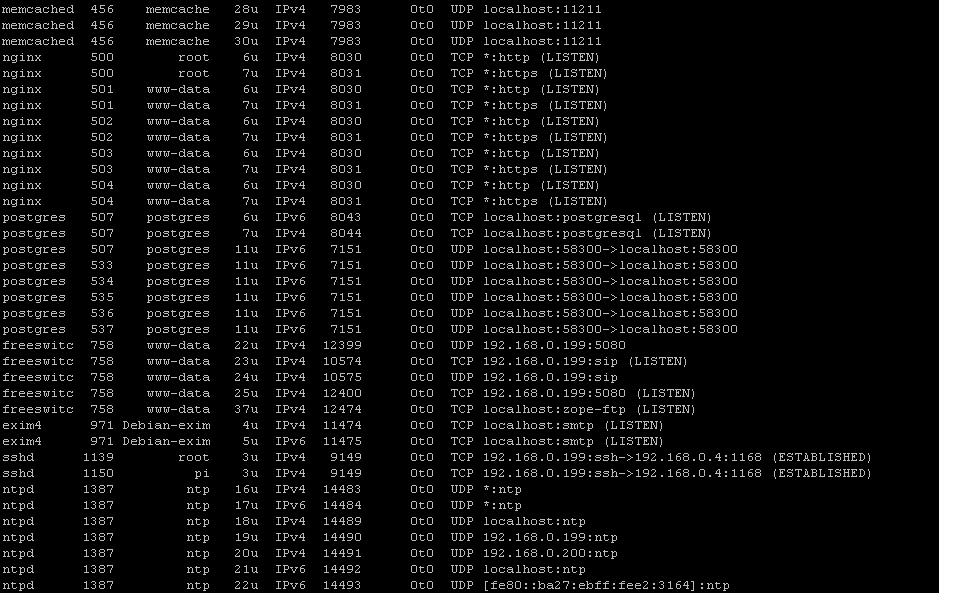
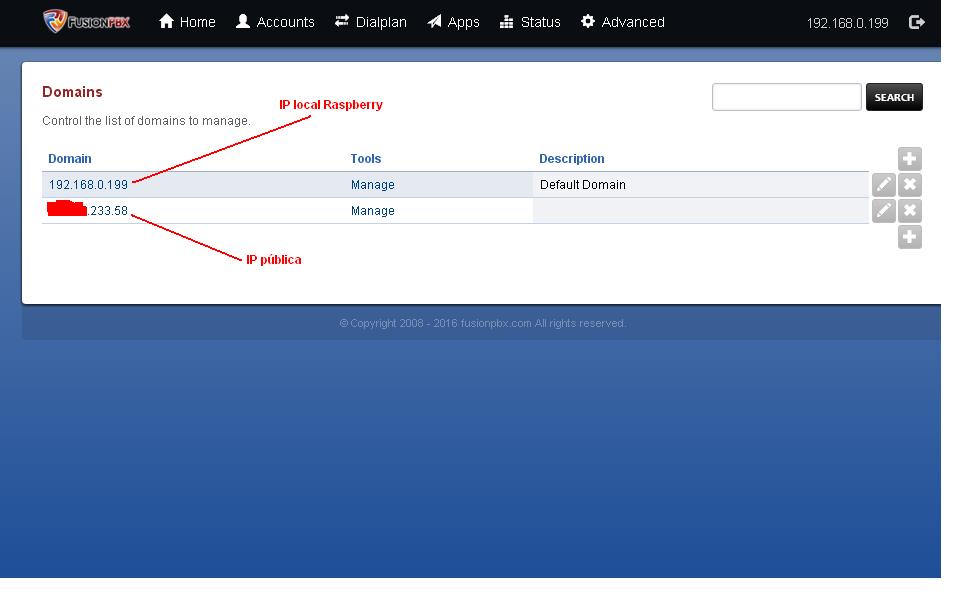
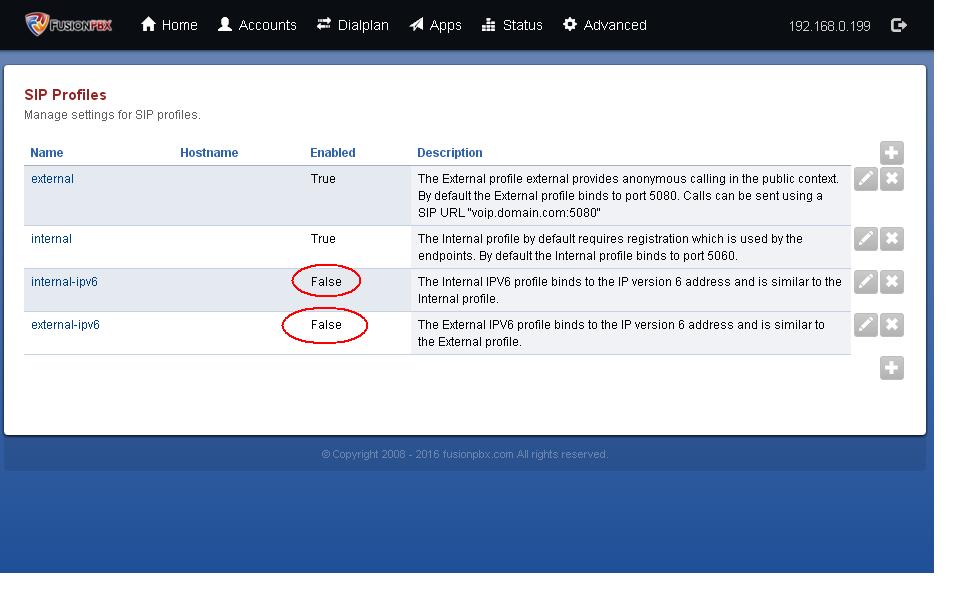
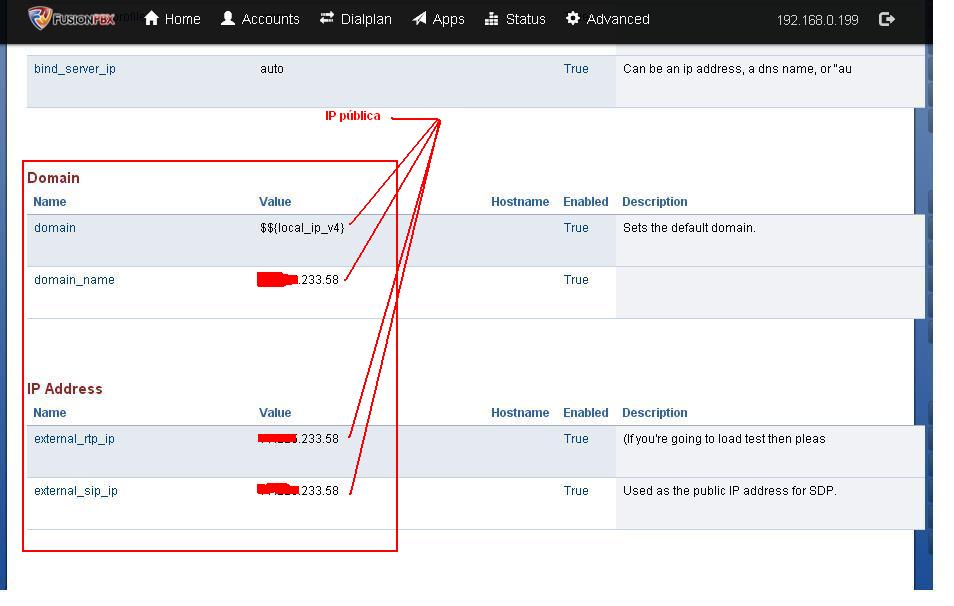
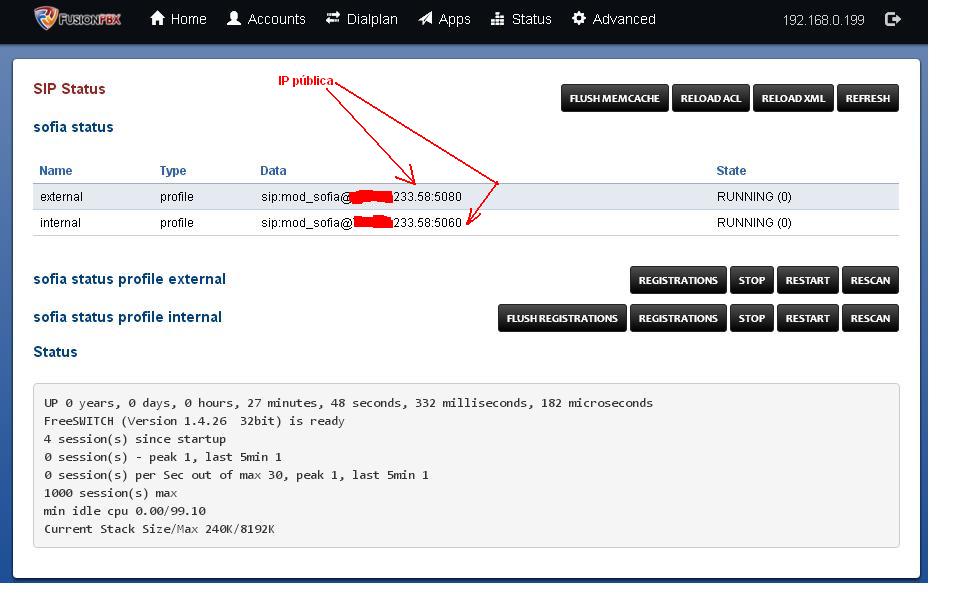
Nevertheless, I will attach images of basic configuration that I have tried to do and also of the Router that is from Vodafone.It uses ntpd and Postgresql.
Before, a long time ago with a version I think smaller, you could make calls and receive tango PC-Win-Jitsi to mobile android and vice versa, and also mobile to mobile android with Csipsimple, (without VoIP or SIP providers), just having a 3G mobile connection or whatever, and the configuration was more or less this that I attach, I do not understand and it worked.
Now with the version FS.1.4.26 it does not work, only locally if you make a call and receive, I do not understand the truth of what it can be.
I believed that with the version FS. 1.6.0 it would be easier to correct more failures.
But with the 1.6.0 it does not install.
:verguen:
-
Well, the truth is that I've run out of ideas. It's probably a bug because you've followed the steps proposed by the developers themselves. The question is whether it's possible to solve it in a more or less simple way.
Let's see if any other forum member can help you.
Toda la actualidad en la portada de Hardlimit
Mis cacharros -
Thank you very much for your interest.
It could be what you say, I don't know….
I already told you, it works on the local network, but not outside, no external calls.
Maybe it's a port, I don't know, but how do I know which port?In the range of ports you gave me (16384-32768) maybe that's the problem, this range is not allowed by the router because some are occupied.
I also tried to activate the DMZ but nothing, it doesn't work.Let's see if someone around here can shed some light or knows a manual, or script or whatever, that clarifies something.
Thank you very much for everything.
