Error 162-system
-
Good afternoon:
data:
hp compaq cd 7600 sff base unit.
I'll tell you, they gave me this desktop and at the beginning of the screen there was a key and a pass, foolishly I decided to clear CMOS, and format the hard drive (both the main partition and the boot partition), I even ran the zu.exe program to be able to format the hard drive.
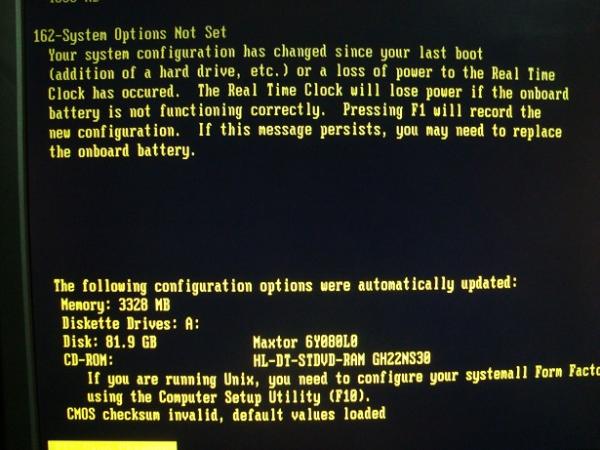
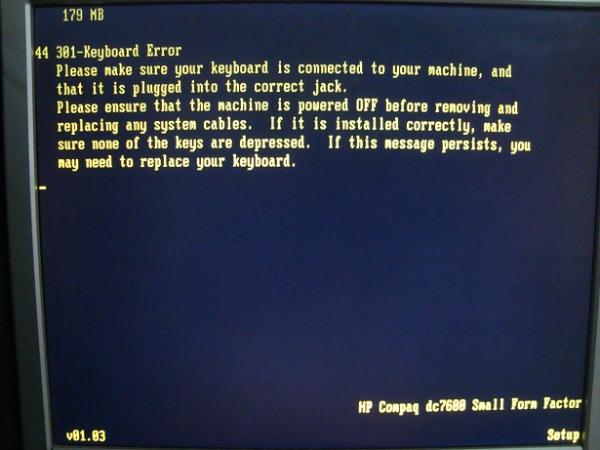
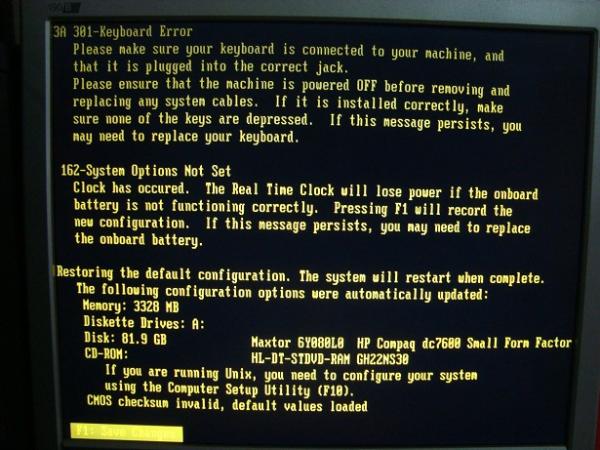
After all this I got this screen and I can't do anything.
I've read a lot but I can't find a solution, because the CMOS seems to be corrupt, and the keyboard doesn't work, in the photo the last image is to press F1 but the keyboard stops working and I can't press F1.I've taken out the battery a thousand times, changed the jumper position, and pressed the yellow button (CMOS) and nothing:
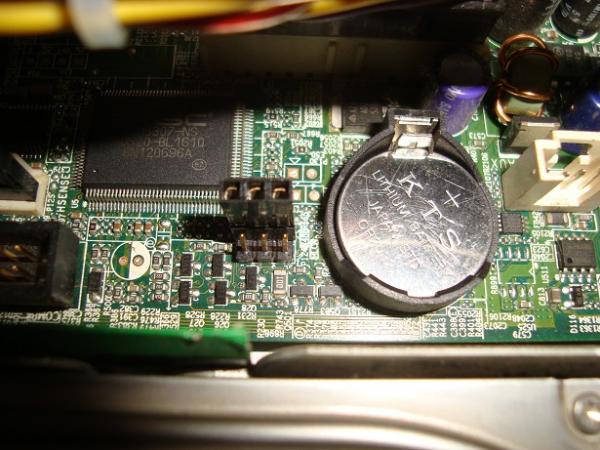
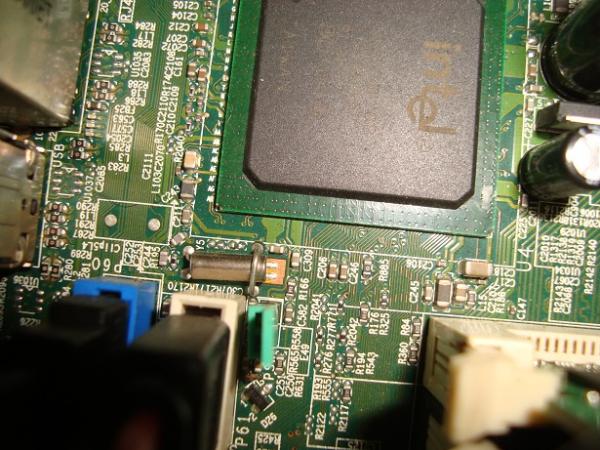
the jumper is next to the battery, but it doesn't say anything about clearing CMOS and I changed it, its configuration is this; two rows of rows,
the first row with 2 pins (here the jumper is connected now) 0x0 (the x means there is no pin)
the second row with 3 pins (here is where I changed the jumper with the battery) 000Well the best thing is to look at the photo.
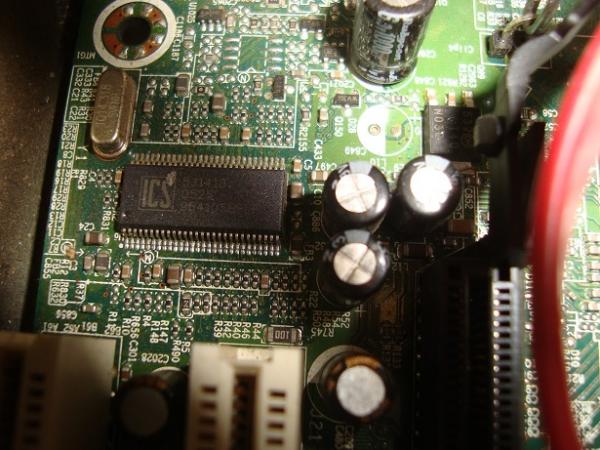
I would also like to know what type of BIOS (brand or type) it is, because it doesn't appear in the manual on the internet and I've searched the manuals on the official HP page and nothing, there is no graphic representation of the BIOS, only some things like memory, and connectors but nothing about the BIOS, maybe you can see it.
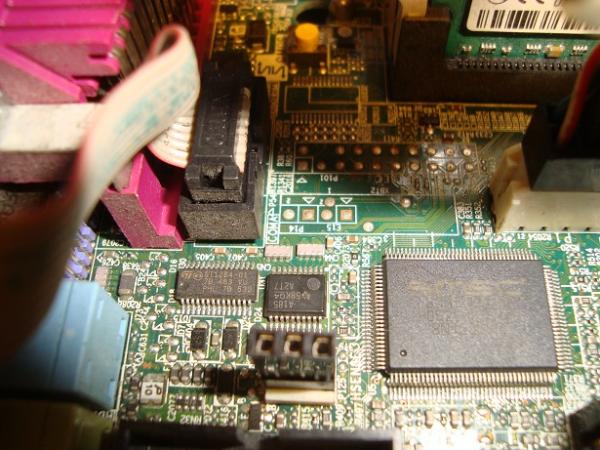
And here is the green jumper that if you remove it will erase the password from the hard drive or the BIOS, I'm not sure.
-
Surely the keyboard you are using is USB and the BIOS does not detect it. Connect a PS/2 one and press F1 when that message appears.
As a curiosity, Compaq has not changed absolutely anything in the messages or the aesthetics of their BIOS since the 486. What memories.
Toda la actualidad en la portada de Hardlimit
Mis cacharros -
+1 Re: PS/2 or USB keyboard + PS/2 adapter
You enter the BIOS with F10, and when you save the values, it should not give you problems again.
Regards!
Intel i5 3570k / ASRock Z77 Extreme 4 / G.Skill F3-12800CL9D-8GBRL / Sapphire HD5850 / Samsung HD103UJ / TR TrueSpirit / NZXT Source 210 / OCZ ZS550W
Intel i5 4570 / ASRock H87 Pro 4 / 2x G.Skill F3-14900CL8-4GBXM / Samsung 850 EVO 250Gb + ST1000DM003 + ST2000DM003 + HGST HDS723020BLA642 + Maxtor 6V250F0 / CM Seidon 240M / Zalman MS800 / CM MWE 550
AMD Ryzen 7 1800X / B350 / 2x8GB Samsung DDR4-2400 CL17 / NVIDIA GTX 1070 8GB / SSD 120GB + ST4000DM004 + ST6000DM003 / EVGA Supernova 650 G2 -
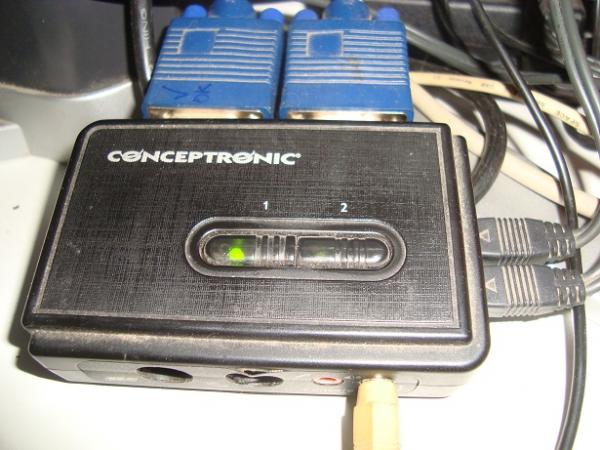
SOLVED: Here we have the culprit:
 The thing is that the keyboard is not USB, I don't know what happened, because on other computers it works perfectly for me.
I solved it by disconnecting everything and connecting only what is necessary to the PC.After many attempts, and even with everything well connected the PC did not pick up the keyboard and I got several errors which I show below:
SOLUTION:
The keyboard did not let me select the F1 option, as the companions in this forum have helped me, I tried disconnecting the Centronic adapter and connecting directly to the PC to repair, but even so I got the errors that I put in the photos, I tried at least 12 times, until finally the BIOS caught the keyboard.
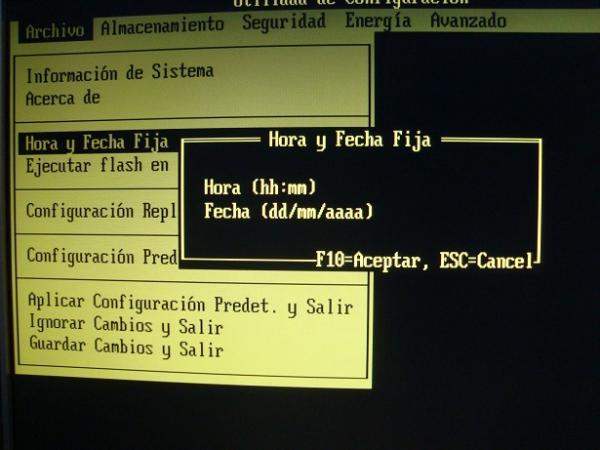
You have to keep the F10 key pressed until you see on the screen (set up)
Then configure the date and time
And finally reset the factory values.
In my case I reinstalled the entire operating system (Windows XP Professional SP3 32 bit)And well, now I am very happy <:(
Thanks a lot to everyone, I will not forget the help provided, I owe you a few beers



Hello! It looks like you're interested in this conversation, but you don't have an account yet.
Getting fed up of having to scroll through the same posts each visit? When you register for an account, you'll always come back to exactly where you were before, and choose to be notified of new replies (either via email, or push notification). You'll also be able to save bookmarks and upvote posts to show your appreciation to other community members.
With your input, this post could be even better 💗
Registrarse Conectarse