-
Hello:
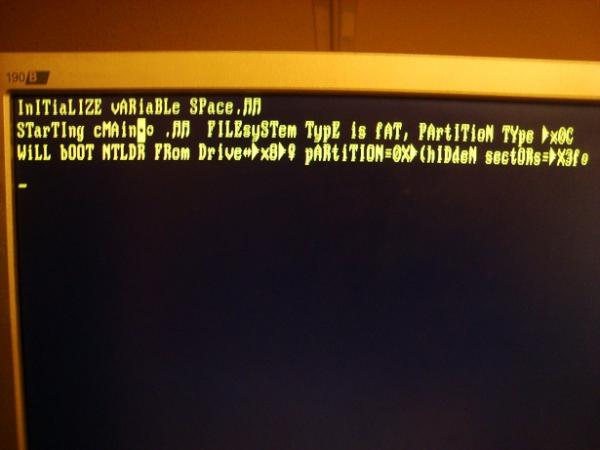
I have an HP Pavilion laptop, I formatted the hard drive, after formatting the hard drive I tried to install Windows Vista but I got this message
I don't know what it means, and how to solve the problem to install Windows Vista or Windows 7.
The F11 recovery option does nothing logically.I should say that I don't have a recovery disk or anything, and I used a file recovery tool but I couldn't do anything,
I have tried to install Windows Vista, 7 and XP from a USB because the DVD is broken, and nothing, in all of them I get this message, … the only thing that loads is Windows XP from Hiren's Boot.
Ubuntu doesn't load either to install or to check. I don't know if it's a keyboard issue, a hard drive issue (although the hard drive is fine, I ran the Victoria program) or the laptop itself.
Thanks.
-
It is in these situations that you appreciate having an external DVD via USB

If you don't have it or don't want to buy it, try using Hiren's to completely remove the MBR, with any of the specific utilities to edit it, and so the installers focus on making a new installation instead of checking the content of the HDD.
Salu2!
Intel i5 3570k / ASRock Z77 Extreme 4 / G.Skill F3-12800CL9D-8GBRL / Sapphire HD5850 / Samsung HD103UJ / TR TrueSpirit / NZXT Source 210 / OCZ ZS550W
Intel i5 4570 / ASRock H87 Pro 4 / 2x G.Skill F3-14900CL8-4GBXM / Samsung 850 EVO 250Gb + ST1000DM003 + ST2000DM003 + HGST HDS723020BLA642 + Maxtor 6V250F0 / CM Seidon 240M / Zalman MS800 / CM MWE 550
AMD Ryzen 7 1800X / B350 / 2x8GB Samsung DDR4-2400 CL17 / NVIDIA GTX 1070 8GB / SSD 120GB + ST4000DM004 + ST6000DM003 / EVGA Supernova 650 G2 -
The hard drive must have thought:
"What are you going to put Vista on me? I'd rather commit suicide!";D;D;D -
Very good, it's already solved, but I'll continue investigating what caused the error.
SOLUTION: you see, I made a 16 GB USB with Yumi with several operating systems, such as Vista, XP, Ubuntu, Backtrak, etc. In addition to tools like Hirens Boot CD, etc. etc.
I had no problems with that USB until today, but I suppose something was wrong with the MBR (Master Boot Record) of the hard drive, or it was conflicting with the USB.
I still don't know. What I do know is that I used a single USB for Windows 7 and was able to install it after several attempts, including formatting beforehand.
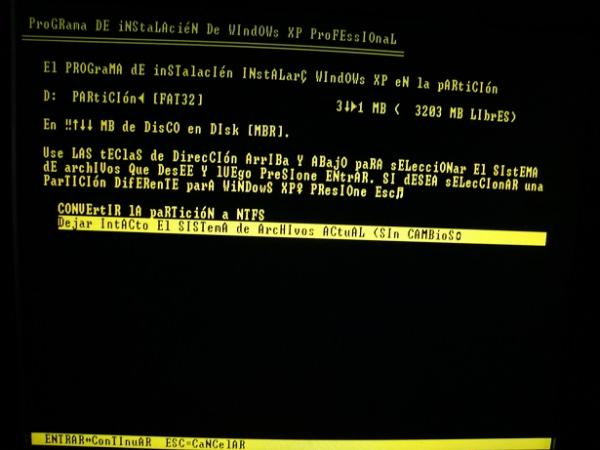
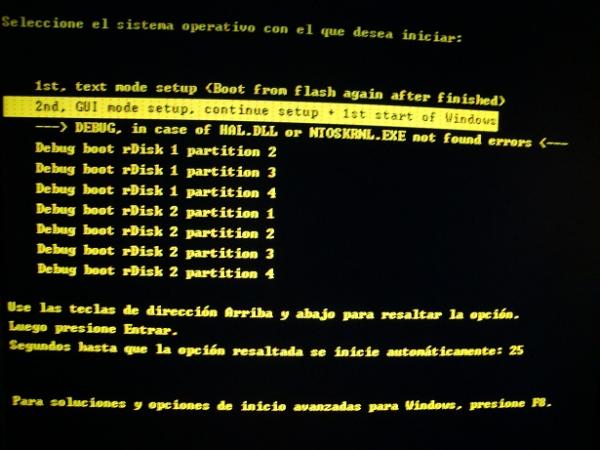
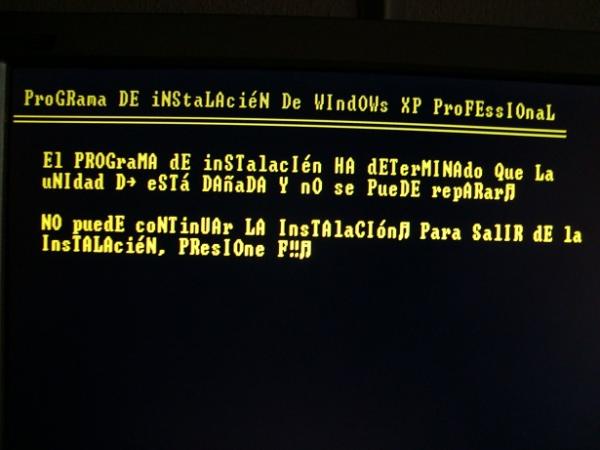
Here are some of the images when trying to install XP from a USB with that single system inside.
1 photo: when booting from the USB, these options came up.
2 photo
3rd photo. It's as if I tried to install XP on the USB. I must say that the Windows 7 I installed was in NTFS format, maybe this is another cause of the problem, or the main problem. Although the multiboot USB is also in NTFS with all the operating systems, what bothers me the most is the strange characters
important: if you have configured the BIOS to boot from the USB, remove it when it restarts the first time.
I don't know if it will help anyone, but the strange characters bother me a lot.
P.D.: I had two adapters, a USB to DVD and a USB to floppy disk, but neither of them worked. Only the USB worked
-
I venture that the hard drive may be damaged, or even the RAM, which is where the data that is being executed from your pendrive is stored, and the fact that the characters come out altered may be due to a failure in some module.
What I am sure of is that the fact that you installed windows 7 on NTFS format cannot be the logical cause of any problem, given that windows 7 necessarily requires that the partition on which it is installed is formatted in NTFS.
Greetings


