I have a doubt about my RAM
-
Hello everyone, you see I have a doubt about the RAM installed in my computer. The motherboard is an ASUS SABERTOOTH 990FX R2.0 and in this link from the ASUS website.
http://www.asus.com/es/Motherboards/SABERTOOTH_990FX_R20/#specifications
In the memory section I don't understand very well what it means, but I think it's not recommended to put a single module of more than 3Gb??
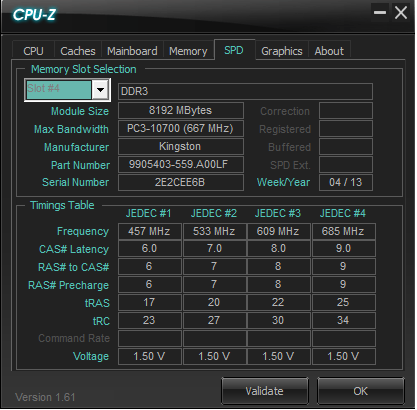
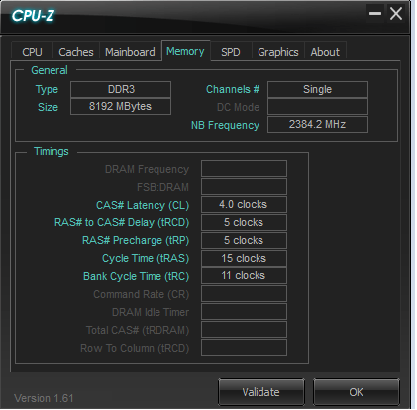
You see, I have a Kingston Hyper Blue memory module of 8Gb, but I don't know very well how the frequencies work or anything like that, I'll leave you a screenshot of the CPU-Z, and if someone can clarify my doubts.
Thanks and Regards
-
It seems they intended to translate the text below, but let's just say it turned out to be mediocre :facepalm:
- Due to OS limitation, when installing total memory of 4GB capacity or more, Windows
 32-bit operation system may only recognize less than 3GB. Install a 64-bit Windows OS when you want to install 4GB or more memory on the motherboard.
It refers to the fact that in 32-bit Operating Systems, if you put in 4GB or more, you can only use just under 3GB, and it recommends 64-bit Operating Systems.
Your motherboard supports Dual Channel, and you should use it
 , so buy another module of the same
Salu2!
Intel i5 3570k / ASRock Z77 Extreme 4 / G.Skill F3-12800CL9D-8GBRL / Sapphire HD5850 / Samsung HD103UJ / TR TrueSpirit / NZXT Source 210 / OCZ ZS550W
Intel i5 4570 / ASRock H87 Pro 4 / 2x G.Skill F3-14900CL8-4GBXM / Samsung 850 EVO 250Gb + ST1000DM003 + ST2000DM003 + HGST HDS723020BLA642 + Maxtor 6V250F0 / CM Seidon 240M / Zalman MS800 / CM MWE 550
AMD Ryzen 7 1800X / B350 / 2x8GB Samsung DDR4-2400 CL17 / NVIDIA GTX 1070 8GB / SSD 120GB + ST4000DM004 + ST6000DM003 / EVGA Supernova 650 G2 - Due to OS limitation, when installing total memory of 4GB capacity or more, Windows
-
Thank you very much for the clarification.
Although when I see memories at 1333,1600,etc. and I don't know what mine is.
If you want to expand the modules, must they be the same?? And does it make a difference to have the 8gb in single-channel or is it better to have 2x4 in dual-channelSent from my GT-I9100 using Tapatalk
-
It's better to have 2x4GB than 1x8GB when the motherboard supports Dual Channel, as is your case.
Regarding the speed at which your memory is running, I must say that CPU-Z is not clear about it, but if the latencies in the Memory tab are correct, I calculate that it is at 800Mhz based on the CAS value, so I assume you are doing overclocking tests :troll:
If that is not the case, your memory supports at least 1333, and you can set and check it in the BIOS.
Regards!
Intel i5 3570k / ASRock Z77 Extreme 4 / G.Skill F3-12800CL9D-8GBRL / Sapphire HD5850 / Samsung HD103UJ / TR TrueSpirit / NZXT Source 210 / OCZ ZS550W
Intel i5 4570 / ASRock H87 Pro 4 / 2x G.Skill F3-14900CL8-4GBXM / Samsung 850 EVO 250Gb + ST1000DM003 + ST2000DM003 + HGST HDS723020BLA642 + Maxtor 6V250F0 / CM Seidon 240M / Zalman MS800 / CM MWE 550
AMD Ryzen 7 1800X / B350 / 2x8GB Samsung DDR4-2400 CL17 / NVIDIA GTX 1070 8GB / SSD 120GB + ST4000DM004 + ST6000DM003 / EVGA Supernova 650 G2 -
Overclocking tests??? No way, nothing yet, neither for the graphics card nor for the processor, I don't know how to do OC, and I'm not sure if the power supply would support it, for now I don't need it, I just want to try doing it in Assassins Creed 4, which is the most demanding game I have.
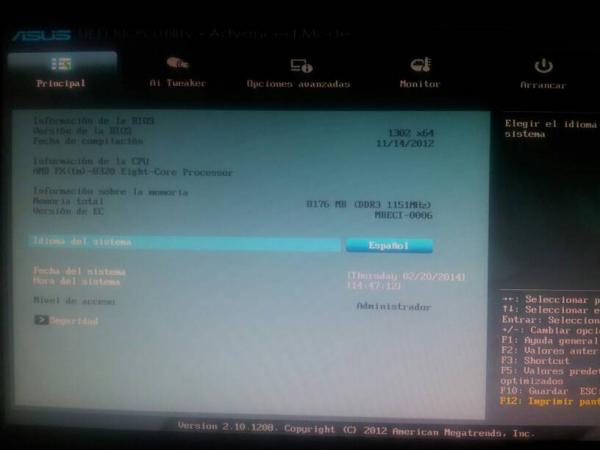
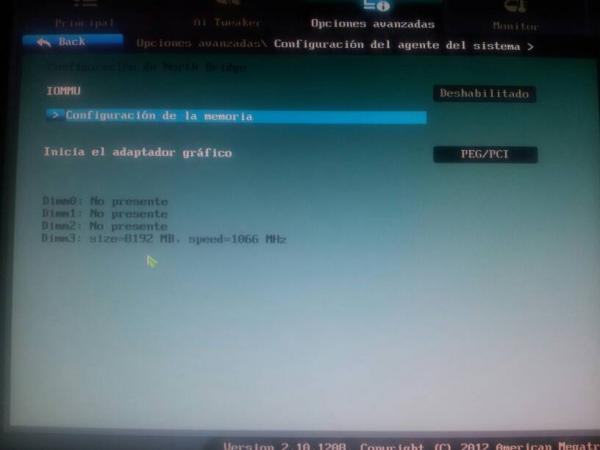
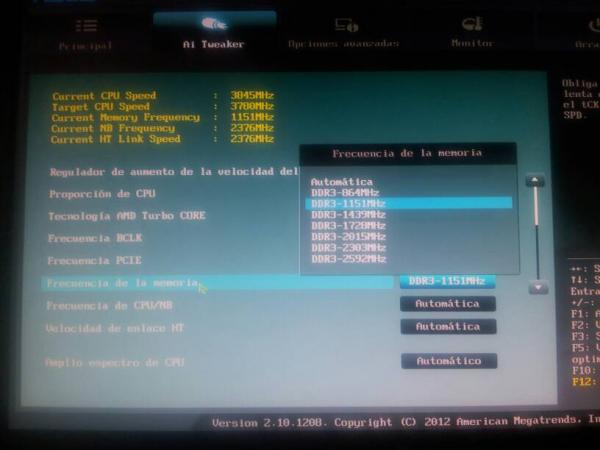
I'm in the bios, rummaging to see what I find, and I've seen that the RAM is going to 1151Mhz?? I'll attach a photo.Although on the other hand, it's at 1066 Mhz.
Sent from my GT-I9100 using Tapatalk
-
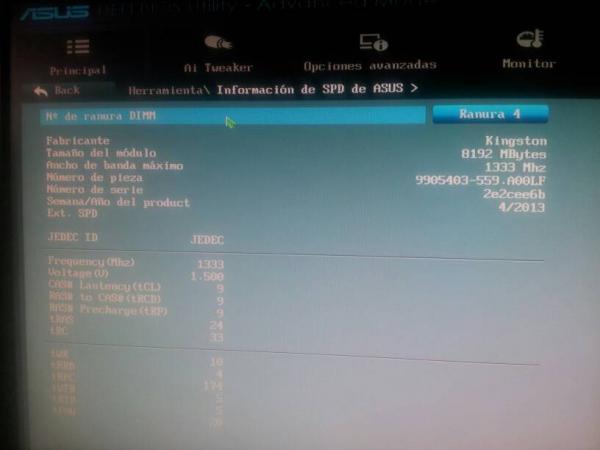
Well here I have found maximum bandwidth 1333 Mhz
Sent from my GT-I9100 using Tapatalk
-
Here in this other section I have found the memory frequency, and it is set to 1151 Mhz, it can be changed to automatic or another one can be set
Forgive me for the quality of the photos, they are taken from the mobile directly to the screen
Sent from my GT-I9100 using Tapatalk
-
You should be able to set the memory without problems to the 1439Mhz that appears as an option in the dropdown, but it's better to post a screenshot of the CPU tab in CPU-Z, because some multiplier must be changed for it to offer those values that are so unusual.
As for the photos from your phone, it's better to upload them in full resolution, because if I have to strain my eyes, I lose the desire to help
Best regards!
Intel i5 3570k / ASRock Z77 Extreme 4 / G.Skill F3-12800CL9D-8GBRL / Sapphire HD5850 / Samsung HD103UJ / TR TrueSpirit / NZXT Source 210 / OCZ ZS550W
Intel i5 4570 / ASRock H87 Pro 4 / 2x G.Skill F3-14900CL8-4GBXM / Samsung 850 EVO 250Gb + ST1000DM003 + ST2000DM003 + HGST HDS723020BLA642 + Maxtor 6V250F0 / CM Seidon 240M / Zalman MS800 / CM MWE 550
AMD Ryzen 7 1800X / B350 / 2x8GB Samsung DDR4-2400 CL17 / NVIDIA GTX 1070 8GB / SSD 120GB + ST4000DM004 + ST6000DM003 / EVGA Supernova 650 G2 -
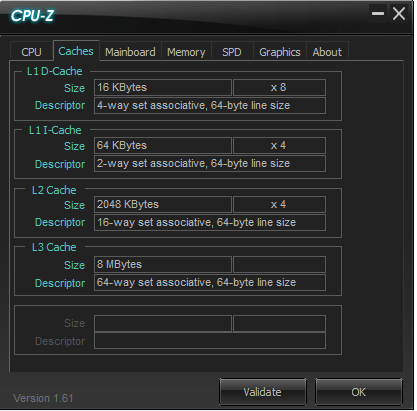
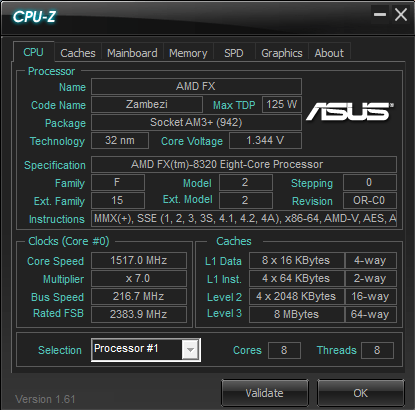
Here I leave a screenshot of the CPU with the CPU-Z and of the caches tab
-
For the Bus value, you must have an automatic Overclock system enabled in the BIOS.
Salu2!
Intel i5 3570k / ASRock Z77 Extreme 4 / G.Skill F3-12800CL9D-8GBRL / Sapphire HD5850 / Samsung HD103UJ / TR TrueSpirit / NZXT Source 210 / OCZ ZS550W
Intel i5 4570 / ASRock H87 Pro 4 / 2x G.Skill F3-14900CL8-4GBXM / Samsung 850 EVO 250Gb + ST1000DM003 + ST2000DM003 + HGST HDS723020BLA642 + Maxtor 6V250F0 / CM Seidon 240M / Zalman MS800 / CM MWE 550
AMD Ryzen 7 1800X / B350 / 2x8GB Samsung DDR4-2400 CL17 / NVIDIA GTX 1070 8GB / SSD 120GB + ST4000DM004 + ST6000DM003 / EVGA Supernova 650 G2

