Change Chromebook to Win 10
-
hello, I have a laptop Asus C523NA (Babytiger) with the Chromebooks system, and I would like to remove it and install Win10. First I would like to know if it is possible to make the change.
Any suggestions on how to do it?, and what would be the first steps...thanks salu2
-
There is an application called Parallels Desktop that allows you to run W10 on Chrome OS
The option to hack a computer as underpowered as that to put W10 on it can be an exercise in entertainment and learning but I don't think it's worth the time needed to do it, nor the complications (warranty and so on).
Salu2!
Intel i5 3570k / ASRock Z77 Extreme 4 / G.Skill F3-12800CL9D-8GBRL / Sapphire HD5850 / Samsung HD103UJ / TR TrueSpirit / NZXT Source 210 / OCZ ZS550W
Intel i5 4570 / ASRock H87 Pro 4 / 2x G.Skill F3-14900CL8-4GBXM / Samsung 850 EVO 250Gb + ST1000DM003 + ST2000DM003 + HGST HDS723020BLA642 + Maxtor 6V250F0 / CM Seidon 240M / Zalman MS800 / CM MWE 550
AMD Ryzen 7 1800X / B350 / 2x8GB Samsung DDR4-2400 CL17 / NVIDIA GTX 1070 8GB / SSD 120GB + ST4000DM004 + ST6000DM003 / EVGA Supernova 650 G2 -
hello Fassou, your suggestion is appreciated, although the aspect of power is very subjective...there are many more things to value.
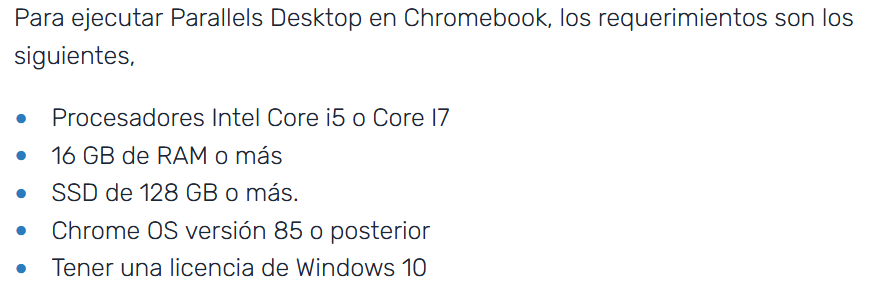
Regarding the possible solution with the soft. that you indicate, as I see it, we have to pay...is there any way to obtain that soft. in another way?Note: I have researched a little about this soft. and I already see that the hard. requirements are high...
salu2
-
@belzebu You have the real requirements, detailed on their website
A Chromebook is nothing more than a tablet with a keyboard, and for that it has more than enough power, but to put W10 on it is barely enough, besides the fact that they usually come with specific configurations or physical limitations to prevent you from doing so.
If you are really interested in getting into the project, whether you really want to put Windows on it or if you are considering the Linux option, I recommend this website: https://mrchromebox.tech/
Salu2!
Intel i5 3570k / ASRock Z77 Extreme 4 / G.Skill F3-12800CL9D-8GBRL / Sapphire HD5850 / Samsung HD103UJ / TR TrueSpirit / NZXT Source 210 / OCZ ZS550W
Intel i5 4570 / ASRock H87 Pro 4 / 2x G.Skill F3-14900CL8-4GBXM / Samsung 850 EVO 250Gb + ST1000DM003 + ST2000DM003 + HGST HDS723020BLA642 + Maxtor 6V250F0 / CM Seidon 240M / Zalman MS800 / CM MWE 550
AMD Ryzen 7 1800X / B350 / 2x8GB Samsung DDR4-2400 CL17 / NVIDIA GTX 1070 8GB / SSD 120GB + ST4000DM004 + ST6000DM003 / EVGA Supernova 650 G2 -
@Belzebu Has responded to the email notifying you of the reply in the forum. That response is not made public. I'm pasting it in the forum so that everyone can see it:
@belzebu said in Change Chromebook to Win 10
Hello Fassou,
Very grateful for your help and comments... and I must say that I have already considered it, but apart from wanting to help my sister, there is also the challenge of being able to carry out the process and more so of being able to bypass the obstacles imposed by SanGoo.
Anyway, if I succeed, I intend to install a win10 as light as possible.
Regarding the website you indicated, I must say that I have already visited it and with great difficulty with my English I have been able to follow the instructions that are in the section...

I have carried out all these processes. I have not seen any protective screw on the board. I have also visited the compatibility websites, my model is listed.
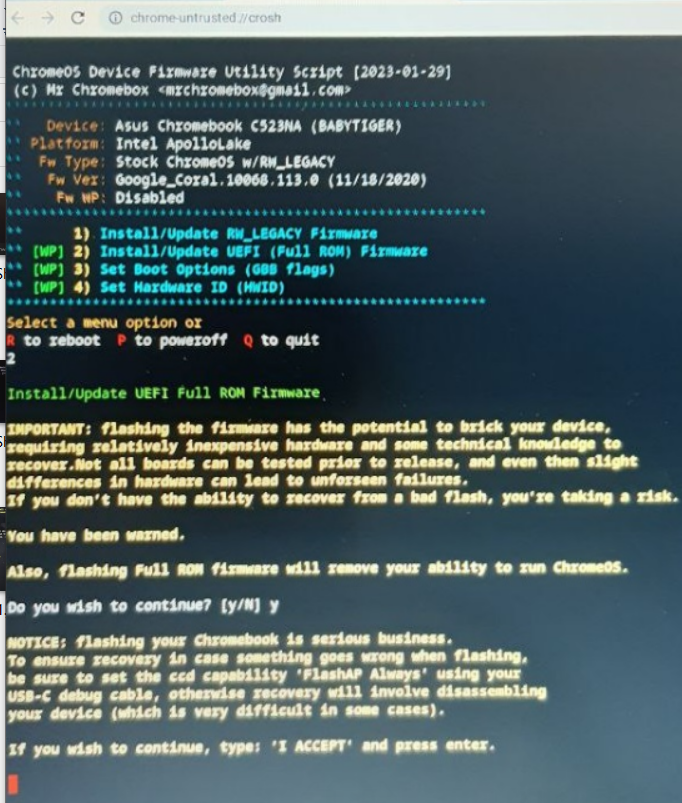
In the end, as it says, I wrote, I ACCEPT and pressed ENTER. I think I have also tried with ACCEPT alone.
and this is where the problem is because according to what I have been able to see on the net, these processes would be missing...
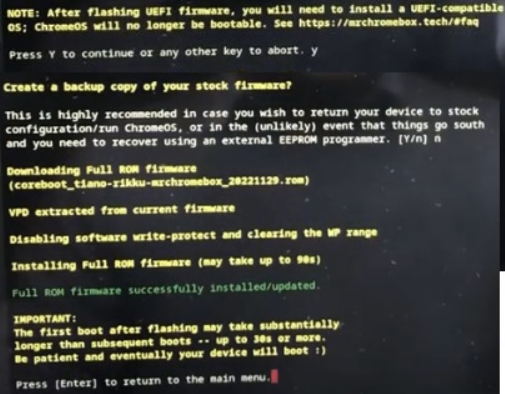
I am currently stuck in the process of recognizing the USB drive to install Win10.
If you have any new suggestions, I am delighted to receive them.
Best regardsToda la actualidad en la portada de Hardlimit
Mis cacharros -
I have news, in the end I was able to perform these processes:
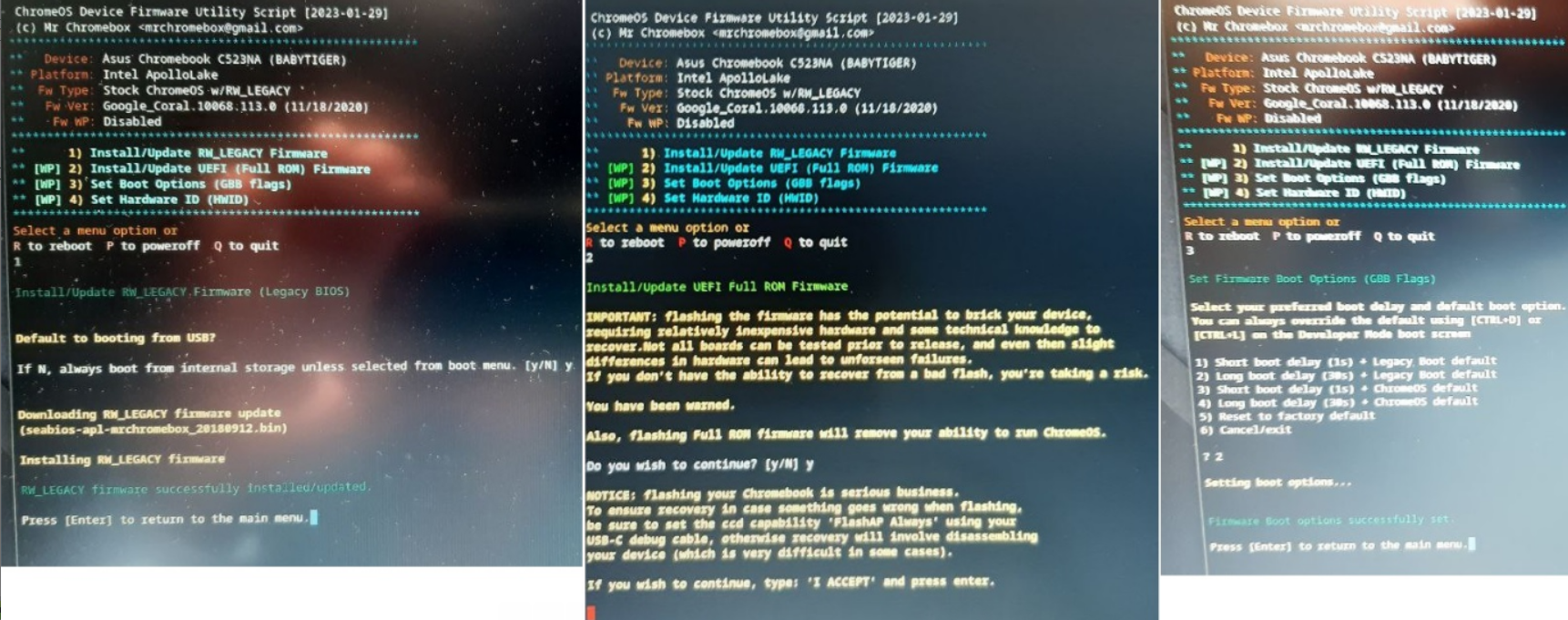
and then it already recognizes the USB drive, although at startup I got this message
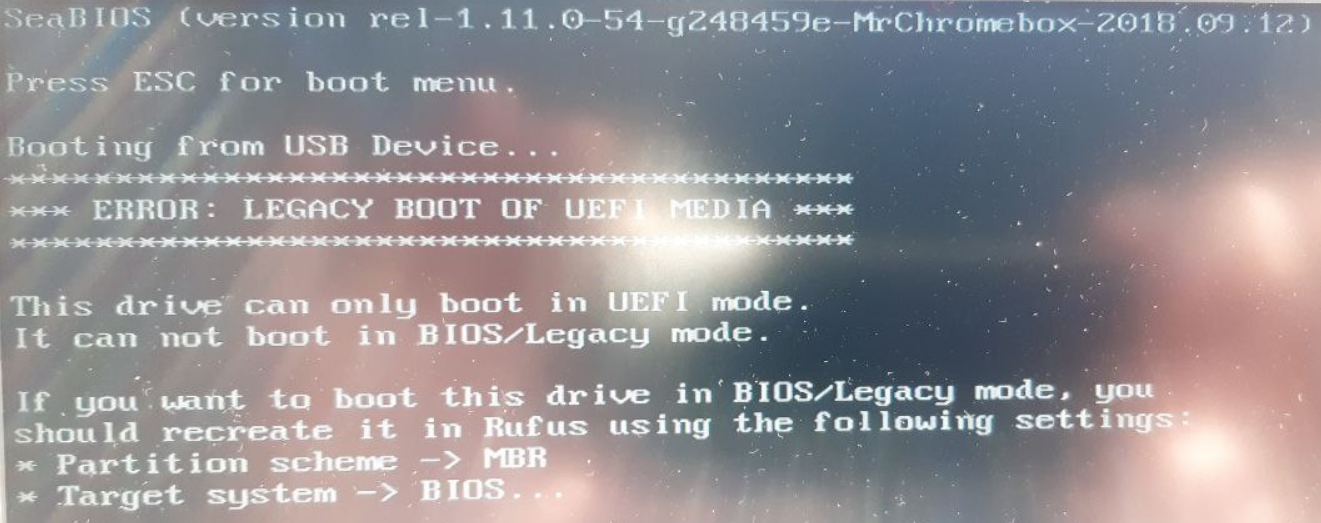
so I had to create it in "MBR" partition format
Then I started the Win10 installation and I got this message about the lack of a driver...
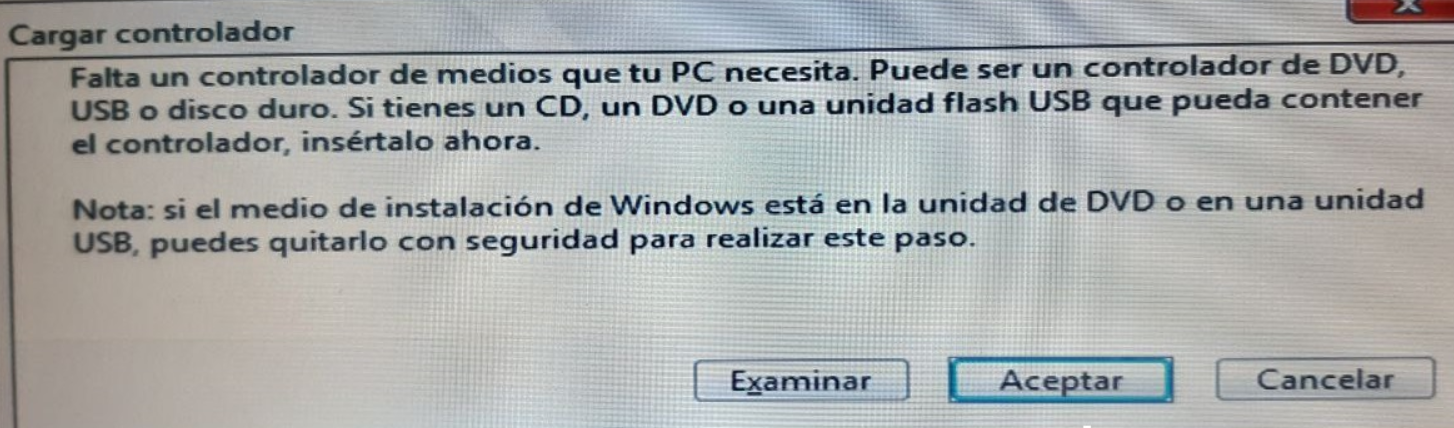
So now I'm stuck again, any ideas or suggestions on how to solve this problem.
-
Intel i5 3570k / ASRock Z77 Extreme 4 / G.Skill F3-12800CL9D-8GBRL / Sapphire HD5850 / Samsung HD103UJ / TR TrueSpirit / NZXT Source 210 / OCZ ZS550W
Intel i5 4570 / ASRock H87 Pro 4 / 2x G.Skill F3-14900CL8-4GBXM / Samsung 850 EVO 250Gb + ST1000DM003 + ST2000DM003 + HGST HDS723020BLA642 + Maxtor 6V250F0 / CM Seidon 240M / Zalman MS800 / CM MWE 550
AMD Ryzen 7 1800X / B350 / 2x8GB Samsung DDR4-2400 CL17 / NVIDIA GTX 1070 8GB / SSD 120GB + ST4000DM004 + ST6000DM003 / EVGA Supernova 650 G2 -
@fassou, No, the disk it carries is a 64 Gb eMMC. So you think the same process can be applied to it as the problem in the article you sent me?
-
After trying with 5 different Win10 and several Pendrives, only this one has worked for me...(which I don't understand because I've created them all in MBR) and the point where I am now is this...that I think is where it doesn't recognize the eMMC disk.
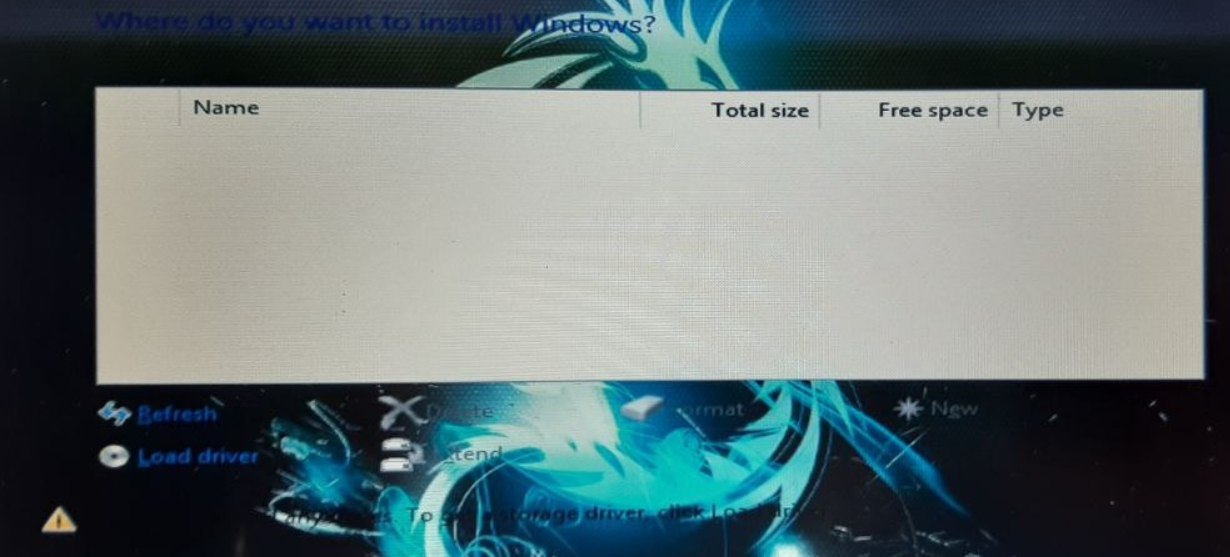
I've also tried loading the compatible drives and extracted from the.exe
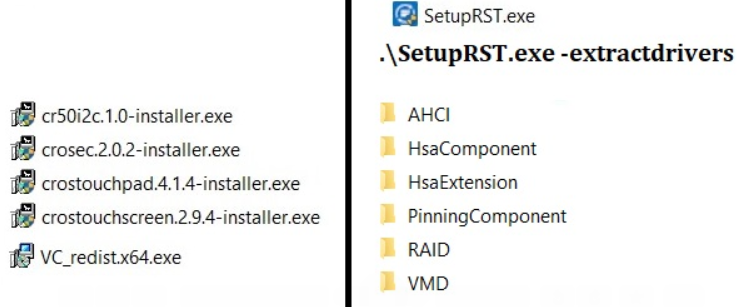
-
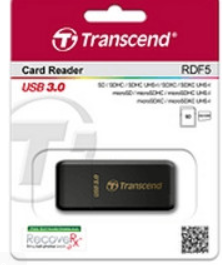
Many USB pendrives do not work well as a boot drive, personally I have ended up opting for card readers (not all work either) and using several MicroSD that I have been retiring from other uses to have several installation media available.
One that I usually recommend and have given away many times is the Transcend RDF5 which occasionally they offer it very discounted
Salu2!
Intel i5 3570k / ASRock Z77 Extreme 4 / G.Skill F3-12800CL9D-8GBRL / Sapphire HD5850 / Samsung HD103UJ / TR TrueSpirit / NZXT Source 210 / OCZ ZS550W
Intel i5 4570 / ASRock H87 Pro 4 / 2x G.Skill F3-14900CL8-4GBXM / Samsung 850 EVO 250Gb + ST1000DM003 + ST2000DM003 + HGST HDS723020BLA642 + Maxtor 6V250F0 / CM Seidon 240M / Zalman MS800 / CM MWE 550
AMD Ryzen 7 1800X / B350 / 2x8GB Samsung DDR4-2400 CL17 / NVIDIA GTX 1070 8GB / SSD 120GB + ST4000DM004 + ST6000DM003 / EVGA Supernova 650 G2 -
I don't think it's because of the PEN....I've tried with 3 different ones, and on different PCs, and they work on them. It's very strange.
In any case, I'm going to try your idea.
It would be one like this:
-
Hello again... and with good news, I have finally been able to complete the installation process. The problem was that it must be in UEFI, instead of RW_Legacy.
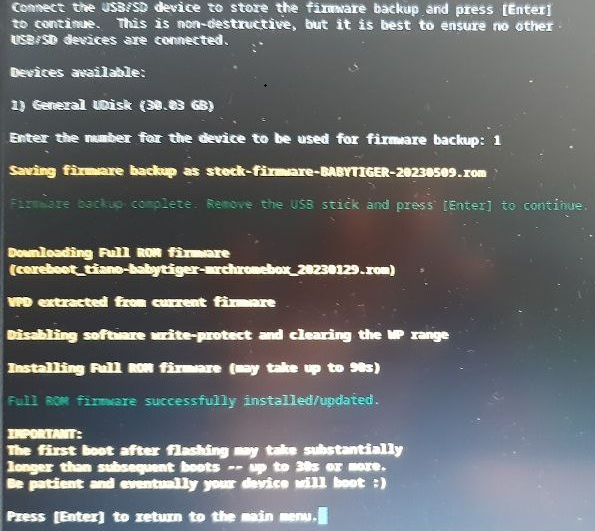
I hope my experience can be useful to other users....



Hello! It looks like you're interested in this conversation, but you don't have an account yet.
Getting fed up of having to scroll through the same posts each visit? When you register for an account, you'll always come back to exactly where you were before, and choose to be notified of new replies (either via email, or push notification). You'll also be able to save bookmarks and upvote posts to show your appreciation to other community members.
With your input, this post could be even better 💗
Registrarse Conectarse