Network configuration in Linux
-
This thread is part of the guide to set up a server on Debian.
Remember that the content of Hardlimit is under Creative Commons license.
Procedure
As root:
nano /etc/network/interfacesreplace the last two lines with:
auto enp0s3 iface enp0s3 inet static address our_local_ip netmask subnet_mask gateway access_gateNOTE: Remember that enp0s3 is the name of your network device and it may be different from the example. To know the name of your network device, you can type in the console:
ip aTo finish:
rebootExplanation
Due to the nature of the system (a server), it is essential to have a fixed local IP since our router will redirect the ports to that IP. If it changes, our server will be irreparably disconnected from the outside.
To configure a static local IP we are going to edit the 'interfaces' file. To do this, as root, we write the following:
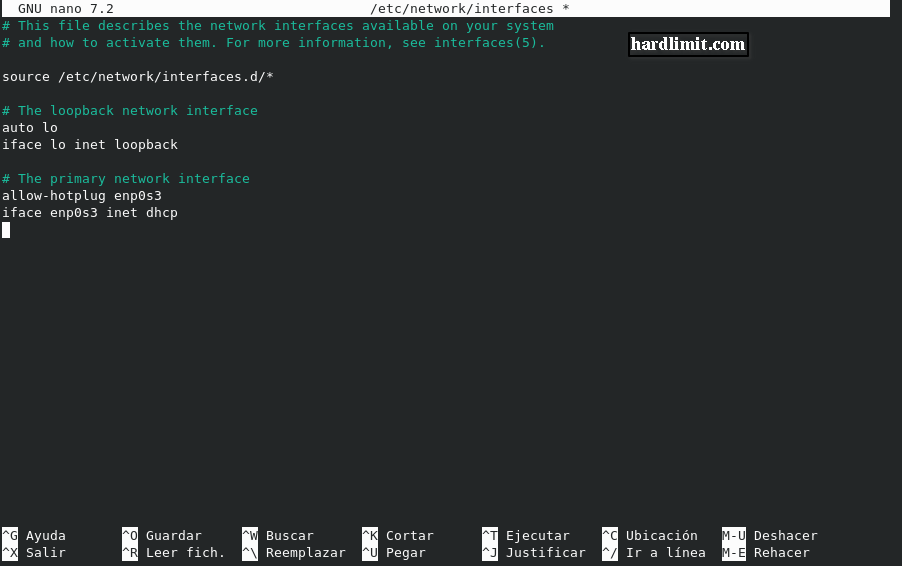
nano /etc/network/interfacesWe will find this:
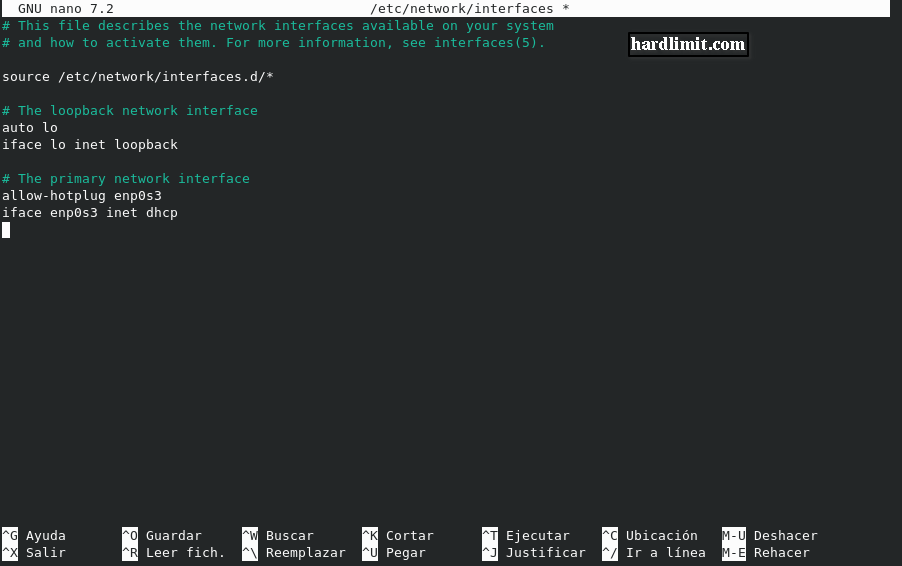
We just have to replace the last two lines with:
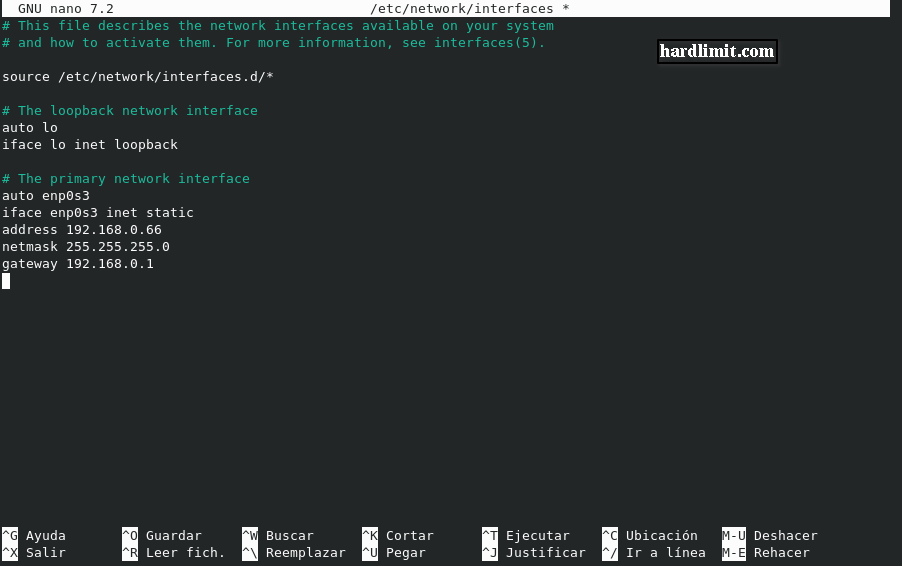
auto enp0s3 iface enp0s3 inet static address our_local_ip netmask subnet_mask gateway access_gate· address indicates the IP of the network device connected to the Internet. It must comply with the standard to avoid conflicts with public IP addresses. Standardized private addresses are divided into three classes: class A from 10.0.0.0 to 10.255.255.255, class B from 172.16.0.0 to 172.31.255.255 and class C from 192.168.0.0 to 192.168.255.255. The most widespread is class C.
· netmask is the subnet mask. Usually it is 255.255.255.0.
· gateway is the default gateway, that is, the local IP address of the router from which we connect to the Internet.Keep in mind that enp0s3 is the name of your network device and it may be different from the example. To know the name of your network device, you can type in the console:
ip aIn my case, the configuration file would be as follows:
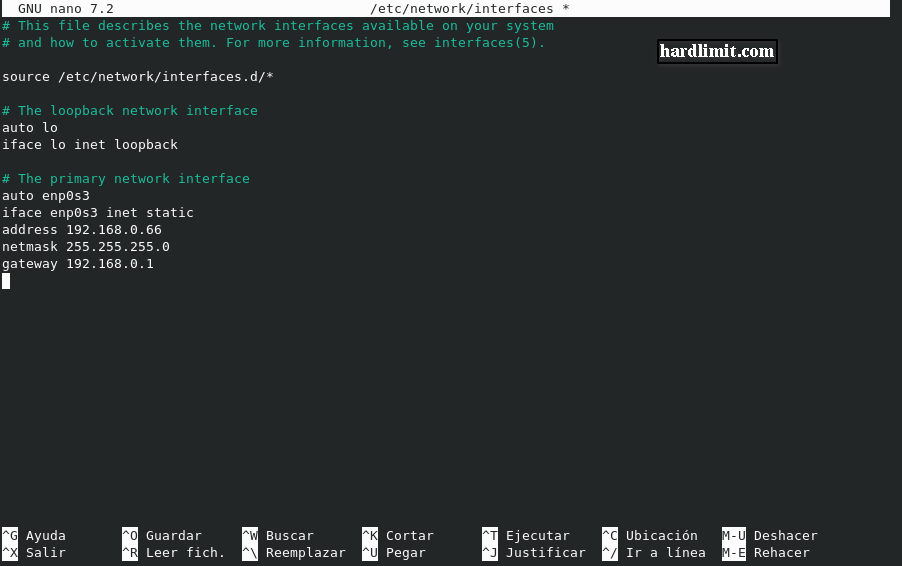
Once the changes have been made in the configuration file, we save and exit Nano. To apply the changes we must restart the system using the following command as root:
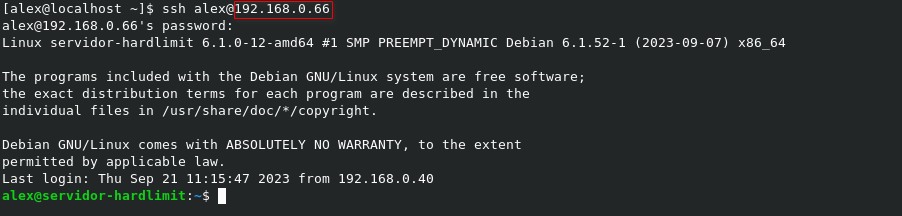
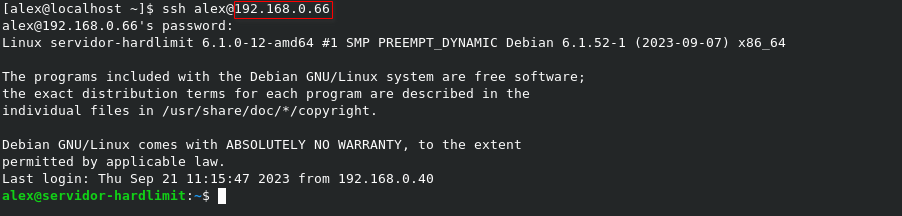
rebootWhen it has restarted, we will check that the IP of our machine will be the one we have entered. Obviously, to reconnect with SSH we must take this change into account:
Toda la actualidad en la portada de Hardlimit
Mis cacharros -
 C cobito referenced this topic on
-
C cobito referenced this topic on
-
C cobito referenced this topic on
Hello! It looks like you're interested in this conversation, but you don't have an account yet.
Getting fed up of having to scroll through the same posts each visit? When you register for an account, you'll always come back to exactly where you were before, and choose to be notified of new replies (either via email, or push notification). You'll also be able to save bookmarks and upvote posts to show your appreciation to other community members.
With your input, this post could be even better 💗
Registrarse Conectarse