Bios corrupted when updating it. The PC stays with the screen black.
-
Good afternoon!
While trying to update the BIOS of an Asus P5KE WiFI AP, I got an error and when I restarted it broke.
At first it turned on and read the devices (cd-rom, usb...) and recognized the ROM that I put on it via usb but it stayed all the time on "Reading P5KE.ROM".
After trying to get it to read the ROM in different ways, now the computer turns on, but I don't hear the beep and the fan of the Nvidia 8800 gts graphics card speeds up.
I have done a clearcmos, changed the position of the ram, disconnected the components and nothing, it's still the same.I don't think it's a RAM problem, because if I don't put any in, the beeps don't sound like the memory is missing.
And the graphics and the power supply are not either, because I think they work perfectly.
I see the problem in the motherboard, is there any way to reset it?What tests can I do?
thank you very much. Regards
-
I assume that the BIOS file was the correct one for your model and revision.
Normally, when the BIOS flash fails, it is enough to restart and repeat the process (it is always better to do it from a removable device than from Windows applications).
Resetting the CMOS should have been enough, try removing the battery, unplugging the tower and pressing the power and reset buttons for a few seconds. Then, reassemble the battery, put the bridge in the correct position and restart again. I repeat, check that the bridges on the motherboard are in the correct position.
Check the integrity of both the USB memory and the file itself, and if necessary, change to another USB memory and download the file again.
-
hello.
try to put in your previous BIOS.
there are two possibilities:
that it lets you update the BIOS again, and the problem is solved.
that it doesn't let you update the BIOS and in that case, unless you get a new chip, I'm afraid you'll have to throw away the board.
regards -
Good afternoon!
I was trying to update the BIOS of an Asus P5KE WiFi AP, I got an error and when I restarted it broke.
At first it turned on and read the devices (cd-rom, usb...) and recognized the ROM I put on it via usb but it kept getting stuck on "Reading P5KE.ROM".
After trying to get it to read the ROM in different ways, now the computer turns on, but I don't hear the beep and the fan of the Nvidia 8800 gts graphics card speeds up.
I've done a clearcmos, changed the position of the ram, disconnected the components and nothing has changed.I don't think it's a RAM problem, because if I don't put any in, the beeps don't sound like there's missing memory.
And the graphics and the power supply aren't the problem either, because I think they work perfectly.
I think the problem is with the motherboard, is there any way to reset it?What tests can I do?
thank you very much. Best regards
If you tried it from Windows, your bios has been corrupted, put in the motherboard CD to see if it updates to the original version, if not you will have to recover it with a diskette, look at this from Asus.
http://support.asus.com/Troubleshooting/detail.aspx?SLanguage=es-es&p=1&m=P5K-E/WiFi-AP&s=22&hashedid=dFAMIWrZWGgB1GuJ&os=&no=1785see if that fixes it, if not you will have to use a diskette to change the autoexec so that it updates because you won't see anything on the screen.
Tecnotopia » How to recover a corrupted BIOS
Never use that Asus update again, it's criminal, update with EZ flash that you have in the bios of your motherboard and it's much safer.
Your bios is AMI, you must put what it says for AMI bios.
regards
-
There are two ways to recover a corrupted BIOS:
1st) Buy the integrated program at a computer store (there are websites where they sell this).
2nd) Get another motherboard of the same model, update it, just before starting the process (with the PC on), remove the flash chip and put yours in. Proceed to program the memory. Once reprogrammed, it will work again on your motherboard.
For next time, if the medium from which you want to update gives the slightest failure, change it. The process is delicate enough not to do acrobatics.
Toda la actualidad en la portada de Hardlimit
Mis cacharros -
There are two ways to recover a corrupted BIOS:
1st) Buy the integrated program in a computer store (there are sites on the internet where they sell this).
2nd) Get another board of the same model, update it, just before starting the process (with the PC on), remove the flash chip and put yours in. Proceed to program the memory. Once reprogrammed, it will work again on your board.
For next time, if the medium from which you want to update gives the slightest failure, change it. The process is delicate enough as it is, so don't go juggling.
the idea is very good, but correct me if I'm wrong, I've been looking around the net for that option/s and I found two things
the chip
BIOS Chip Asus P5K E P5K E WiFi AP | eBay
the location of the chip,
to the right and a little below the black PCIe
http://www.nordichardware.se/skrivelser_img/526/lay3.jpg
and if I'm not mistaken it's soldered :eoh:
regards -
Well yes, it seems they decided to use DPAK encapsulation.
Anyway, it's all a matter of getting a soldering iron and trying to remove it.
The only recommendation I can make is that when soldering the new one, it should be done with an aluminum or copper plate stuck to the surface of the integrated to avoid its destruction due to the temperature.
With the matter as it is, option 2 that I proposed earlier is not valid in this case and probably the only way to save the board is by using a soldering iron.
Toda la actualidad en la portada de Hardlimit
Mis cacharros -
I wonder. Cobito, wouldn't it be better if he felt like welding that he would weld a "support" and not the memory.
Regards -
A P35 motherboard on ebay costs about 40€…
-
pregunto yo. cobito, no seria mejor si le da por ponerse a soldar que soldara un "soporte" y no la memoria.
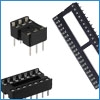
saludosTo use a socket, you would have to use an integrated in DIP format and I highly doubt they sell BIOS programs in DIP. You could use a programmer, acquire a blank memory in DIP and thus be able to solder the socket, which requires some resources that not everyone has.
A P35 motherboard on ebay costs about 40€…
Well, that depends on the time and resources of each person. The truth is that 10€ for the programmed flash is quite expensive and if you don't have a soldering iron or knowledge, it's a problem.
Toda la actualidad en la portada de Hardlimit
Mis cacharros -
I have no problem soldering, but I would rather take it to a professional because these chips are not made to be soldered manually. Power can be done (PD. how it is done:
) but, without the material and some experience, it is easy not to be well soldered, to make a bridge between two contacts or to burn it because they are very, very small. If you add what they charge you plus the programmed BIOS, it is practically the price of a complete second-hand board. -
First of all, it would be convenient for wuwuh to explain if he has managed to recover the BIOS by successfully flashing it.
In any case, and this is a personal opinion, if I knew that the chip was dead (something we are not certain about, but we suspect) I wouldn't complicate things: new motherboard and that's it.
I wouldn't throw away the old one, and I would try to find a chip for it and practice pulse and aim with the soldering iron, if it comes out well, then sell it, if it goes wrong, then I won't have lost much either. -
-
I think you can recover it without soldering anything, just do what Asus says and insert the motherboard CD that already has a bios, and if it doesn't work easily with the CD, try with a floppy disk, I saw people easily recover those P5K because of corrupt bios.
That's why the burner or floppy disk light is blinking, because it's looking for the bios file.





Hello! It looks like you're interested in this conversation, but you don't have an account yet.
Getting fed up of having to scroll through the same posts each visit? When you register for an account, you'll always come back to exactly where you were before, and choose to be notified of new replies (either via email, or push notification). You'll also be able to save bookmarks and upvote posts to show your appreciation to other community members.
With your input, this post could be even better 💗
Registrarse Conectarse