Problems with bright spots on the screen
-
I know that this topic should probably be posted in the monitors section, but I have already tested it with another monitor and it still does the same thing, so I rule that out. The fact is that a month ago I bought a new GIGABYTE WINDFORCE 760 GTX graphics card that has renewed my SHAPPIRE VAPOR X 5770, so the normal thing is that I uninstall the Ati drivers and install the Nvidia ones. I observe after this that on some screens while browsing the internet or watching some YouTube video, there are some bright, blurred, and flickering dots all over the screen. I thought that maybe some Ati drivers were left over, and here I was advised a program (which I can't remember) that detected if there was anything left and uninstalled it. So I did that and it detected some Ati stuff, I uninstalled it and that was it, I restarted the PC and I see the same problem again:wall:. The issue is driving me crazy because when I play any game while it's loading, nothing appears on the screen, completely clean, but in some videos of the same games when you go through a mission or something like that, I see the dots appear to a lesser extent.
I've looked it up on Google and it seems to be stuck pixels, but why would that also happen on the TV in the living room??. My monitor is a 21" LG with about two years of use and before I took off my Shappire Vapor X, it was working perfectly, so I have a bad feeling about the Gigabyte 760.
I'm annoyed because it cost me €248 for the graphics card at Pc Componentes and of course I'd like to make sure that if it could be a problem with the card, I can send it back immediately.
What do you think?
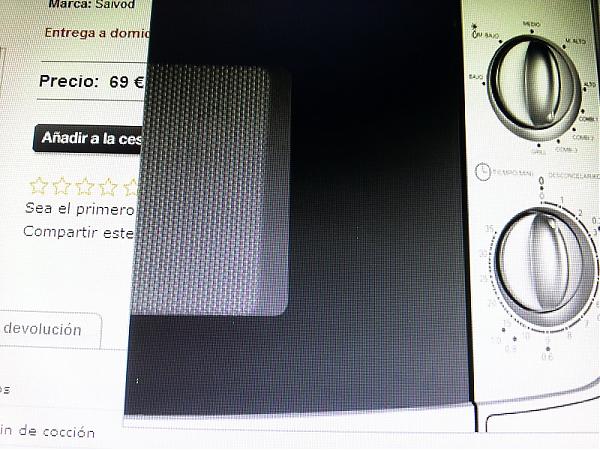
P.D: I'm attaching some images that you can zoom in on to see what I'm talking about. One of them I'm not sure if it will actually be seen because it was made with a screen capture (the one from Uplay) and the other two are from the phone's camera.

-
Check or disable the integrated (HD3000), in case it is the source of the "glare", and if it remains the same, run some stress test on the new graphics, in case it is damaged.
Regards!
Intel i5 3570k / ASRock Z77 Extreme 4 / G.Skill F3-12800CL9D-8GBRL / Sapphire HD5850 / Samsung HD103UJ / TR TrueSpirit / NZXT Source 210 / OCZ ZS550W
Intel i5 4570 / ASRock H87 Pro 4 / 2x G.Skill F3-14900CL8-4GBXM / Samsung 850 EVO 250Gb + ST1000DM003 + ST2000DM003 + HGST HDS723020BLA642 + Maxtor 6V250F0 / CM Seidon 240M / Zalman MS800 / CM MWE 550
AMD Ryzen 7 1800X / B350 / 2x8GB Samsung DDR4-2400 CL17 / NVIDIA GTX 1070 8GB / SSD 120GB + ST4000DM004 + ST6000DM003 / EVGA Supernova 650 G2 -
Check or disable the integrated (HD3000), in case it is the source of the "glare", and if it is still the same, run some stress test on the new graphics card, in case it is damaged.
Salu2!
The integrated?, you mean the internal graphics of the motherboard?. My motherboard is an Asrock P67 Pro3, the truth is that I do not know if it has integrated graphics (something I will check now) but with my previous Ati I did not need to disable anything.
As for a program to stress the graphics card, which one do you recommend?, does it inform if the card has any defect? -
I mean that your micro has integrated graphics, also called IGP, although it seems that your motherboard does not support it <:(
About the program to stress the graphics, you can use the ATITool or the Video Memory stress Test, although they are projects that have not been updated for a long time.
Salu2!
Intel i5 3570k / ASRock Z77 Extreme 4 / G.Skill F3-12800CL9D-8GBRL / Sapphire HD5850 / Samsung HD103UJ / TR TrueSpirit / NZXT Source 210 / OCZ ZS550W
Intel i5 4570 / ASRock H87 Pro 4 / 2x G.Skill F3-14900CL8-4GBXM / Samsung 850 EVO 250Gb + ST1000DM003 + ST2000DM003 + HGST HDS723020BLA642 + Maxtor 6V250F0 / CM Seidon 240M / Zalman MS800 / CM MWE 550
AMD Ryzen 7 1800X / B350 / 2x8GB Samsung DDR4-2400 CL17 / NVIDIA GTX 1070 8GB / SSD 120GB + ST4000DM004 + ST6000DM003 / EVGA Supernova 650 G2 -
I mean that your micro has integrated graphics, also called IGP, although it seems that your motherboard does not support it <:(
About the program to stress the graphics, you can use the ATITool or the Video Memory stress Test, although they are projects that have not been updated for a long time.
Salu2!
The truth is that I had not noticed that my micro had integrated graphics. It may be that this has something to do with it, although you mention that my motherboard does not support it.
I downloaded the Ozone3D Furmark and I am doing a stability test at 1920*1080, MSAA 4X, and it reaches a maximum temperature of 80 degrees, everything is stable, it has been half an hour but this has no end. I do not know if it should be left for a certain amount of time and I close it manually or if it finishes automatically.Thanks
-
If I were in your situation, I would get a digital camera to take photos where the details are appreciated, if the one on the mobile phone is not enough.
When you have a static image with defects, I would press Imp Pantalla, and paste the image into a graphic editor (Paint or the one you use) to check that the image is poorly generated and is not a defect of the monitor. The best test is to move the image to see if the defect is still present even when the original pixel area does not coincide with the one you are using to see that defect.
If it is in 3D environments, Fraps will be your best friend.
If you confirm that failure, I would try to take a photo of that poorly generated image on your monitor and better if you can do it on another one (TV or whatever), to finally repeat the test with your old graphics card and show that the error does not occur.
With all those images, you send an email to PCC to open an RMA, and give them the work done, that is always appreciated, usually managing the change before.
Salu2!
Intel i5 3570k / ASRock Z77 Extreme 4 / G.Skill F3-12800CL9D-8GBRL / Sapphire HD5850 / Samsung HD103UJ / TR TrueSpirit / NZXT Source 210 / OCZ ZS550W
Intel i5 4570 / ASRock H87 Pro 4 / 2x G.Skill F3-14900CL8-4GBXM / Samsung 850 EVO 250Gb + ST1000DM003 + ST2000DM003 + HGST HDS723020BLA642 + Maxtor 6V250F0 / CM Seidon 240M / Zalman MS800 / CM MWE 550
AMD Ryzen 7 1800X / B350 / 2x8GB Samsung DDR4-2400 CL17 / NVIDIA GTX 1070 8GB / SSD 120GB + ST4000DM004 + ST6000DM003 / EVGA Supernova 650 G2 -
I downloaded the DPT program, which is used to detect if the monitor has dead or stuck pixels and if the screen is clean. The curious thing is that with the program I applied all the color backgrounds and in dark colors like black and gray, no bright pixels appear. On the contrary, when I open the Uplay program, the background color is gray and it is impressive the amount of bright points that appear?¿?¿? (I attach a sample of what I mean). I have never experienced this before, if the monitor's screen is really defective, those bright points should be visible on websites, photos, etc.
I attach files, the photos were taken with my Galaxy S3
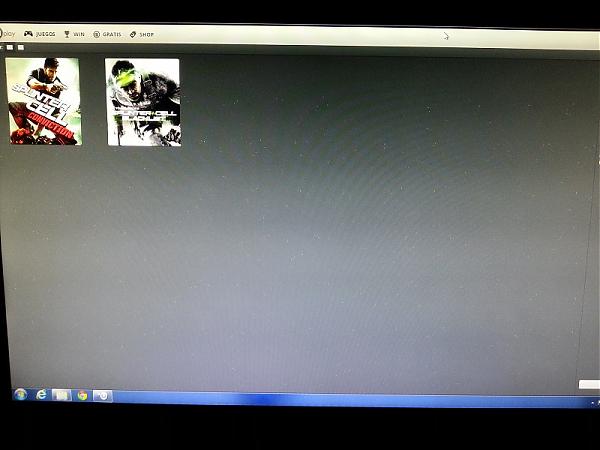
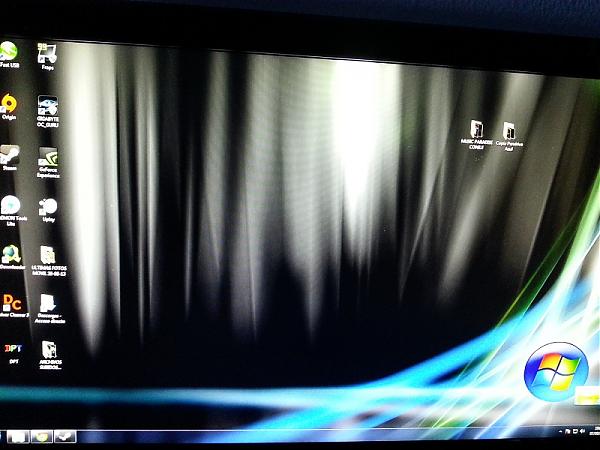
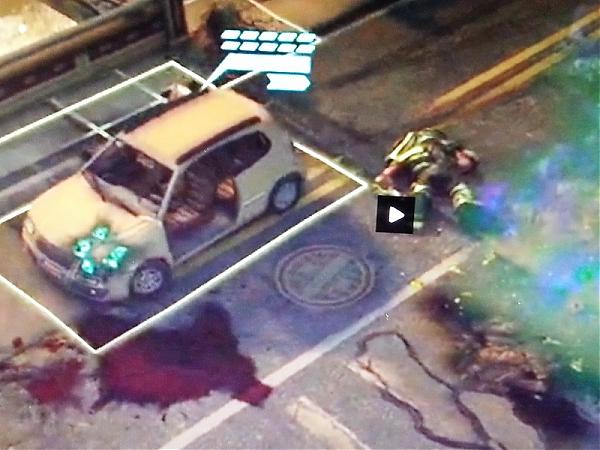
-
I think that may be the graphics card crashing (memory) or a driver issue, because for a monitor to do that is very difficult.
regards and hope it's nothing
-
Since you installed the new graphics card, have you checked if it still uses the monitor configuration (driver) or if it put a generic one from Windows?
If everything is the same, look at the options in the nVIDIA panel, the section about refresh rate settings, to try other ones (not frequencies, but ways to assign them) and see if it gets solved. Or activate V-Sync, just to try.
Salu2! and Good luck
Intel i5 3570k / ASRock Z77 Extreme 4 / G.Skill F3-12800CL9D-8GBRL / Sapphire HD5850 / Samsung HD103UJ / TR TrueSpirit / NZXT Source 210 / OCZ ZS550W
Intel i5 4570 / ASRock H87 Pro 4 / 2x G.Skill F3-14900CL8-4GBXM / Samsung 850 EVO 250Gb + ST1000DM003 + ST2000DM003 + HGST HDS723020BLA642 + Maxtor 6V250F0 / CM Seidon 240M / Zalman MS800 / CM MWE 550
AMD Ryzen 7 1800X / B350 / 2x8GB Samsung DDR4-2400 CL17 / NVIDIA GTX 1070 8GB / SSD 120GB + ST4000DM004 + ST6000DM003 / EVGA Supernova 650 G2 -
Well, if it's a matter of the card's memory failing, it's lucky it's still under warranty. I think it might be a driver issue since the monitor is ruled out because I tried it on the living room TV and it did the same thing, and I downloaded a program to detect dead pixels on the monitor and it's perfect.
What you said about the monitor drivers isn't the generic one, but the one from LG's monitor, and I've already looked at the Nvidia panel settings and nothing. What I'm going to do now is uninstall the nvidia drivers with the Driver Cleaner program and see what happens. The thing is, I got rid of my old graphics card and can't do some tests, but I'll do it on my nephew's PC. -
According to this post, if the generic Windows driver does not show those dots, it is a symptom that the graphics core is faulty.
But in any case, you should try other drivers.
Regards!
Intel i5 3570k / ASRock Z77 Extreme 4 / G.Skill F3-12800CL9D-8GBRL / Sapphire HD5850 / Samsung HD103UJ / TR TrueSpirit / NZXT Source 210 / OCZ ZS550W
Intel i5 4570 / ASRock H87 Pro 4 / 2x G.Skill F3-14900CL8-4GBXM / Samsung 850 EVO 250Gb + ST1000DM003 + ST2000DM003 + HGST HDS723020BLA642 + Maxtor 6V250F0 / CM Seidon 240M / Zalman MS800 / CM MWE 550
AMD Ryzen 7 1800X / B350 / 2x8GB Samsung DDR4-2400 CL17 / NVIDIA GTX 1070 8GB / SSD 120GB + ST4000DM004 + ST6000DM003 / EVGA Supernova 650 G2 -
According to this post, if the generic Windows driver doesn't show those dots, it's a symptom that the graphics core is bad.
But anyway, you have to try with other drivers.
Salu2!
You mean if I uninstall the card's drivers and start the session with the Windows drivers?
-
The same thing happened to me with a graphics card every time I installed the drivers. As long as I didn't have them perfect, but of course, browsing or watching a movie or anything else was impossible: everything I saw was jerky.
In the end I discarded the graphics card, and that was it. In any computer I put it, exactly the same thing happened. -
You mean if I uninstall the drivers from the card and start the session with the Windows drivers?
SIP :sisi:
Intel i5 3570k / ASRock Z77 Extreme 4 / G.Skill F3-12800CL9D-8GBRL / Sapphire HD5850 / Samsung HD103UJ / TR TrueSpirit / NZXT Source 210 / OCZ ZS550W
Intel i5 4570 / ASRock H87 Pro 4 / 2x G.Skill F3-14900CL8-4GBXM / Samsung 850 EVO 250Gb + ST1000DM003 + ST2000DM003 + HGST HDS723020BLA642 + Maxtor 6V250F0 / CM Seidon 240M / Zalman MS800 / CM MWE 550
AMD Ryzen 7 1800X / B350 / 2x8GB Samsung DDR4-2400 CL17 / NVIDIA GTX 1070 8GB / SSD 120GB + ST4000DM004 + ST6000DM003 / EVGA Supernova 650 G2 -
I had the same problem with a graphics card every time I installed the drivers. As long as they weren't perfect, but of course, browsing or watching a movie or anything else was impossible: everything was jumping around.
In the end I discarded the graphics card, and that was it. In any computer I put it, exactly the same thing happened.Well, I spent 250 euros a month ago. You go from Ati because of problems like these and you land on Nvidia and the first one in the face. Right now I'm going to do what my colleague Fassou told me, I see myself sending an RMA to Pc components and now explaining all the issues and starting to put obstacles...
-
With a good cleaning of drivers and updating these and codecs, we should have exhausted the causes of failure due to software.
Regarding hardware, you state that they appear in applications or stages where the card is practically at rest, so lack of power should not be it. However, make sure that the connector is well adjusted.
Also, check the cable that goes to the monitor and the DVI connector anchored to the graphics.
Also observe if its appearance increases while playing or if other anomalies are observed (prolongation of vertices, projection of paneled lighting, etc...)
If these dots appear regularly with respect to the frequency, it may be that the signal has interferences or that a contact sends voltage through one of the channels, in which case the healthiest thing is to change the card.I add to this that I commented on its day, that if you have a TV with VGA input you can try it there, but as I still think it is a card problem, the more time you spend without complaining the worse it will be.
-
According to this post, if the generic Windows driver doesn't show those dots, it's a symptom that the graphics core is faulty.
But anyway, you have to try with other drivers.
Salu2!
Fassou, I must admit that you have completely resolved my doubts which makes me happy on one hand and not on the other because as you say I think I have a faulty GPU core.
I did what you told me to uninstall the nVidia drivers and turn on the computer with the generic Windows 7 and there are no bright dots on the screen. Only on the Windows 7 desktop with a black background I see one clean dot in the totality, where I noticed it the most is on the Uplay screen which have completely disappeared. I installed it on August 5th new and I have only played Splinter Cell Conviction and Blacklist halfway as well as a few games of Xcom and the graphics have errors. Well I will have to use the warranty, you don't know how you have helped me but especially you have hit the nail on the head.
Thanks -
I add to this that I commented on its day, that if you have a TV with VGA input you can try it there, but as I still think it is a problem with the card, the more time you spend without complaining the worse it will be.
I have already tried it on my 32" TV in the living room, also an LG, and it gave me the same error, right now I have just finished processing the RMA so that on Monday they can manage it for me. It took me a month because I couldn't imagine that my graphics card would be broken and I thought it could be a driver problem because previously I had an ATI. My colleague Fassou referred me to the post on the nVidia forum and I have not lost a single minute as you can see.
Thanks to everyone, I will tell you how this whole mess with the graphics card and PC Components ends. -
Hello everyone, I just want to let you know that this morning Pc components examined my graphics card and it is defective, so warranty to the side and a new card is what I'm waiting for. Let's hope that with this one I have better luck, the truth is that the after-sales service of Pc Components is exceptional. Thanks to all of you who have contributed
-
Hello everyone, I just wanted to let you know that this morning Pc components examined my graphics card and it is defective, so warranty to the side and a new card is what I'm waiting for. Let's hope that with this one I have better luck, the truth is that the after-sales service at Pc Componentes is exceptional. Thanks to everyone who has contributed
You don't have to worry too much if you see "strange" errors when installing a new graphics card, it's not at all unusual to come across defective units, unfortunately (they'll say about quality control later).
Points dancing around are not by definition a typical issue with drivers and conflicts with them, but with the hardware. That's how the issue has been seen. Whenever in doubt, if you're not sure how to distinguish hardware failures from software problems, a clean installation of the system leaves no room for doubt. But well, it's something you learn along the way.
As a basic principle, if something is wrong with a new product, you rely on after-sales service, and that's it, that's what it's for (and we pay for it).



Hello! It looks like you're interested in this conversation, but you don't have an account yet.
Getting fed up of having to scroll through the same posts each visit? When you register for an account, you'll always come back to exactly where you were before, and choose to be notified of new replies (either via email, or push notification). You'll also be able to save bookmarks and upvote posts to show your appreciation to other community members.
With your input, this post could be even better 💗
Registrarse Conectarse