RGB connection between motherboard and Thermaltake Riing RGB fans
-
Hello fellow users!
A few months ago I bought the Thermaltake View 31 RGB Edition case which includes a kit of 3 RGB fans with their corresponding controller.
The problem is that I have now upgraded the motherboard to a Gigabyte that includes RGB fusion connection to control leds, but, I have not found anywhere how to make this connection.
If I look at the motherboard manual it does indicate the pins for connecting something that is controllable by RGB, whether analog or digital, 3/4 or 5 pin, so I am covered on the motherboard side.
But, if I take the Thermaltake Ring 14 RGB kit manual, it does not indicate anywhere how to make this connection.
Checking the RGB kit controller, I see that it has a 4 pin connector underneath that seems to match the one on the motherboard, but both are male and the cable that comes with the motherboard is male-female. Photos:
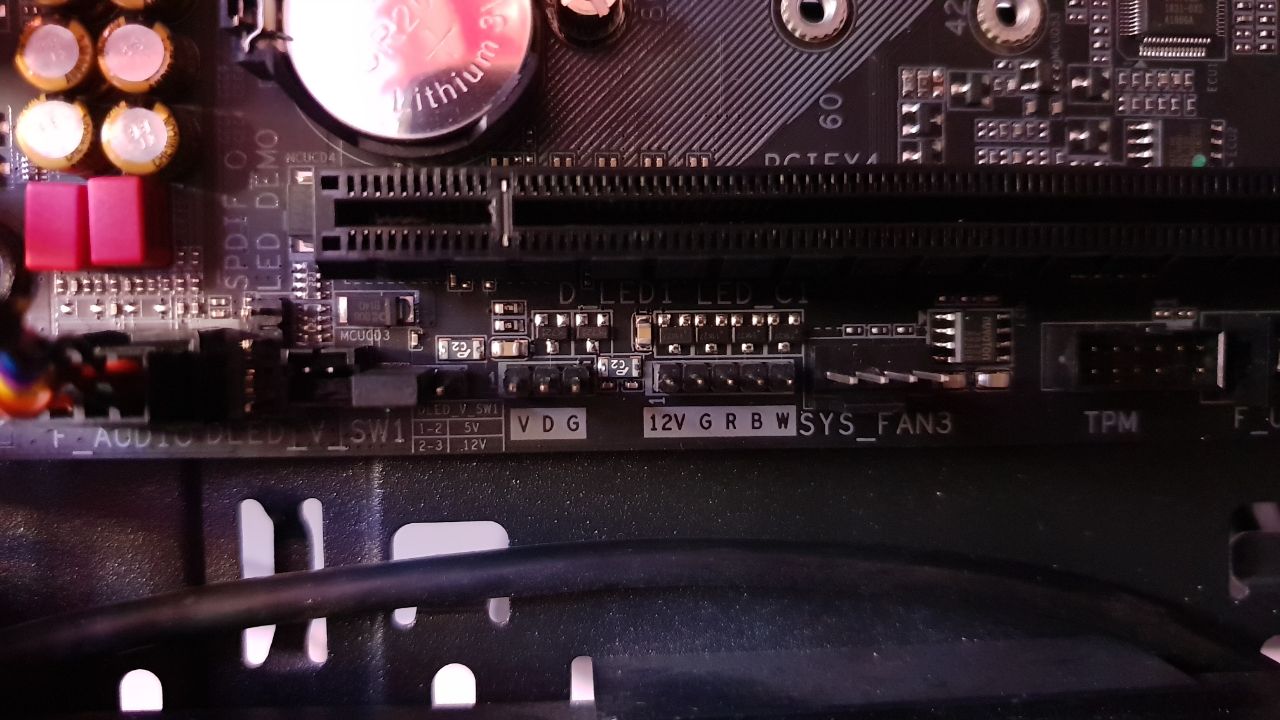
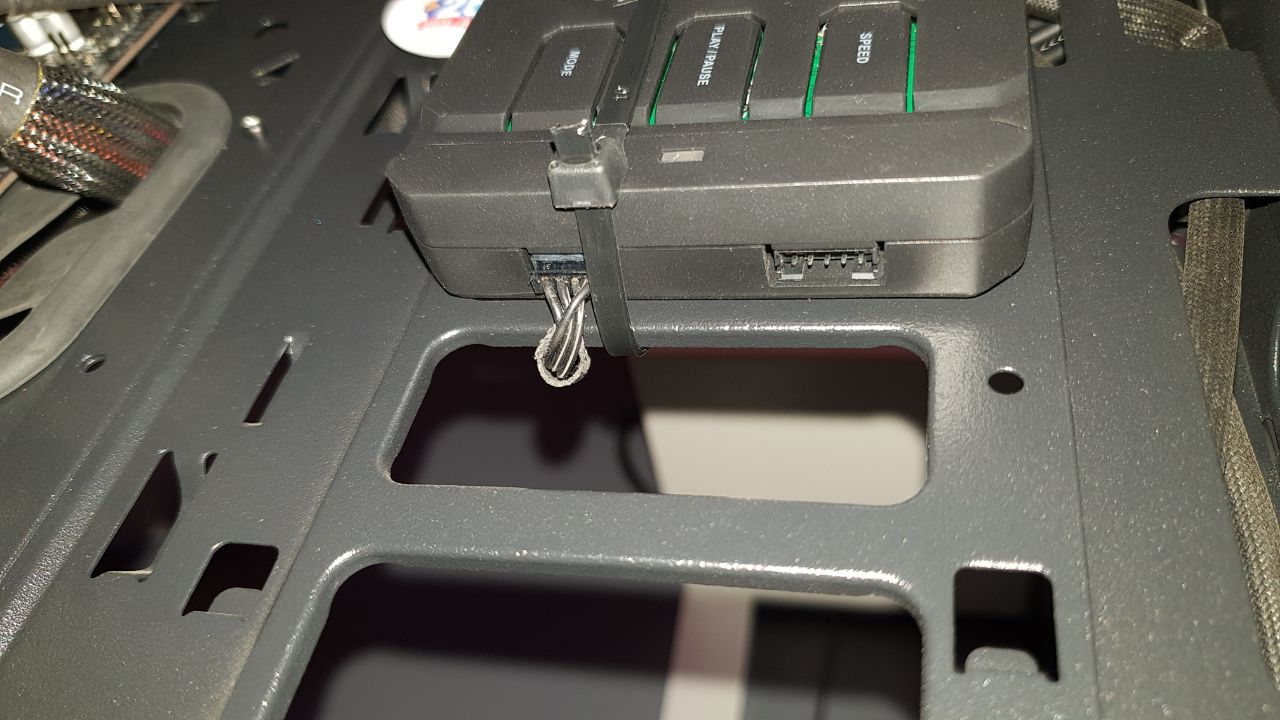
What do you think?
MAIN: Ryzen7 3800X + RTX2070Super + Asus x470 StrixF + KFA2 HOF 16GB DDR4 4000 + NVMe Samsung 970 EvoPlus 500GB + Samsung 850Pro 512GB + Samsung 860QVO 2TB + Asus Xonar STX + Phanteks Enthoo Pro M Se + Seasonic Focus+ 650W
LAPTOP: Asus Strix G531GT Intel i5 9300H + GTX1650 4GB + 16GB DDR4 2666 (8x2) + NVMe 256GB + 1TB HDD
-
Hello:
If you have a 4-pin cable, the one that comes with an arrow on the connector is the one that marks 12v. If it's the 5-pin one, it's the same, but it has one more pin for pure white. The RGB ones make white by pulling towards blue, because they don't have that color. That's why you have that 4-pin and 5-pin one on the controller. You're not going to melt it unless you put 220v into it. If you put it the wrong way around, the most that's going to happen is that it won't turn on because it doesn't receive voltage, or it receives it where it shouldn't.
The controller has to have a male-female or female-female connector, depending on the manufacturer.
I don't know if I've explained myself well.Regards
-
@rul3s Hello, I have the same problem, could you tell me where you connected it in the end?
thanks


Hello! It looks like you're interested in this conversation, but you don't have an account yet.
Getting fed up of having to scroll through the same posts each visit? When you register for an account, you'll always come back to exactly where you were before, and choose to be notified of new replies (either via email, or push notification). You'll also be able to save bookmarks and upvote posts to show your appreciation to other community members.
With your input, this post could be even better 💗
Registrarse Conectarse