Help internet connection
-
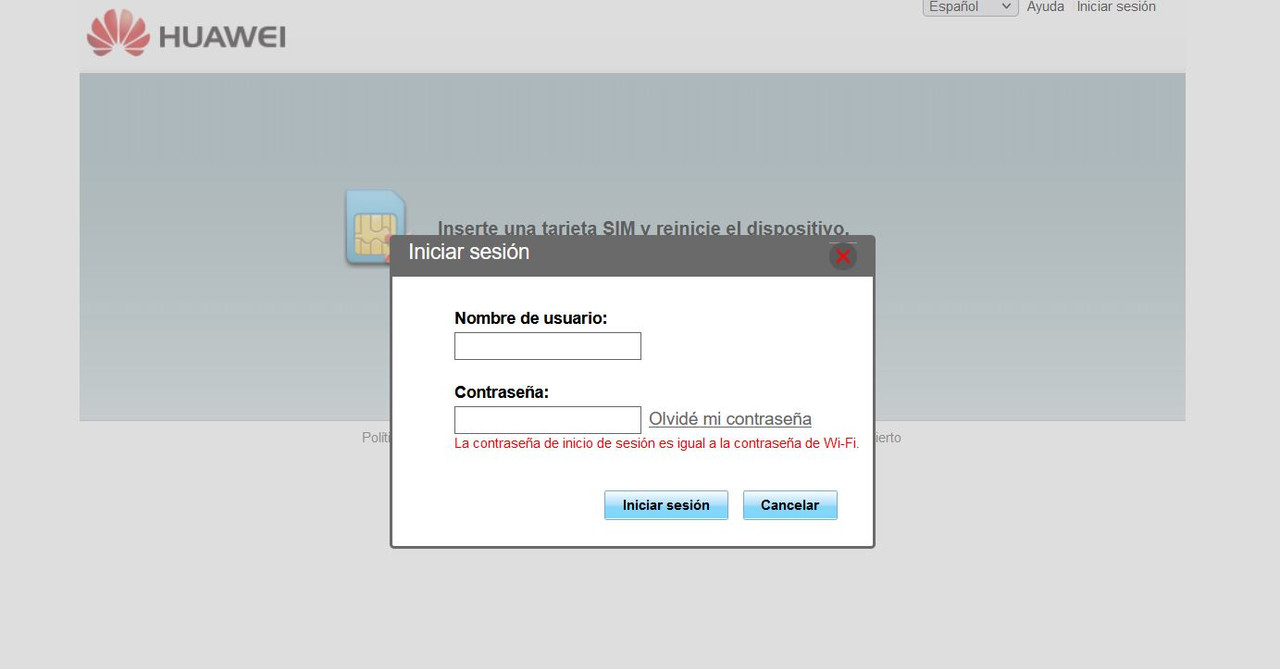
Good evening, I am telling you about a problem that started today. The computer suddenly lost the connection and every time I want to enter a website, it sends me to the IP address of a Huawei router 192.168.1.8, when I have a Sagecomm that is obviously on the 192.168.1.1. The gateways are on 192.168.1.1 and obviously I can not navigate with any browser, pardon the redundancy and I can only access with Tor, but according to Windows, I do not have access to the web. I restart and for a few minutes I have connection, that's why I installed Malwarebyts, but there is nothing wrong. Does anyone have an idea of how it could be solved?
| AMD Ryzen 5 5600X | Gigabyte Aorus Elite V2 | 2x16GB Corsair Vengeance LPX DDR4 3200MHz PC4-25600 | XFX Speedster MERC 319 AMD Radeon RX 6950 XT Black Gaming 16GB GDDR6 | WD Black SN850 1TB SSD NVMe M.2 PCIe 4.0 | Samsung SSD 860 EVO 500GB | 2x1TB Seagate Barracuda 7.200RPM | Cooler Master V750 V2 750W | Phanteks Enthoo Evolv X USB 3.1 Cristal Templado RGB Negro
| Intel Core 2 Quad Q9550 @ 2.83GHz | Tacens Mars Gaming MCPU1V2 | Asus P5K-VM (LGA775) | 2x2GB OCZ Titanium DDR2 PC-6400 (800Mhz) CL4 | ASUS GeForce GTX 750 Ti OC | Samsung SSD 860 EVO 500GB | 2x1TB Seagate Barracuda 7.200RPM | Power & Cooling Silencer 650W | Windows 10 64 bits |
-
Hello,
Do you connect via cable or WiFi?
Have you tried restarting the router?
Have you tried resetting the network configuration? (Disable and enable network card, CMD > ipconfig /renew, etc)
Have you tried booting into Safe Mode with Networking?Best regards
-
Hello @sylver, thanks for responding. I only have my computer wired, I don't have a WiFi antenna (the problem appeared suddenly), when I restart the computer it works fine for a few minutes and then it starts with the errors.
I tried restarting the router too and then it does the same thing to me.
I disabled the card and re-enabled it and nothing, but I haven't tried the renew, I'll keep that in mind.
I haven't done the last query, but I'll see if I can do it then to see if it works.
I leave some images that the browsers also throw up: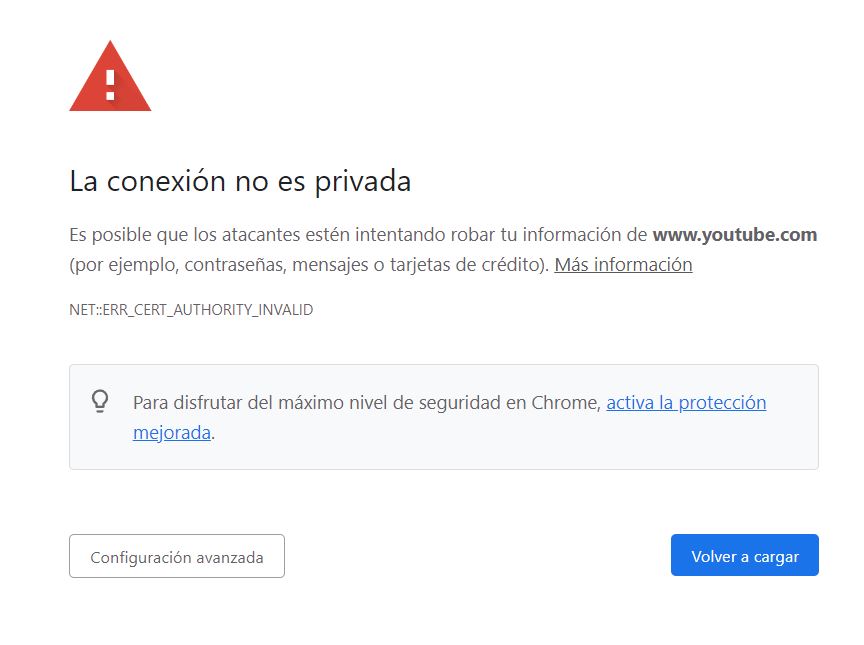
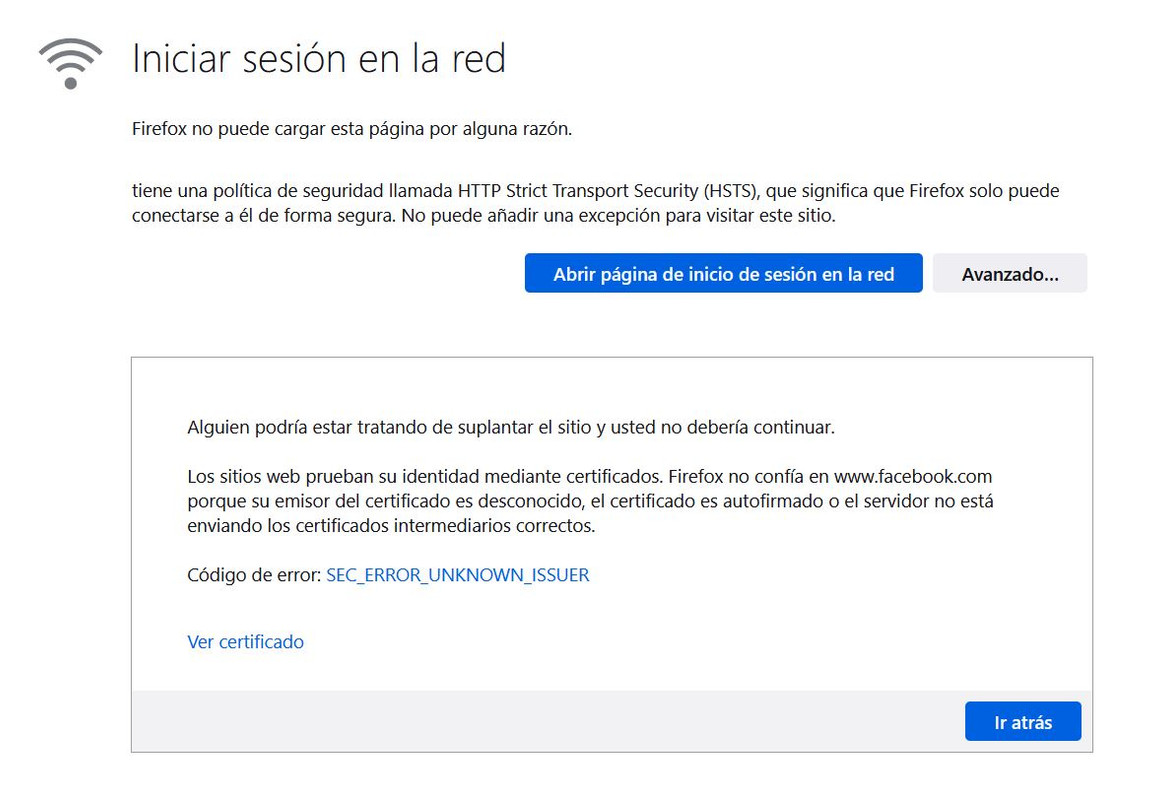
| AMD Ryzen 5 5600X | Gigabyte Aorus Elite V2 | 2x16GB Corsair Vengeance LPX DDR4 3200MHz PC4-25600 | XFX Speedster MERC 319 AMD Radeon RX 6950 XT Black Gaming 16GB GDDR6 | WD Black SN850 1TB SSD NVMe M.2 PCIe 4.0 | Samsung SSD 860 EVO 500GB | 2x1TB Seagate Barracuda 7.200RPM | Cooler Master V750 V2 750W | Phanteks Enthoo Evolv X USB 3.1 Cristal Templado RGB Negro
| Intel Core 2 Quad Q9550 @ 2.83GHz | Tacens Mars Gaming MCPU1V2 | Asus P5K-VM (LGA775) | 2x2GB OCZ Titanium DDR2 PC-6400 (800Mhz) CL4 | ASUS GeForce GTX 750 Ti OC | Samsung SSD 860 EVO 500GB | 2x1TB Seagate Barracuda 7.200RPM | Power & Cooling Silencer 650W | Windows 10 64 bits |
-
@desvest The thing with the Youtube certificate smells like a scam. Set up a manual DNS in Windows, restart the browser and try again. IBM's DNS (9.9.9.9) is a good option.
Toda la actualidad en la portada de Hardlimit
Mis cacharros -
I know it sounds strange, but the simplest solutions often get overlooked. Have you correctly set the date and time on Windows? If it's not set correctly, browsers will throw certificate errors.
-
Thanks cobito and Yorus. The YouTube thing is because I was entering that page at random. As of today, the problem has not happened again. The date and time are correct. The problem was solved by itself, which leaves me more uneasy jajaja
-
Good afternoon everyone, I have finally discovered what the problem is. I share my connection with a neighbor, and we run an ethernet cable through the balconies. He has a Huawei router in his apartment, which is why he tries to access my settings. I don't know why this happens, even though I have already assigned myself a static IP. The router that my neighbor has apparently does not have bridge mode, is there a solution?
| AMD Ryzen 5 5600X | Gigabyte Aorus Elite V2 | 2x16GB Corsair Vengeance LPX DDR4 3200MHz PC4-25600 | XFX Speedster MERC 319 AMD Radeon RX 6950 XT Black Gaming 16GB GDDR6 | WD Black SN850 1TB SSD NVMe M.2 PCIe 4.0 | Samsung SSD 860 EVO 500GB | 2x1TB Seagate Barracuda 7.200RPM | Cooler Master V750 V2 750W | Phanteks Enthoo Evolv X USB 3.1 Cristal Templado RGB Negro
| Intel Core 2 Quad Q9550 @ 2.83GHz | Tacens Mars Gaming MCPU1V2 | Asus P5K-VM (LGA775) | 2x2GB OCZ Titanium DDR2 PC-6400 (800Mhz) CL4 | ASUS GeForce GTX 750 Ti OC | Samsung SSD 860 EVO 500GB | 2x1TB Seagate Barracuda 7.200RPM | Power & Cooling Silencer 650W | Windows 10 64 bits |
-
@desvest Although any router can act as a switch, some are stubborn enough to want to control the entire connection above the main router, no matter how hard you try to configure them.
Ideally, your neighbor should use another type of neutral router, or a switch if they only use cable.
Best regards
-
Vale @sylver, I'll tell him to make an investment. It just so happens that he uses that router to get WiFi in his house. We'll have to put in a wireless switch or something like that. What makes me angry is that this didn't happen before, overnight it started to go to hell... Thanks for the response!| AMD Ryzen 5 5600X | Gigabyte Aorus Elite V2 | 2x16GB Corsair Vengeance LPX DDR4 3200MHz PC4-25600 | XFX Speedster MERC 319 AMD Radeon RX 6950 XT Black Gaming 16GB GDDR6 | WD Black SN850 1TB SSD NVMe M.2 PCIe 4.0 | Samsung SSD 860 EVO 500GB | 2x1TB Seagate Barracuda 7.200RPM | Cooler Master V750 V2 750W | Phanteks Enthoo Evolv X USB 3.1 Cristal Templado RGB Negro
| Intel Core 2 Quad Q9550 @ 2.83GHz | Tacens Mars Gaming MCPU1V2 | Asus P5K-VM (LGA775) | 2x2GB OCZ Titanium DDR2 PC-6400 (800Mhz) CL4 | ASUS GeForce GTX 750 Ti OC | Samsung SSD 860 EVO 500GB | 2x1TB Seagate Barracuda 7.200RPM | Power & Cooling Silencer 650W | Windows 10 64 bits |
-
@desvest De nada. I assumed you were using it over WiFi, so another router, even if it was from another company before, is also something you can try.
The old ones usually work very well and don't cause any problems as they are basic, although they usually have the limitation of ports at 100 Mbps.Saludos



Hello! It looks like you're interested in this conversation, but you don't have an account yet.
Getting fed up of having to scroll through the same posts each visit? When you register for an account, you'll always come back to exactly where you were before, and choose to be notified of new replies (either via email, or push notification). You'll also be able to save bookmarks and upvote posts to show your appreciation to other community members.
With your input, this post could be even better 💗
Registrarse Conectarse