[Help] Create a Cabinet
-
"it would be screwed to the wall with a 4 cm separation from it." in a vertical form occupying the least space possible, the monitor would also be attached to the wall, an LCD, the mouse and keyboard would be supported as you mentioned, similar to a bar stool, and the chairs would be desk chairs that swivel.
My concern is regarding the assembly of the PC, since I have no idea what the most recommended materials to use are, I read something but just in case I prefer to ask people who know about the subject.
to be more graphic, I would like the CPU to be stuck like the clocks on the wall, fastened with screws and the cover (the side that can be seen would be with acrylic)
-
As they tell you, you can use metal, cardboard, methacrylate, wood... whatever you want as long as it does not harm the components (if you use metal, obviously, you will have to separate the board from the metal base, with the same system as conventional cases).When attaching the case to the wall, try not to obstruct any of the cooling channels, either in the base or in any of the sides, as well as the air intake through the fans. And above all, anchor all the components and the case itself well, so that nothing precipitates due to gravity and ends up destroyed.
Regards
>> i7-2600K Sandy Bridge @4.4GHz || Noctua NH-D14 || ASRock Z77 Extreme4 || 4x8Gb G.Skill Ripjaws X DDR3 1600MHz || XFX RX 5700 XT 8Gb || SSD Samsung 850 PRO 256Gb & 850 EVO 500Gb || WD Caviar Green 1Tb || Barracuda 1Tb || Corsair TX650 V2 || M-Audio Fast Track Pro || KRK RP8 RoKit G3 || BenQ GW2750 27"
>> Athlon 64 X2 5600+ Brisbane @2.9GHz || Gigabyte GA-M61PME-S2 || 2x2Gb DDR2 Kingston 800MHz || Sapphire Radeon HD 5850 Xtreme 1Gb || Maxtor 320Gb SATA2 || OCZ ModXStream 500W Modular || TEAC PowerMax 120/2 || Acer X243w 24"
>> Intel Core2Duo E6600 Conroe @2.4GHz || Asus P5N32-SLI SE DELUXE || 2x1Gb DDR2 Kingston 800MHz || Asus nVidia GeForce 9800GT 1Gb GDDR3 || Seagate Barracuda IDE 80Gb 7200RPM || Linkworld LPK12-35 450W -
Let's see, I started with an estimate of 90 mm in height for micro+heatsink+plate+mounting; the width is given by the plate (183 mm), and I took the height by taking as reference the dimensions of a Tacens AP500 + plate height (150 mm + 186 mm). The hard drive is irrelevant since you can practically put it however and wherever you want. The whole assembly fits perfectly in a box of 350 mm * 200 mm * 140 mm.
Seeing your project, I wouldn't complicate myself much and would use 15 mm particleboard, in black or natural to then give it the finish you like, and for the back, a 4 mm board.
The breakdown would result in:
! * 1 piece of 4 mm * 340 mm * 220 mm (slightly less for a better finish)- 2 strips of 15 mm particleboard * 350 mm * 140 mm
- 2 strips of 15 mm particleboard * 230 mm * 140 mm
- 1 piece of acrylic * 350 mm * 230 mm.
The arrangement of the elements starts with the power supply vertically on one side, the motherboard on top of it. You decide if you prefer it to take air from the back (you must drill the 4 mm board and you have 4 cm of space to the wall) or from the front (you will have to drill the front acrylic panel).
On one of the 350 mm sides, you must make a cut slightly smaller than the sheet that comes with the motherboard to cover the connectors so that you can use it, equally, you must make a cut for the FA outlet.
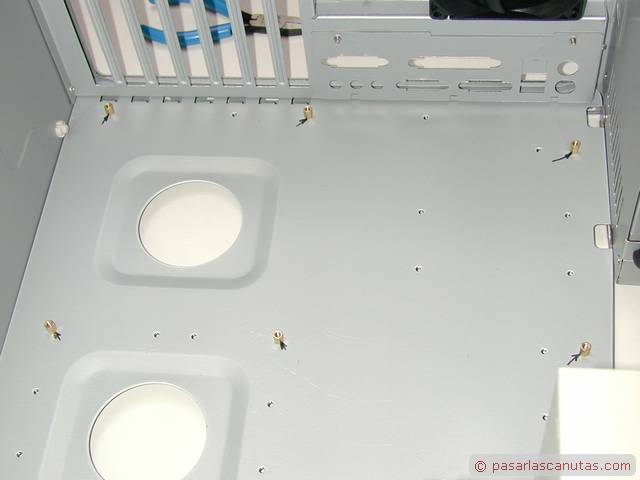
For the anchoring of the motherboard, I would go for hardware: the screws supplied are for threaded sheet, so you must look for some with a thread-sheet thread of the same thickness but at least 20 mm long, 2 rubber washers and 3 nuts. Put a rubber washer, pass the screw, put the other washer and screw a nut to the top, then screw another nut and pass the excess of the screw through the relevant holes in the wooden sheet, then add the other nut and tighten, the typical reverse lock, let's say. Cut the excess if it sticks out too much.
The FA doesn't have as much of a problem since you can use double-sided adhesive and it fits quite tightly.
Remember, finally, that the only mass you have is that of the FA, so make sure to connect it to an outlet with an active ground connection, and that the heatsink of that micro is a total mess, so if you're not going to change it, at least open a window in the acrylic panel.Sorry for the long paragraph, it's just to give an idea. :facepalm:
-
Let's see, I started with an estimate of 90 mm in height for micro+heatsink+plate+mounting; the width is given by the plate (183 mm), and I took the height by taking as reference the dimensions of a Tacens AP500 + plate height (150 mm + 186 mm). The hard drive is irrelevant since you can practically put it however and wherever you want. The whole assembly fits perfectly in a box of 350 mm * 200 mm * 140 mm.
Seeing your project, I wouldn't complicate myself much and would use 15 mm particleboard, in black or natural to then give it the finish you like, and for the back, a 4 mm board.
The breakdown would result in:
! * 1 piece of 4 mm * 340 mm * 220 mm (slightly less for a better finish)- 2 pieces of 15 mm particleboard * 350 mm * 140 mm
- 2 pieces of 15 mm particleboard * 230 mm * 140 mm
- 1 piece of acrylic * 350 mm * 230 mm.
The arrangement of the elements starts with the power supply vertically on one side, the motherboard on top of it. You decide if you prefer it to take air from the back (you must drill the 4 mm board and you have 4 cm of space to the wall) or from the front (you will have to drill the front acrylic panel).
In one of the 350 mm sides, you must make a cut slightly smaller than the plate that comes with the motherboard to cover the connectors so that you can use it, equally, you must make a cut for the FA outlet.
For the motherboard mounting, I would go for hardware: the screws provided are for threaded sheet metal, so you must look for some with sheet metal thread of the same thickness but at least 20 mm long, 2 rubber washers and 3 nuts. Put a rubber washer, pass the screw, put the other washer and screw in a nut to the top, then screw in another nut and pass the excess of the screw through the corresponding holes in the wooden plate, then add the other nut and tighten, the typical reverse lock, let's say. Cut off the excess if it sticks out too much.
The FA doesn't have as much of a problem since you can use double-sided adhesive and it fits quite tightly.
Remember, finally, that the only mass you have is that of the FA, so make sure to connect it to an outlet with an active ground connection, and that the heatsink of that micro is a total mess, so if you're not going to change it, at least open a window in the acrylic panel.Sorry for the wall of text, it's just to give an idea. :facepalm:
that's if I want to make it as similar as possible to a brick lol without much frills, the acrylic plate that will cover everything I'm thinking of leaving it like a strainer more or less so that it has ventilation.
-
With the "brick" thing, he means that he has written a lot, that we should forgive the length :ugly:
Greetings
-
With the "brick" thing, he means that he has written a lot, that we should forgive the length :ugly:
Best regards
aaah xD
I still appreciate you being detailed because it gives me more idea to do it.! -
I thought about leaving the acrylic plate that will cover everything as a kind of strainer so that it has ventilation.
And with the cost of acrylic and the hours you'll spend on it, wouldn't it be faster and cheaper to buy the cheapest case you can find?
Not to mention the pain in the ass of not wanting something to look sloppy... I'm not saying you're not handy (nor am I picking on you
 ) what I'm saying is that maybe you don't know very well where you're getting into since I'm not sure if you're aware of the scope of the project.
Because I mention this?... well, because of the little you've commented and what I've quoted... well, drilling acrylic is a bad move because you can easily crack it or if the rotation speed of the tool is not appropriate you melt the material and it comes out bad... in fact, whenever you work with it, you'll need to sand it very carefully so that there are no marks and burrs in the area (something that doesn't happen if you take it to be cut with a laser $$$ )
Then another thing that is not taken into account with acrylic... the soiling... there is no worse material for a PC than acrylic because it is always statically charged and on top of that all the dust will stick to it... even if you clean it every day it will always look dirty and more so if you put ventilation holes in it... so let's just forget about it.If what it's about is doing something on the cheap, I would do something in wood and then, don't forget to connect each element to the ground so that it can discharge since wood is a dielectric material.
-
Y con lo que cuesta el acrílico y las horas que te vas a pegar no seria más rápido y barato comprar la caja más barata que encuentres?
Por no mencionar lo jodido del asunto que es que no quede una cosa chapucera… no digo que no seas mañoso (ni me estoy metiendo contigo
) lo que digo es que igual no sabes muy bien donde te estas metiendo ya que no se si eres consciente del alcance del proyecto.Porque te comento esto?... pues porque por lo poco que has comentado y lo que he citado... pues perforar acrilico es una movidad porque puedes agrietarlo fácilmente o si la velodiad de rotación de la herramienta no es adecuada fundes el material y queda mal... de echo siempre que lo trabajes luego necesitaras lijarlo con mucho cuidado para que no queden marcas y rebabas en la zona (cosa que no ocurre si lo llevas a cortar a láser $$$ )
Luego otra cosa que no se tiene en cuenta con el acrílico... el ensuciamiento... no hay peor material para una PC que el acrílico porque siempre esta cargado estaticamente y encima se le pegara todo el polvo... aunque lo limpies todos los dias siempre parecera que está sucio y más si le pones agujeros de ventilación... entonces apaga y vamonos.Yo si de lo que se trata es de hacer algo ne plan barato haría algo en madera y eso si, luego no te olvides de conectar cada elemento a la toma de tierra para que se pueda descargar puesto que la madera es un material dielectrico.
Entiendo el punto, entonces me recomendas utilizar mejor madera, para evitar posibles perdidas de dinero, a esto decis que lo recomendable seria hacer tapa y fondo y los laterales de algun material similar a las medias finas que usan las mujeres para que tenga ventilacion y al mismo tiempo evite que entre polvo?
-
A 0.5 mm grid panel, that's what I put on my tower instead of the window it came with.
In fact, I kept the acrylic because I thought it was fundamental for you, but as Espinetenbolas points out, it's a very messy and very damn material to work with.
The idea of going for cheap towers also came to me, but I saw more of a challenge in the DIY project (but do the math, in case it turns out to be cheaper for you, because the assembly will definitely be infinitely easier for you. After all, that's what it's all about.)
With the grid you have good ventilation assured and it allows you to give some shape to the design... -
I understand the point, so you recommend that I use better wood to avoid possible money losses, and you say that the advisable thing would be to make the lid and bottom and the sides of a material similar to the fine stockings that women use so that it has ventilation and at the same time prevents dust from entering?
Well, the stockings thing I don't see it, but we're not going to start explaining fluid dynamics and making a 3D design to perform a fluid-thermal analysis with ANSYS Icepak:


What I will recommend you to go cheap and economical is that you make a box with one of the sides hinged (like the door of an outdoor electric meter) with hinges and with a lock closure and that you put air intake and outlet holes to create a flow that cools those elements that require it (in fact with woods you can make a circuit where you want the air to pass)… if the budget allows you to put filters, put them but keep in mind that they have to be cleaned every so often so adopt a solution that allows you to assemble/disassemble quickly. My advice to maximize ventilation and take advantage of the natural convection process is that the air enters from below and exits from above... and if you put filters only at the entrance.
Regarding the grille that whoololon mentions, only if it really comes out well in price to cover the air inlets and outlets, otherwise the fan grilles are very cheap… look for prices and budget.
The grilles that I recommend to you usually cost €1 or less (depending on the size):

-
What I will recommend you to go cheap and economical is to make a box with one of the sides foldable (like the door of an outdoor electric meter) with hinges and with a lockable closure and that you put holes for air intake and exhaust to create a flow that cools those elements that require it (in fact with woods you can make a circuit where you want the air to pass)… if the budget allows you to put filters, put them but keep in mind that they have to be cleaned every so often so adopt a solution that allows you to assemble/disassemble quickly. My advice to maximize ventilation and take advantage of the natural convection process is that the air enters from below and exits from above... and if you put filters only at the entrance.
Regarding the grille that whoololon mentions, only if it really comes out well priced to cover the air intakes and exhausts, otherwise the fan grilles are very cheap… look for prices and budget.
The grilles that I recommend to you usually cost €1 or less (depending on the size):
+1 to everything.
And in fact, those small grilles are the ones I usually use in mods that include fans almost to the outside of the cases. Efficiency and economy go hand in hand, great option :sisi:
Regards