ATI graphics problem
-
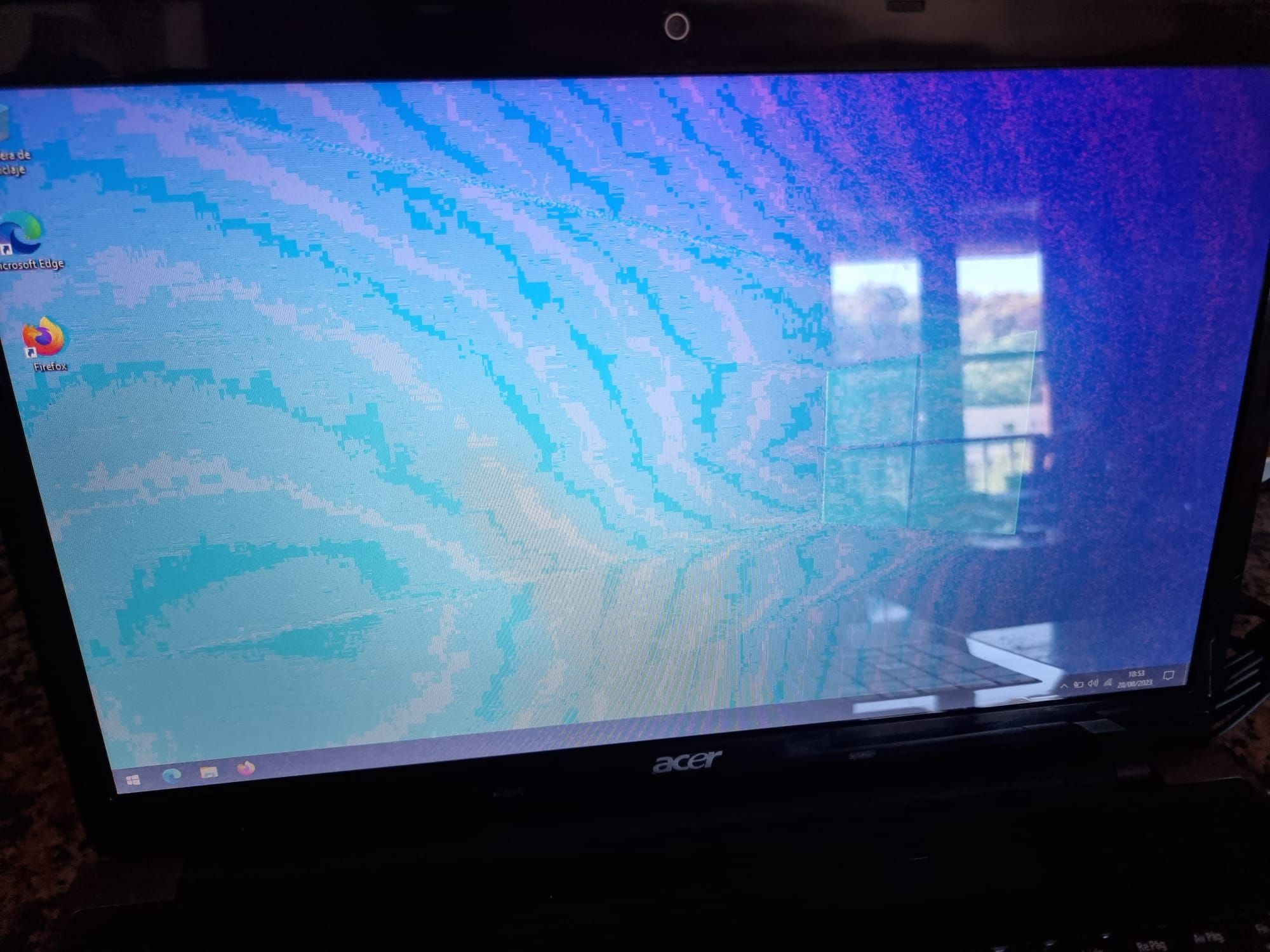
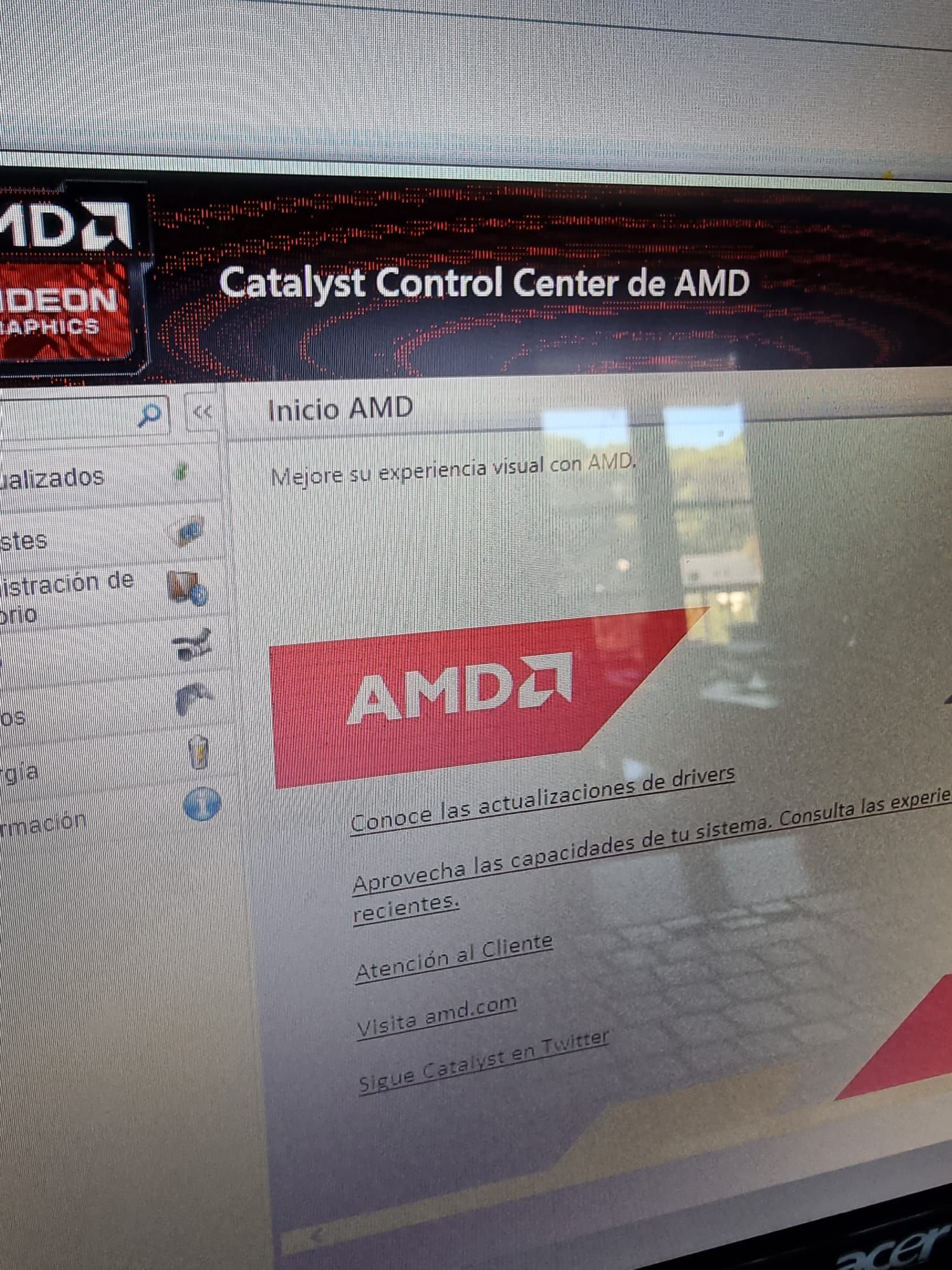
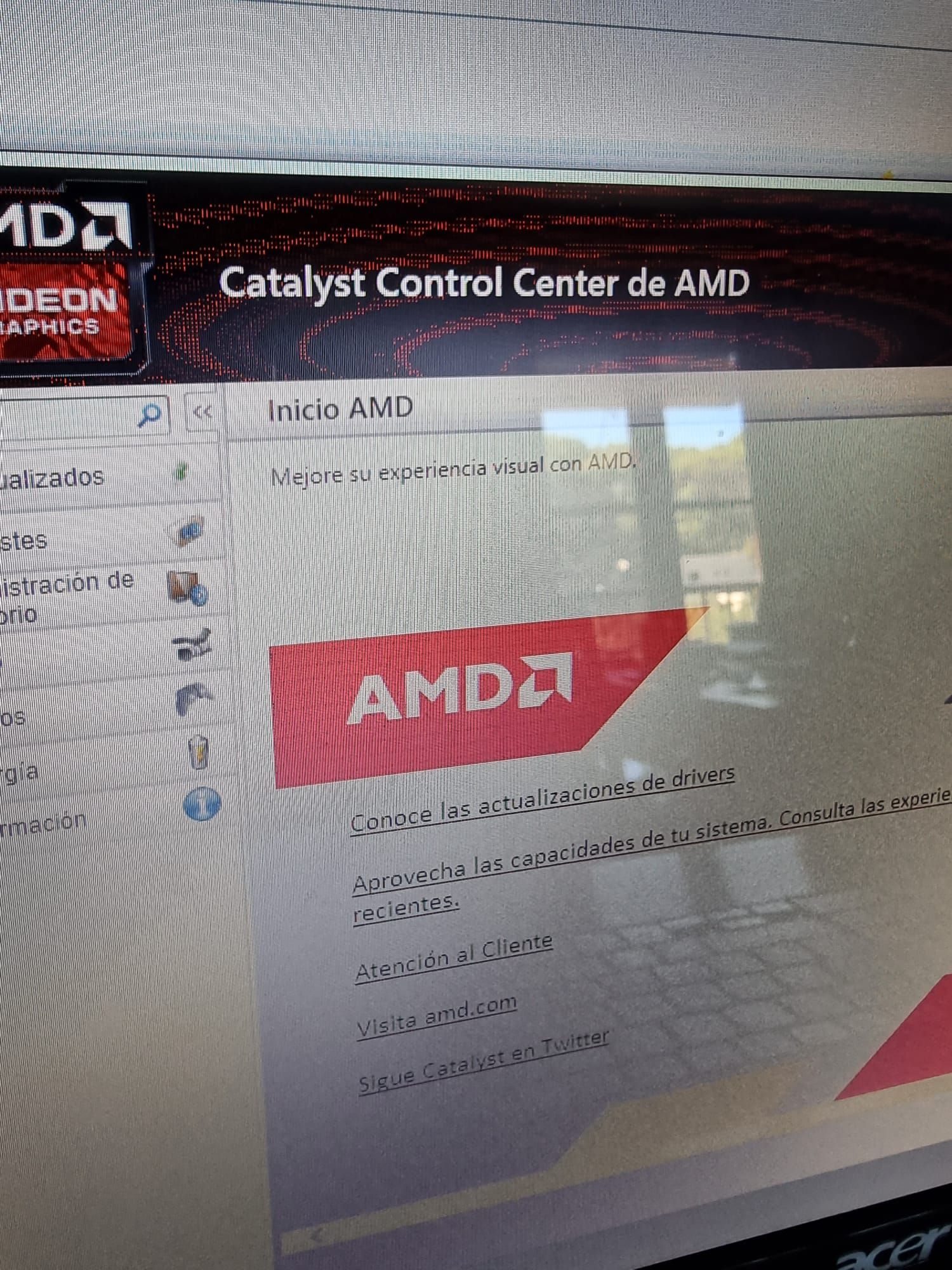
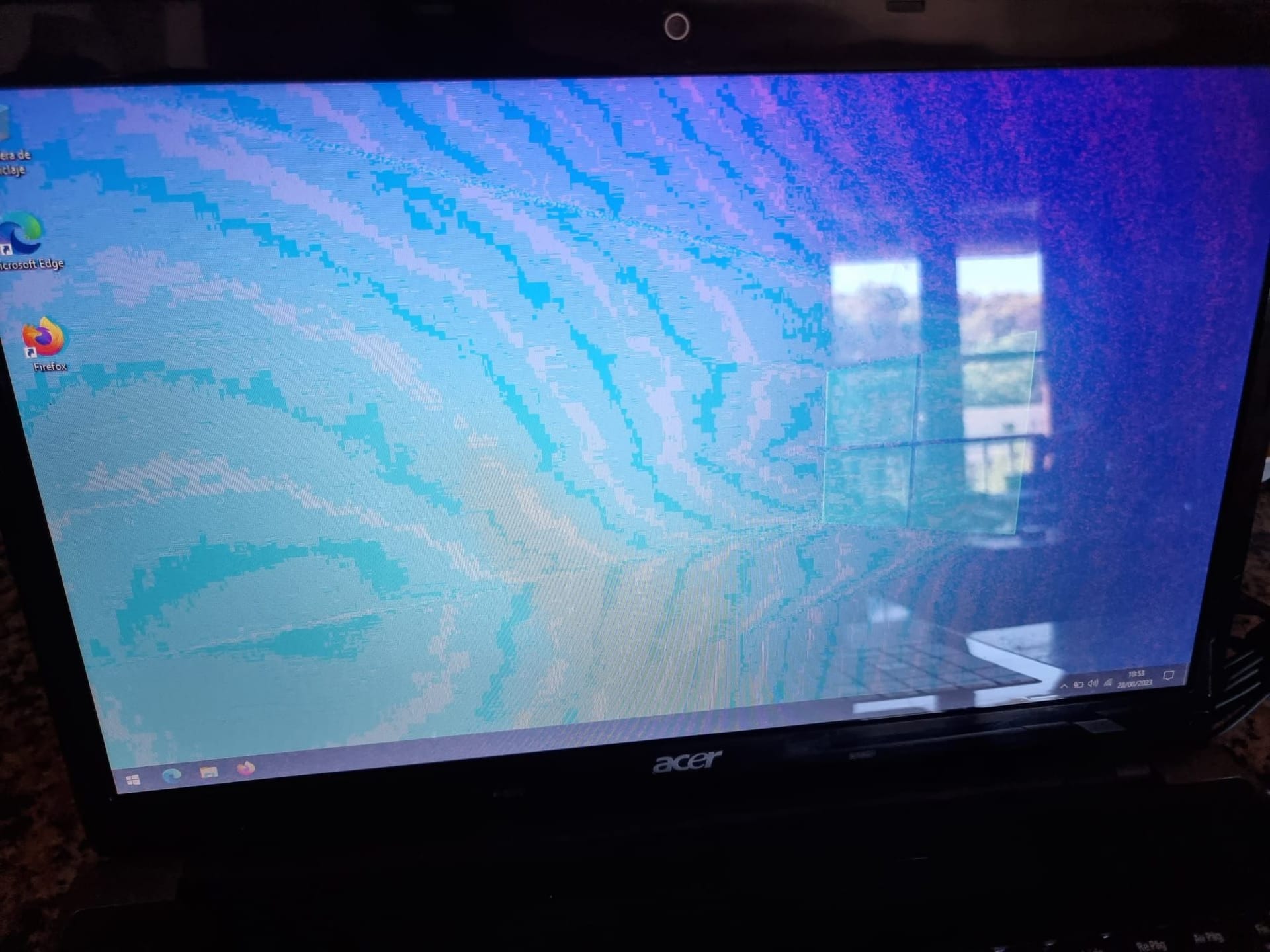
Good afternoon everyone, how are you? I'll tell you, I like to tinker in my free time to keep learning and I've bought a Acer Aspire laptop with an ATI Radeon HD5650. It was advertised that it would freeze when installing the drivers, but I think the problem is more serious. The screen, as you can see in the photos, has distorted colors and a quality worthy of Windows XP. If I remember correctly, I think this is already a physical problem with the graphics (burned transistors or similar), right? Is there any way to test/fix this through software?
Thank you very much for your time, everyone!
| AMD Ryzen 5 5600X | Gigabyte Aorus Elite V2 | 2x16GB Corsair Vengeance LPX DDR4 3200MHz PC4-25600 | XFX Speedster MERC 319 AMD Radeon RX 6950 XT Black Gaming 16GB GDDR6 | WD Black SN850 1TB SSD NVMe M.2 PCIe 4.0 | Samsung SSD 860 EVO 500GB | 2x1TB Seagate Barracuda 7.200RPM | Cooler Master V750 V2 750W | Phanteks Enthoo Evolv X USB 3.1 Cristal Templado RGB Negro
| Intel Core 2 Quad Q9550 @ 2.83GHz | Tacens Mars Gaming MCPU1V2 | Asus P5K-VM (LGA775) | 2x2GB OCZ Titanium DDR2 PC-6400 (800Mhz) CL4 | ASUS GeForce GTX 750 Ti OC | Samsung SSD 860 EVO 500GB | 2x1TB Seagate Barracuda 7.200RPM | Power & Cooling Silencer 650W | Windows 10 64 bits |
-
Hello @desvest
I couldn't tell you with precision, but it seems more like a color configuration problem than physical damage to the chip, because the icons and in general the Windows environment seem to be appreciated well.
Although it's not an exact pattern either, physical damage to chips or their solderings usually generate "artifacts" that appear on the entire screen, both icons and background colors:
##spoiler
##endspoilerI would try with other versions of the driver, to see if at some point you get a different result. If it remains the same, it is possible that it is a physical damage to the GPU.
Regards
-
Thanks @sylver for the quick response. That's the problem, when I put the Windows from 0, which has a random driver, it looked bad, then a driver was installed by Windows that allowed it to go up to a resolution of 1920x1080 and then I installed the latest version of Catalyst. In all of them it looked terrible. Also, when booting with the Acer logo, instead of seeing the black screen, it's red. I think I'll have to open it up and if I'm lucky, the GPU isn't soldered


Hello! It looks like you're interested in this conversation, but you don't have an account yet.
Getting fed up of having to scroll through the same posts each visit? When you register for an account, you'll always come back to exactly where you were before, and choose to be notified of new replies (either via email, or push notification). You'll also be able to save bookmarks and upvote posts to show your appreciation to other community members.
With your input, this post could be even better 💗
Registrarse Conectarse