4790K Delid, Laped, Overclock and Comparison H80i vs NH-U12
-
As I mentioned in this thread, since I got my 4790K, I've been having temperature issues, reaching the thermal throttling limit.
Here are the details of my hardware:
- Intel i7 4790k, I've removed the back plate as I sanded it off and then realized I can't see it anywhere except the IHS and the case, which I've already thrown away.
- GSkill 8x2GB DDR3 1600 CL9
- Gigabyte Z97X Gaming 5
- Corsair HX650
- GTX970 4GB Windforce 3x
- Noctua NH-U12 cooler (it's 7 years old now)
The default Vcore is 1.28v, which is quite high. With the default configuration, Vcore 1.28v, turbo to 4.2 with all 4 cores and 4.4 with 1 core, I was exceeding 100°C in Linx and entering thermal throttling, which is really bad.
After some tests, the minimum Vcore to run stock is 1.18v, with which it reaches 95°C in Linx, but doesn't reach the limit, but very close. It's also true that with any other stress software, the maximum is 80°C, 3dmark, realbench, intel xtu, etc., but I wasn't at all comfortable with these temps, so I decided to delid it.
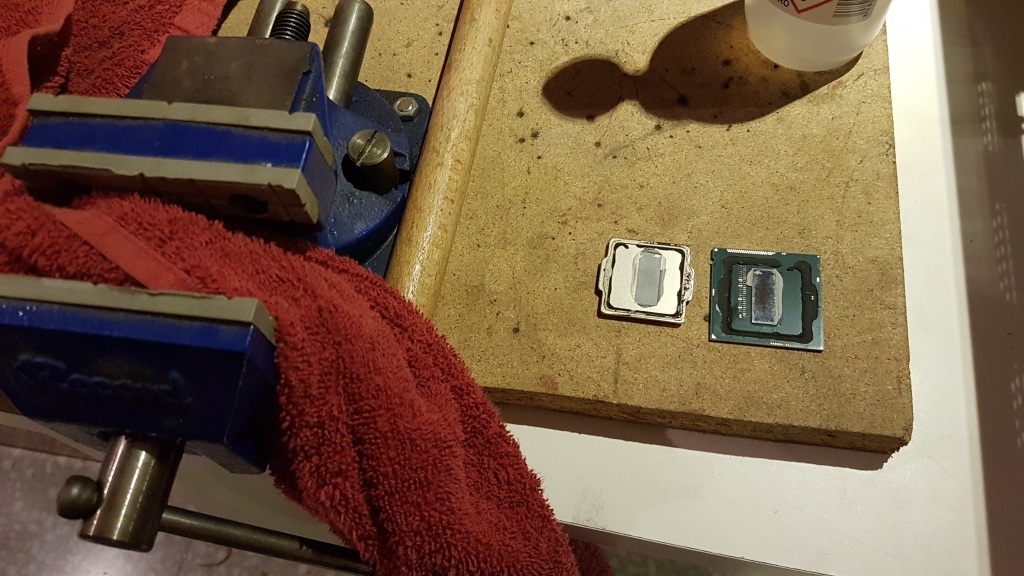
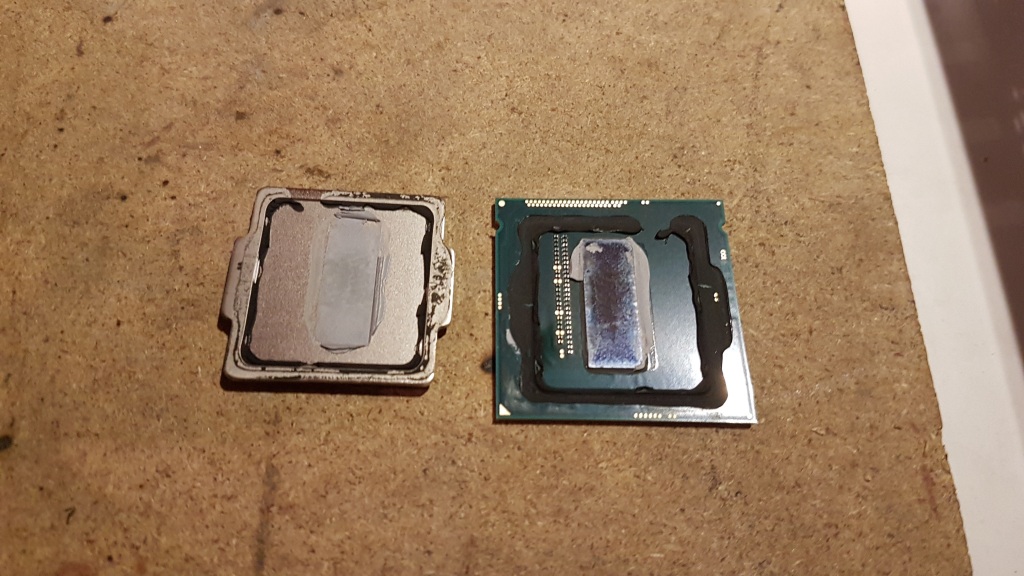
The method I used was "Vice only", that is, just with a press, very easy and I think within everyone's reach, you can see the method
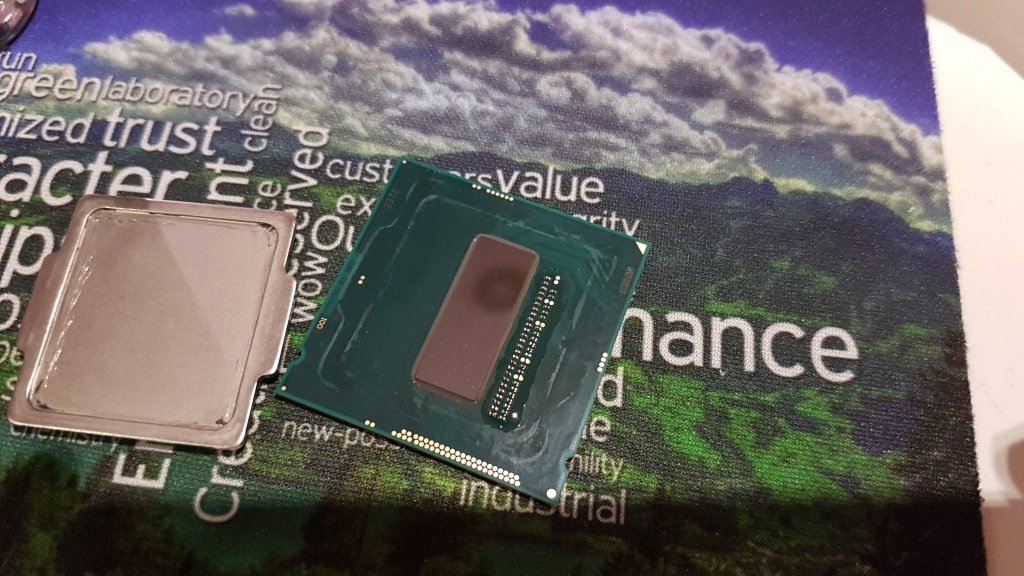
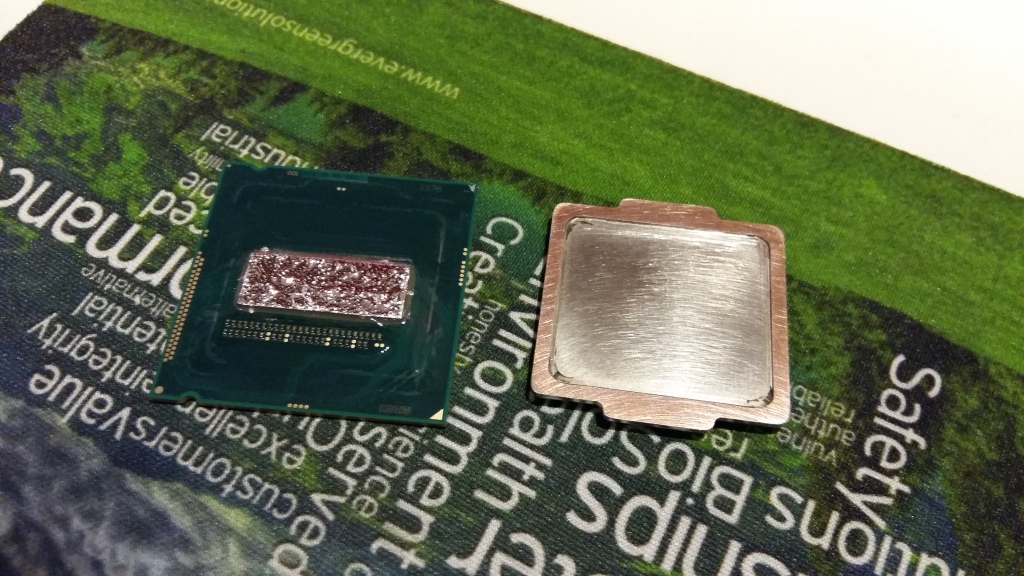
Once I separated the IHS from the CPU die, I cleaned everything very well and I lapped both sides, both the top of the IHS and the inside and the supports a little, very slightly, and then I put it back on top of the die with TIM (thermal interface material) Coollaboratory Liquid Ultra.
I also took advantage of the Noctua NH-U12 heatsink and lapped it a little, it had a bit of belly in the center. Once everything was done, I put everything back together and started to see the changes.
DELID RESULTS
Test, LinX 5min
Default vcore 1.28v: Before delid >100°C, After delid 93°C
Undervolted vcore 1.18: Before delid 90°C, After delid 74°COVERCLOCK
We start from the base that I do overclocking with TURBO disabled and playing directly with the base frequency multiplier.
Once the temperatures were stabilized thanks to the Delid, I got encouraged to OC it and see how far my unit goes, results, all of them tested 5 min of LinX and 1h of Realbench to see that they are stable.GHZ-VID-VRIN-VCACHE
4.4 - 1.18 - 1.05 - 1.8
4.5 - 1.20 - 1.05 - 1.8
4.6 - 1.24 - 1.05 - 1.8
4.7 - 1.32 - 1.10 - 1.95
4.8 - 1.37 - NOT STABLE LINXStarting from 4.7GHz, the Vcore and temperatures start to skyrocket, and at 4.8, I couldn't get it to be stable in LinX, so I left it at 4.6GHz as it's a lower Vcore than the one I had by default and the temperatures are very acceptable:
4.6GHz 1.24vCore:
Linx 5 min:
Realbench:
Intel XTu:COMPARISON Corsair H80i VS Noctua NHu12
Finally, I had bought a Corsair H80i liquid cooling to retire my Noctua NHU12, but in the end, I've stayed with the Noctua as in silent mode, the Noctua cools better, and in standard mode, despite making much more noise than the Noctua, it only lowers 4-5 degrees. In "performance" mode, it does take an 8-degree difference, but making a noise level totally unacceptable in my opinion, so I'll keep my Noctua and if I want to change later, I'll either get the NHU15, or I'll get a liquid cooler by parts, which according to what I've been informed is another level.OBSERVATIONS
- At first, after deliding, I saw that the temperatures didn't drop as much as they should have and also they were fluctuating a lot, in the end, it was because I put very little "paste" CLU between the die and the IHS, I opened everything again, put a little more, spread it out, and everything was correct.
IMAGES
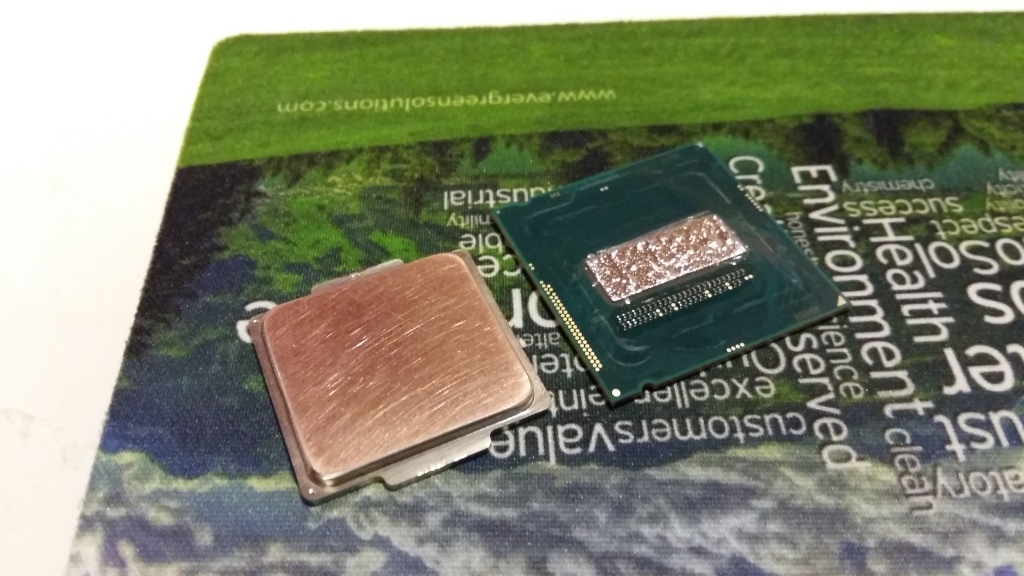
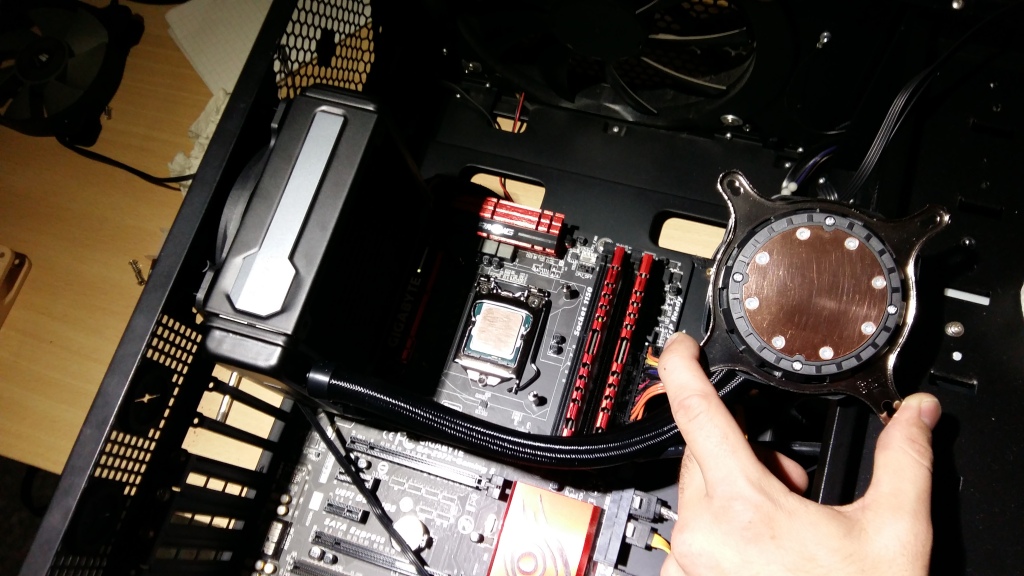
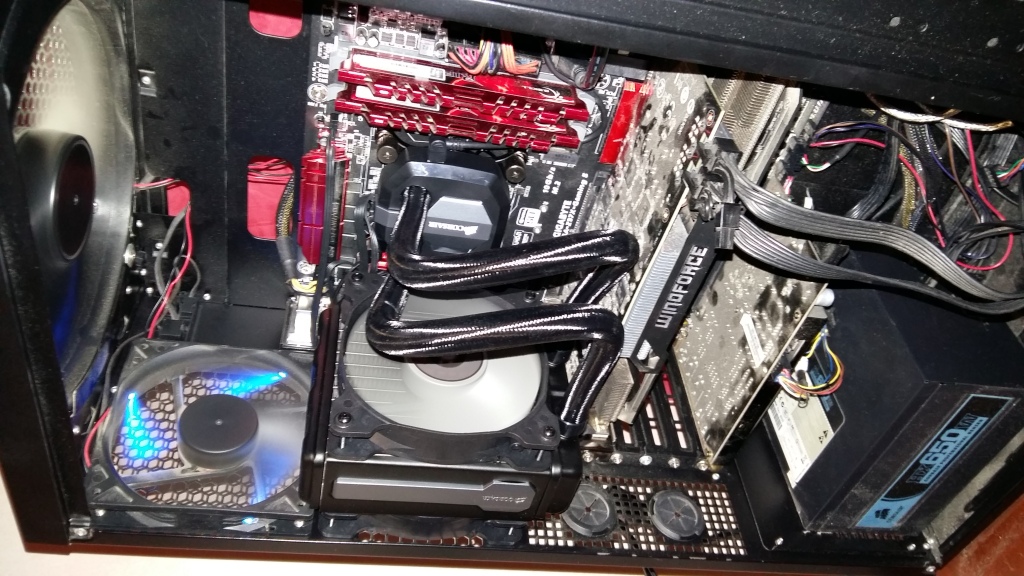

MAIN: Ryzen7 3800X + RTX2070Super + Asus x470 StrixF + KFA2 HOF 16GB DDR4 4000 + NVMe Samsung 970 EvoPlus 500GB + Samsung 850Pro 512GB + Samsung 860QVO 2TB + Asus Xonar STX + Phanteks Enthoo Pro M Se + Seasonic Focus+ 650W
LAPTOP: Asus Strix G531GT Intel i5 9300H + GTX1650 4GB + 16GB DDR4 2666 (8x2) + NVMe 256GB + 1TB HDD

Great post, and congratulations on the courage and the result :thumbsup_tone2:
Same for the temperatures, I would have opted directly for something with dual fans, like the H100i, but it is clear that where there is a good air cooler 
Salu2!
Intel i5 3570k / ASRock Z77 Extreme 4 / G.Skill F3-12800CL9D-8GBRL / Sapphire HD5850 / Samsung HD103UJ / TR TrueSpirit / NZXT Source 210 / OCZ ZS550W
Intel i5 4570 / ASRock H87 Pro 4 / 2x G.Skill F3-14900CL8-4GBXM / Samsung 850 EVO 250Gb + ST1000DM003 + ST2000DM003 + HGST HDS723020BLA642 + Maxtor 6V250F0 / CM Seidon 240M / Zalman MS800 / CM MWE 550
AMD Ryzen 7 1800X / B350 / 2x8GB Samsung DDR4-2400 CL17 / NVIDIA GTX 1070 8GB / SSD 120GB + ST4000DM004 + ST6000DM003 / EVGA Supernova 650 G2
Hello! It looks like you're interested in this conversation, but you don't have an account yet.
Getting fed up of having to scroll through the same posts each visit? When you register for an account, you'll always come back to exactly where you were before, and choose to be notified of new replies (either via email, or push notification). You'll also be able to save bookmarks and upvote posts to show your appreciation to other community members.
With your input, this post could be even better 💗
Registrarse Conectarse