Custom liquid cooling. project 2023
-
well, I'm considering building my first custom rig for 2023.
for now, I'm looking at components and these are what I have so far:
D5 PWM pump
link text
pump bracket:
link textGPU block:
link text
for now, that's what I've seen.
regards
Radiator :
link text
Initially, it would only be for the GPU.
If I'm convinced, I would expand to the CPU with two independent radiators and another D5 pump with its corresponding reservoir.
For now, today I received the Corsair Commander and a couple of Corsair fans, which with two more that I already had, will give me the option to put the R,L of the CPU in pull push and make comparisons.
Little by little, I will be putting data and tests.
Regards -
After spending half the morning messing around with the tower with other things (I will already open the corresponding reviews) (they will be: corsair comander and corsair magnetic levitation fans) and assuming that my current tower is totally incompatible with the setup I want to do.
Regards. -
@clipper Remember that each pwm connector can carry several fans, that is, the fans that are going to do the same thing can go on the same connector, there is no need for a connector for each fan.
I say this because of the commander, in the already good boards there are usually quite a few pwm rgb and argb.PD:
Then you tell us what conclusions or impressions the aio gives you after trying it in different ways, right?
Ryzen 5 3600 - Tuf B550 pro - 2x 8g 3600c18 - Strix rtx 2060 - M2 1TB
-
@defaultuser for now what I have done is: dismantle all the hubs of the Tower. Mount the corsair ml 120 mm magnetic levitation fans on the front.
The fans with RGB I mounted on the right side (a job.. corsair could have made it a bit easier...) And rethink all the wiring.
I suppose that by Saturday it will be ready.
And for Sunday / Monday I will deal with the stress tests.
For now
... Photos to get bored (and they are only three reviews)
Regards.
P.d the crucial software also does not recognize the raid 0
Regards 2
In a week or two I will be able to have the spacers to mount the pull / push on the corsair radiator and the corresponding cover. -
peinando cables
![torre01[1].jpg](/assets/uploads/files/1671794306166-torre01-1-resized.jpg)
-
@defaultuser
@defaultuser you are right...
And I should have thought about it before because my motherboard has fan connectors to spare, but I took for granted that the icue wouldn't work which is something I'll have to check.
About the cable splitters, it's an option to look into,
If the commander supports the amperage of three fans on a single port.
Anyway, for now, I have more than enough, the three fans on the radiator are managed by the radiator's own hub.
And the other 6 for the commander.
When I set up the pull/push, I will need more ports and I will use 1 to 2 or 1 to 3 splitters.
Another thing where you seemed to be right is that the front panel seems to fit 140mm fans, when I check it, if that's the case, I will move the three ML fans from 120 to the radiator (pull/push) and install ML 140 fans on the front, and the spare ML 120 fan (they sell them at a good price in packs of 2) will go to the back to bring in air, or I will install one of the 140mm fans I have lying around or a Noctua 120mm at 3000rpm.
Regards -
@clipper said in Custom liquid cooling. project 2023:
Cable management
Well, it's perfect. That's how it should be done, in my opinion.
Cluster MPI de tres nodos formado por tres SERVIDORRES HP PROLIANT DL360P 1U 2X E5-2680V2 CPU'S, 20 cores, 40 hilos a una frecuencia base de 2,8GHz. 192 GB de memoria RAM DDR3 ECC (8 x módulos de16 GB 800Mhz)´+ 1U 2X E5.-2697 V2 a una frecuencia base de 2,8 Ghz 192 GB de Ram ECC (8 módulos de 16 Gb 800 mhz) 24 Cores 48 hilos ( 44c/88T)+ 1u 2xE5 2603v2 con una frecuencia base de 1,9ghz 64 Gb DDR3 ecc (4x módulos de 16)
-
@jordiqui
Well, I'm a bit "fed up" with the system. The Corsair is great for power cables...
But for fan cables, it leaves something to be desired.
Either the cables are too short or they look bad, or you don't have a place to run them and you have to make "attempts" and each attempt means unscrewing 5 screws and you're lucky if you don't have to remove a fan...
I'm becoming more and more convinced that my ultimate case will be custom-made and built by Herrero. About 60/60/25 cm with a welded iron structure and acrylic sides.
Something like this:
https://www.pccomponentes.com/thermaltake-core-p8-cristal-templado-usb-30-negra
But heavily modified.
With the option to mount radiators. 560 mm ones both at the top and bottom, in the front and right side, and a 280 mm one at the back.
I'll never mount that many radiators... but at least I'll have the space.
Regards -
@clipper said in Custom liquid cooling. 2023 project:
I'm getting more and more clear that my ultimate tower will be custom and I'll be using Herrero
If one day you end up doing that, you get a cheap bench table, adapt it, and it solves the issue of fixing the plate and graphics, which is a bit more delicate, and a bit more complicated than the frame.
Don't worry, for now just make the sandwich for the radiator, and put the pump with a curve that goes to maximum starting from 50º/60º of the micro, and the fans from minimum to maximum between 25º and 30º of the water.
You keep trying different things, and you start to get an idea of what you're going to put in the custom.@clipper said in Custom liquid cooling. 2023 project:
it's very good for the power cables...
But for the fan cables it leaves something to be desired.Buy some pwm cable extensions and take all the connections to the back, so you get rid of that problem, you can leave it cleaner, and on top of that, it's super easy to change anything later.
-
Finished assembling.
I'll upload the photos this afternoon.
Problems...
The commander doesn't go over 1300 rpm in icue, the ML120s support up to 2000 rpm.
The 5000X tower.
In the front "enter" 140 mm fans but only 2
In the back a 140 mm fan fits but the drill holes don't match.
The MSI Edge motherboard.
I'm out of USB ports...
The R.l uses one and the commander another (fortunately it comes with a "bridge" and I was able to connect the Corsair F.A Rmi 750 w)
The dual (two) in one are the tower USB connectors.
The other is free
I can't connect the M.B 4 pin cable (the second P.S) because I don't have free connectors on the F.A
I also don't think it's important...
Possible changes:
The M.B supports 6 fans, and I like the BIOS curve configuration better than ICUE so it's more than likely that I'll manage the 3 ML 120s in the front from the BIOS and I'll put the pump connector in its place... Pump connector instead of fan connector as it is now.
Or what would be smarter...
I connect the radiator fans to the M.B thinking about the pull/push system.
Regards
Ordered two more fans model corsair ML 120 mm and a pack of PWM splitters.
I'll take out the ML 120 from the back of the tower (sucking air in) and mount a noctua "tocho" that I had mounted on the Asus triton air cooler.
For the pull/push system I already had the scraps of transparent 10mm acrylic, but... I only have 40mm of height and I don't feel like getting tears in my eyes so I'll use a 5 mm acrylic plus the 25 mm fans and a 10mm lid acrylic.
I hope that next year the mechanic comes and adjusts the laser cutter... if not I'll do it with the CNC and I'll cry my eyes out polishing edges.
As a comment I removed the anti-dust filter from the top radiator, which for unknown reasons is mounted "outside" (on top of the radiator)
Regards 2 -
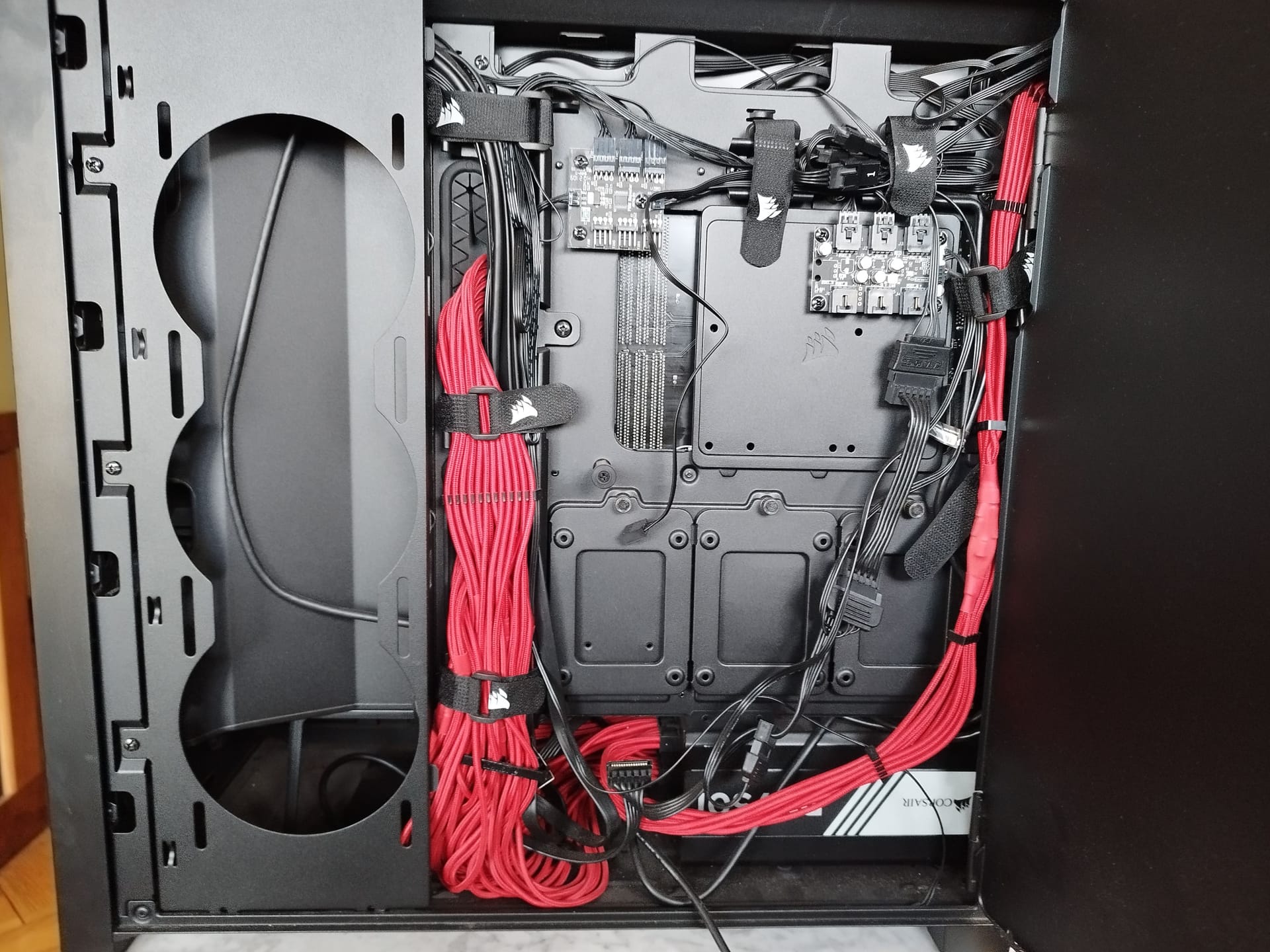
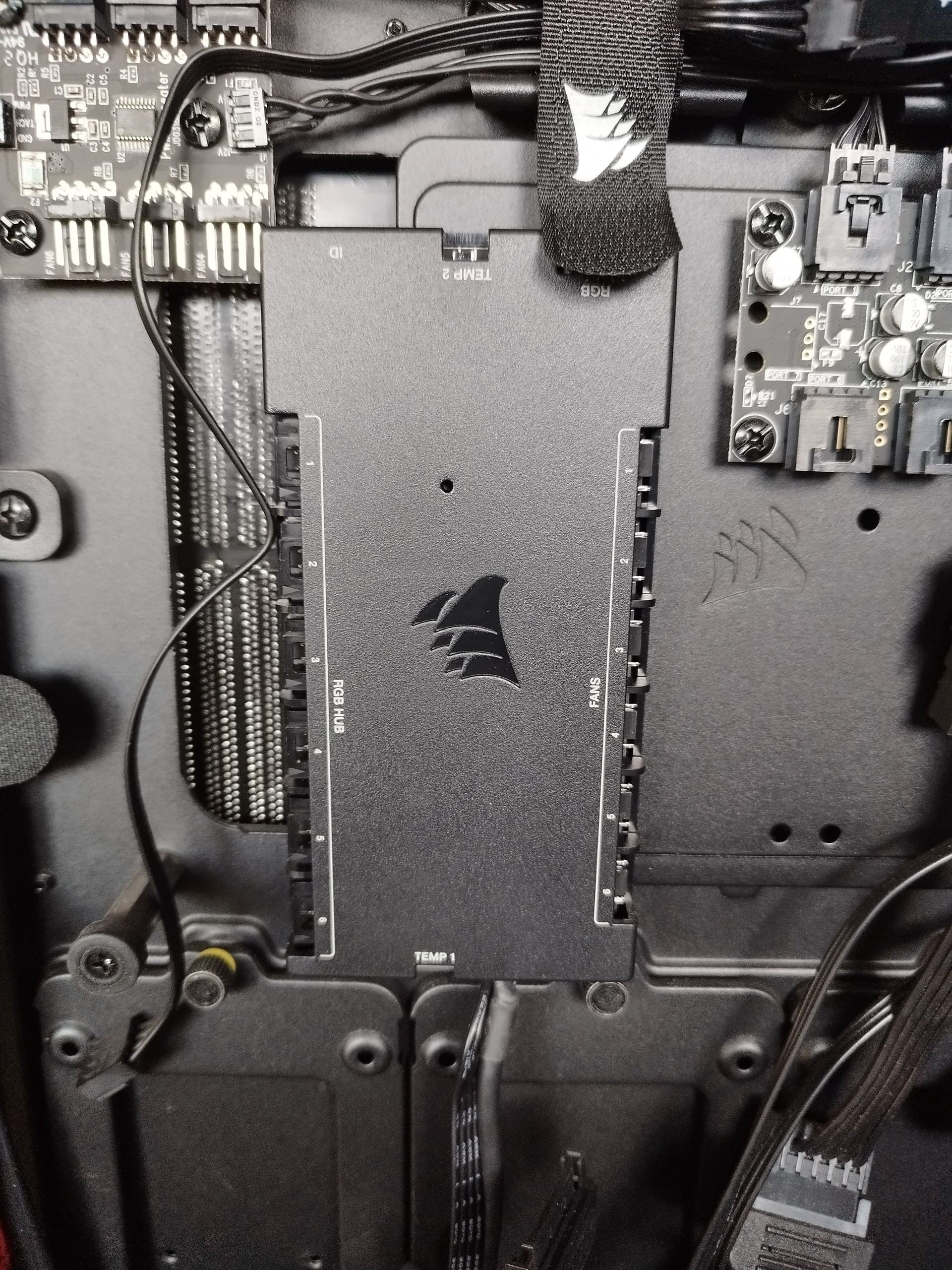
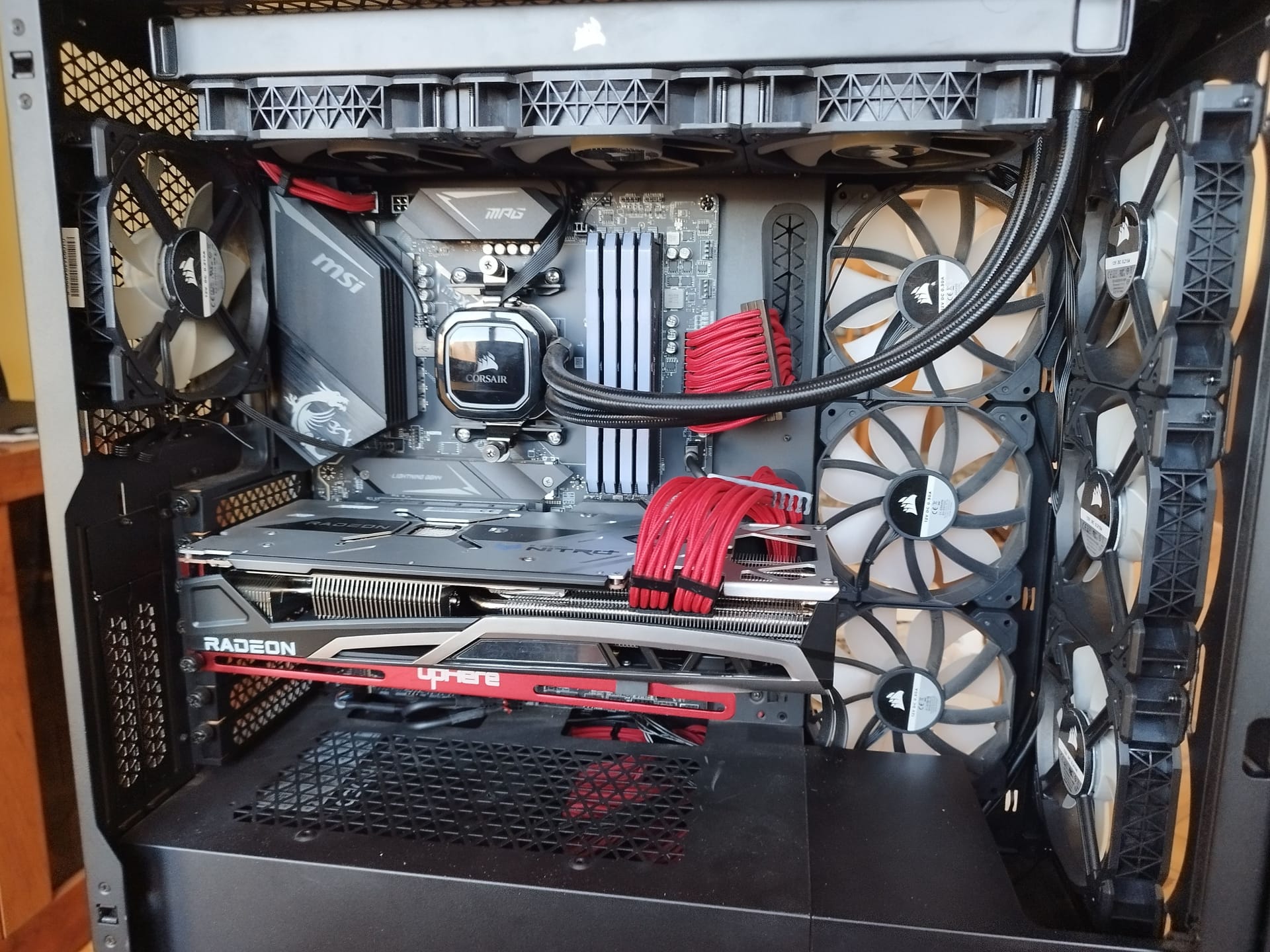
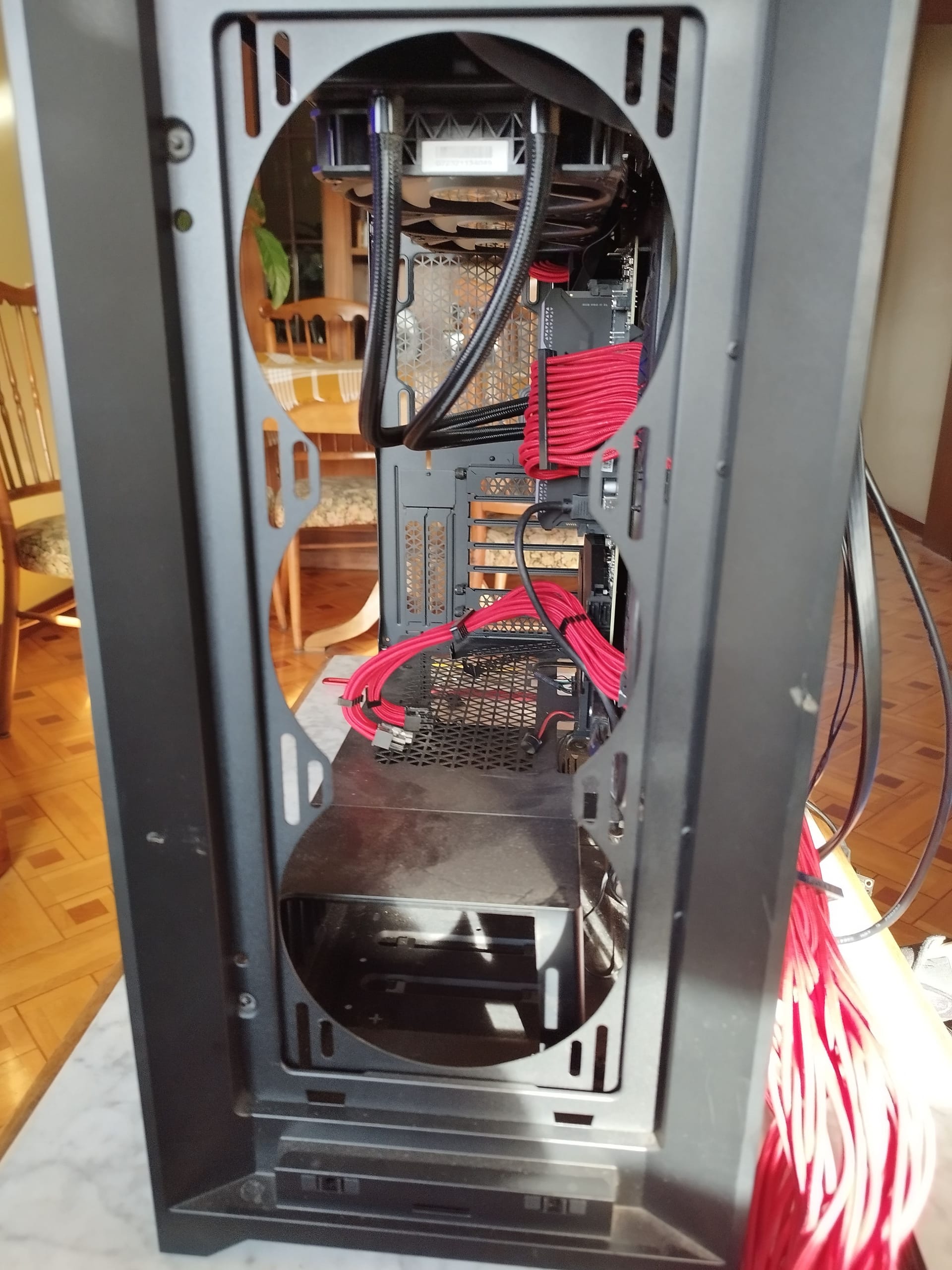
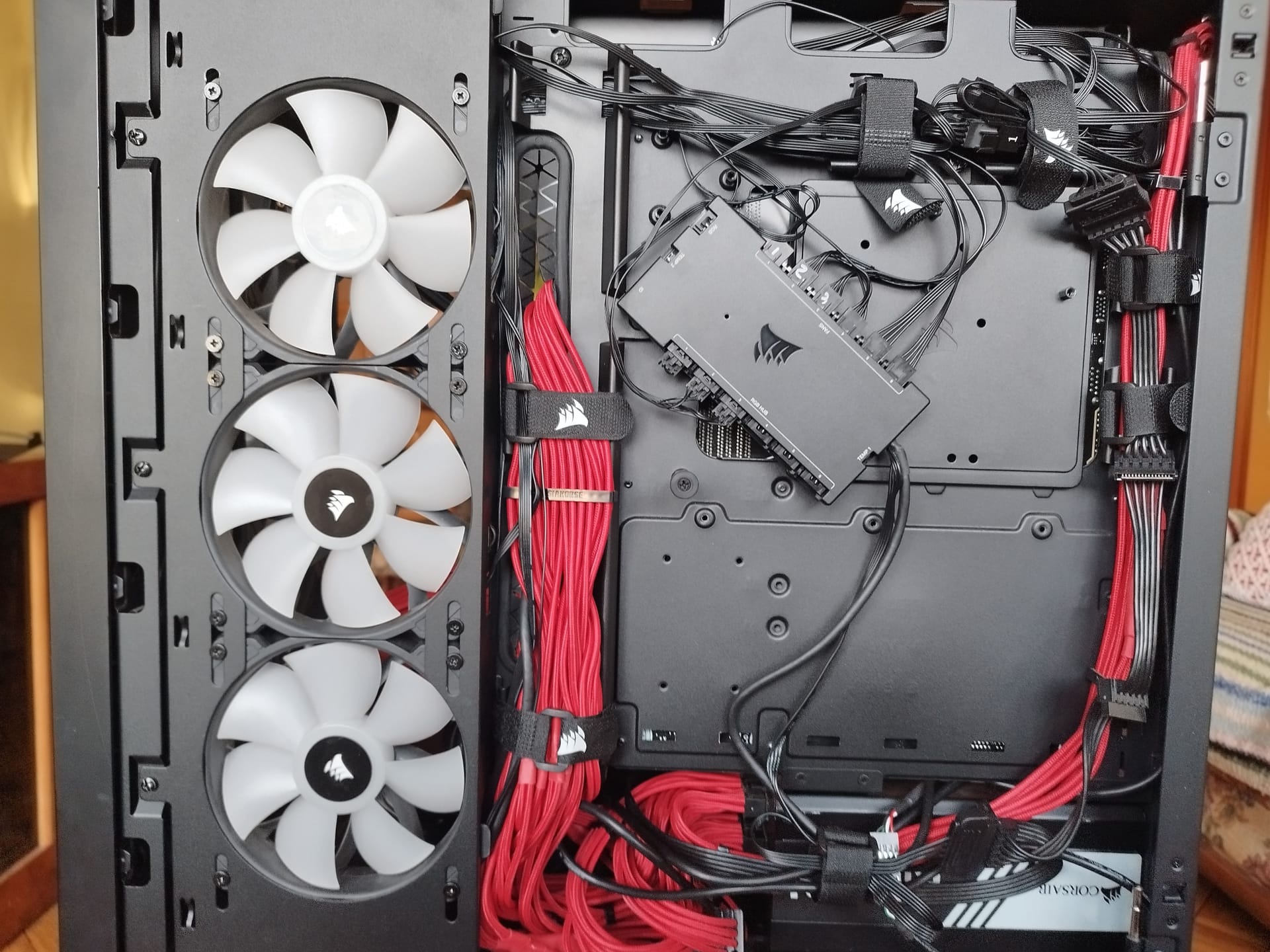
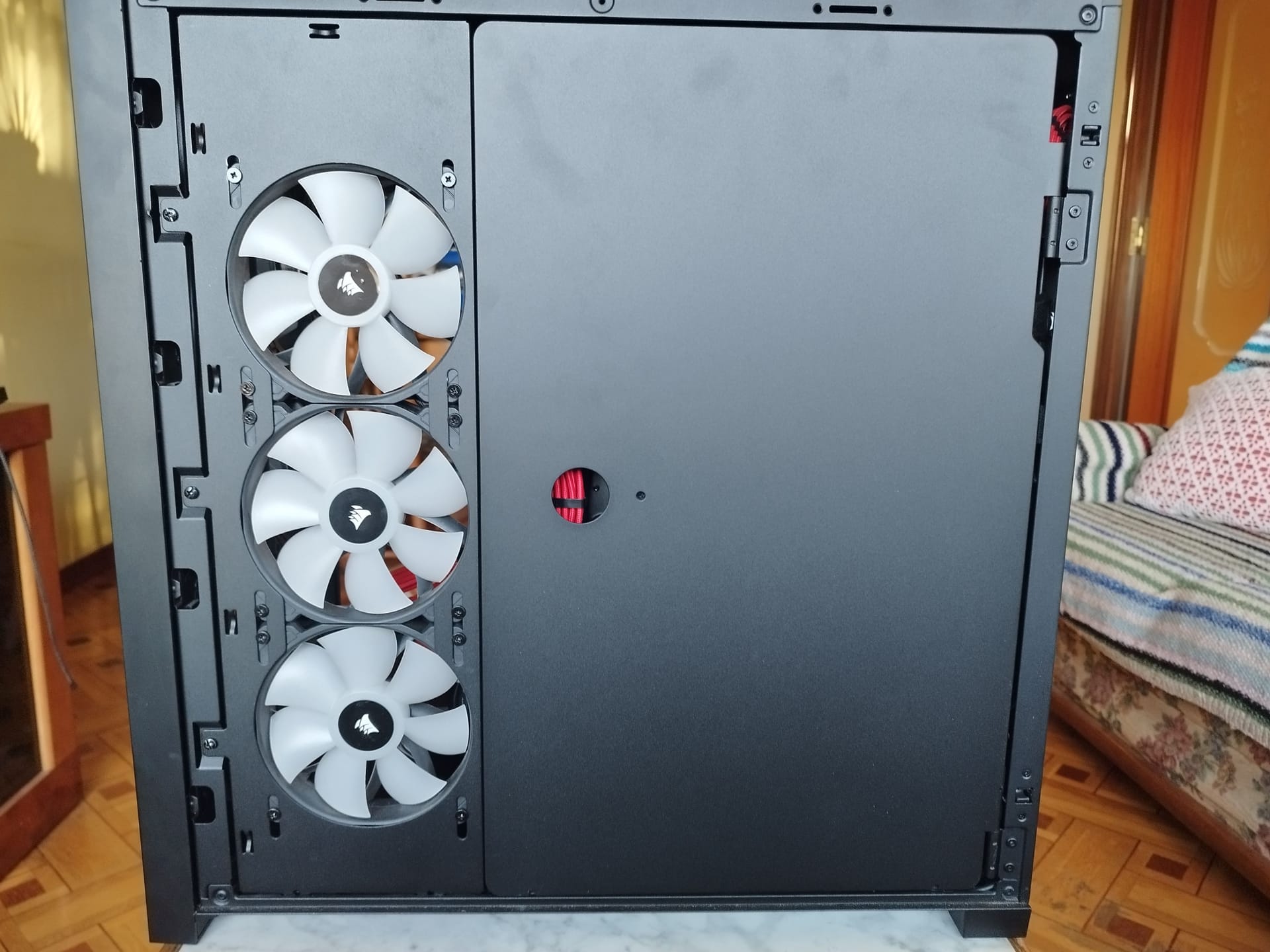
-
Can't you fit the push/pull in the front?
As for the rest (commander and etc) better not comment, you plug everything into the motherboard and test it well. For me it's like you still haven't premiered the aio

-
@defaultuser said in Custom liquid cooling. 2023 project:
Can't you fit the push/pull in the front?
As for the rest (commander and etc) better not comment, you plug everything into the motherboard and test it well. For me it's like you still haven't premiered the aio
It has the same problem as in the top panel.
Until the splitters arrive, I won't mess with the cables anymore.
Then I'll upload a screenshot of dayZ with everything at full (graphic parameters) and the icue with all the temperature and voltage values.
And the GPU at over 90 degrees
It's clear that you have to play with the GPU curve and lower voltages until I mount the R.L on the GPU.
Best regards -
@clipper Si, ya ves, la configuracion original de ventiladores de la grafica se ve que esta pensada para no molestar ni que se este achicharrando. (a 90º se pondránlos ventiladores de la grafica a tope o casi no?).
Al ventilador trasero podias darle la vuelta, que eso no hay que cambiar el cable.
Y el aio de la grafica a futuro yo lo pondría delante como sea, y cuando llegue el agua a la grafica su radiador sacando. en cualquier caso yo no pondría el cpu recibiendo el aire de la grafica.@clipper dijo en Refrigeración liquida custom. proyecto 2023:
Luego subo una captura de pantalla de dayZ con todo a full ( parámetros gráficos) y el icue con todos los valores de temperaturas y voltajes.
Y la GPU a más de 90 gradosTodo eso es con voltajes/frecuencias auto?
-
@defaultuser I have 7 fans blowing air in and 3 blowing it out (aio)
Distribution 3 front ones blowing in 3 side ones right blowing in one rear blowing in (which is very close to the aio blowing out radiator) so that I can put it blowing out...The GPU voltages are stock.
I've done several tests with oc with very disparate results.
I'll upload screenshots tomorrow.
Today after the feast I'm not up for it.
Regards -
What I'm looking at are radiators.
Options:
Corsair Hydro X Series, XR5 360 mm
https://www.alternate.es/html/product/1826879?partner=esadwoPLA&gclid=CjwKCAiAhqCdBhB0EiwAH8M_Gk1PNORMFXMPZZa4EoClGeXIlan5TxEbz2GNnAa7BqhALKP6eGInSRoCNJwQAvD_BwE
https://www.pccomponentes.com/ekwb-ek-coolstream-classic-pe-360-triple?utm_source=176013&utm_medium=afi&utm_campaign=es.redbrain.shop&awc=20981_1671989877_2fbfab03d043db66fcb21e7f199c1329&utm_term=deeplink&utm_content=es.redbrain.shop
Options,
Regards -
@clipper you already have 6 blowers blowing, more than enough. The rear should push out some of the heat from the graphics card, why another blower? This way you only trap all the heat from the VGA towards the AIO.
Having 6 blowers doesn't compensate for the fact that the AIO is sucking in the 200 watts of hot air from the graphics card, and having the rear blower hurts you more than it helps.
I was asking about the OC because of the high temperatures. It's almost better not to overclock anything for now until you have more "normal" temperatures (it won't hurt you).
-
@clipper I haven't tried any of that type, but I can tell you that within the same as they all are, the alphacool looked good, the grille is better, and it has extra ports.
-
I see an rgb hub hanging at the back. Does it stay like that? In any case, I think everything is very clean, too bad there are no big tower cases at affordable prices like a few years ago. Well, I see that they are at 250 euros, even more. The lights and such, I understand that it is merely aesthetic, but that means more extra expense, watts, etc. For example the obsidian that I always used, the 7000 I think is the biggest and the materials are excellent. But I insist that I think it's a clean installation, although I don't understand the rgb hub thing very well...
Cluster MPI de tres nodos formado por tres SERVIDORRES HP PROLIANT DL360P 1U 2X E5-2680V2 CPU'S, 20 cores, 40 hilos a una frecuencia base de 2,8GHz. 192 GB de memoria RAM DDR3 ECC (8 x módulos de16 GB 800Mhz)´+ 1U 2X E5.-2697 V2 a una frecuencia base de 2,8 Ghz 192 GB de Ram ECC (8 módulos de 16 Gb 800 mhz) 24 Cores 48 hilos ( 44c/88T)+ 1u 2xE5 2603v2 con una frecuencia base de 1,9ghz 64 Gb DDR3 ecc (4x módulos de 16)
-
@jordiqui said in Custom liquid cooling. 2023 project:
I see an RGB hub hanging at the back
It looks like the photos are from different times, the last one I think is from the end.
@jordiqui said in Custom liquid cooling. 2023 project:
It's a shame that there aren't big tower cases at affordable prices like a few years ago. I see that they are at 250 euros, even more.
If true.
It seems that compacts have more appeal among the public, and then the big ones are either workstation or enthusiast, and they think that only people who are going to spend 3000€ on a regular PC look at them.
Even the new brands want to sell mules disguised as unicorns, that is, a sheet metal cube for more than 200€, and that's all they basically do the same thing with slight differences but with the same drawbacks.Look, Raijintek for example has some a bit different, with extra space at the bottom for a radiator, but that's it and they are just as expensive.
The 7000no, better yet the 1000 no or what?
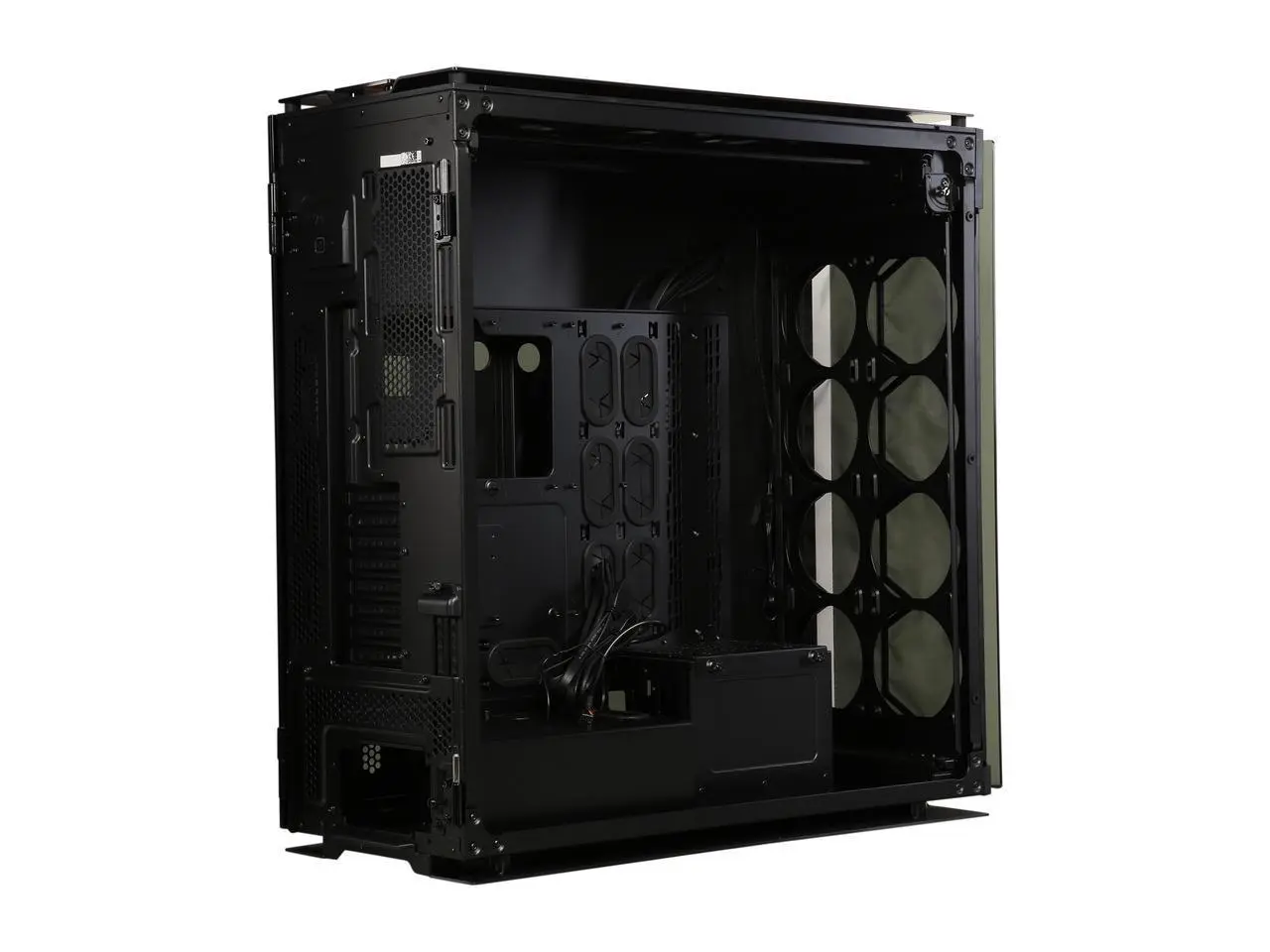
If it's for generic radiators of 360 or 480 here you can fit them for sure.



Hello! It looks like you're interested in this conversation, but you don't have an account yet.
Getting fed up of having to scroll through the same posts each visit? When you register for an account, you'll always come back to exactly where you were before, and choose to be notified of new replies (either via email, or push notification). You'll also be able to save bookmarks and upvote posts to show your appreciation to other community members.
With your input, this post could be even better 💗
Registrarse Conectarse