Retro disk data recovery
-
A few years ago I started making videos of the retro gadgets I treasure as a pandemic hobby. One of the videos was about an Epson PC Portable from the late 80s. It's a laptop with a Nec V30, 640kB of RAM, a 20MB hard drive, and a 720kB floppy drive. It's a typical XT compatible laptop from that era (with the exception that the V30 is several times faster than the original 8088). The video is this:
That was in 2020. In 2022, someone contacted me saying they were looking for help to recover data (of sentimental value) that their father had saved on their Epson PC Portable. They had seen my video and asked me if I could help. I accepted the challenge but a series of problems on their part meant they didn't respond to the offer. A month ago (more than 3 years after the first message) they wrote to me again explaining why it had taken so long to respond and in total, I now have the hard drive in my hands along with the controller.
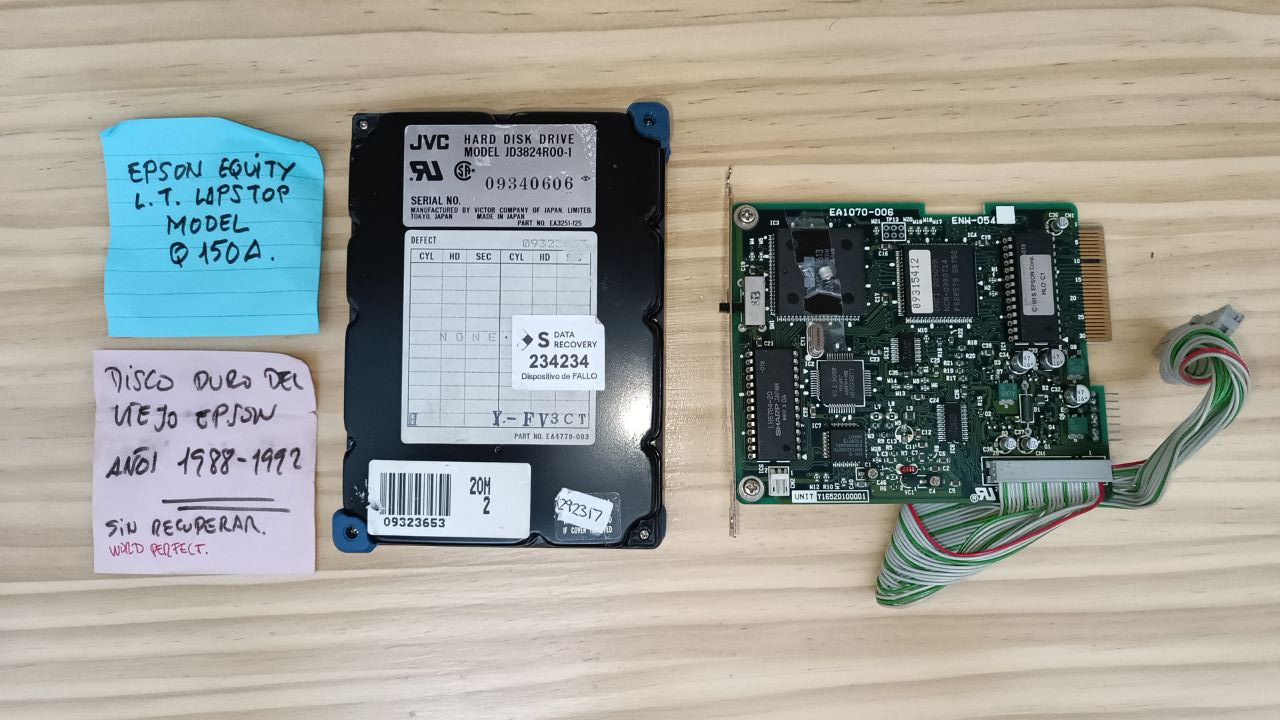
This is the contents of the box:
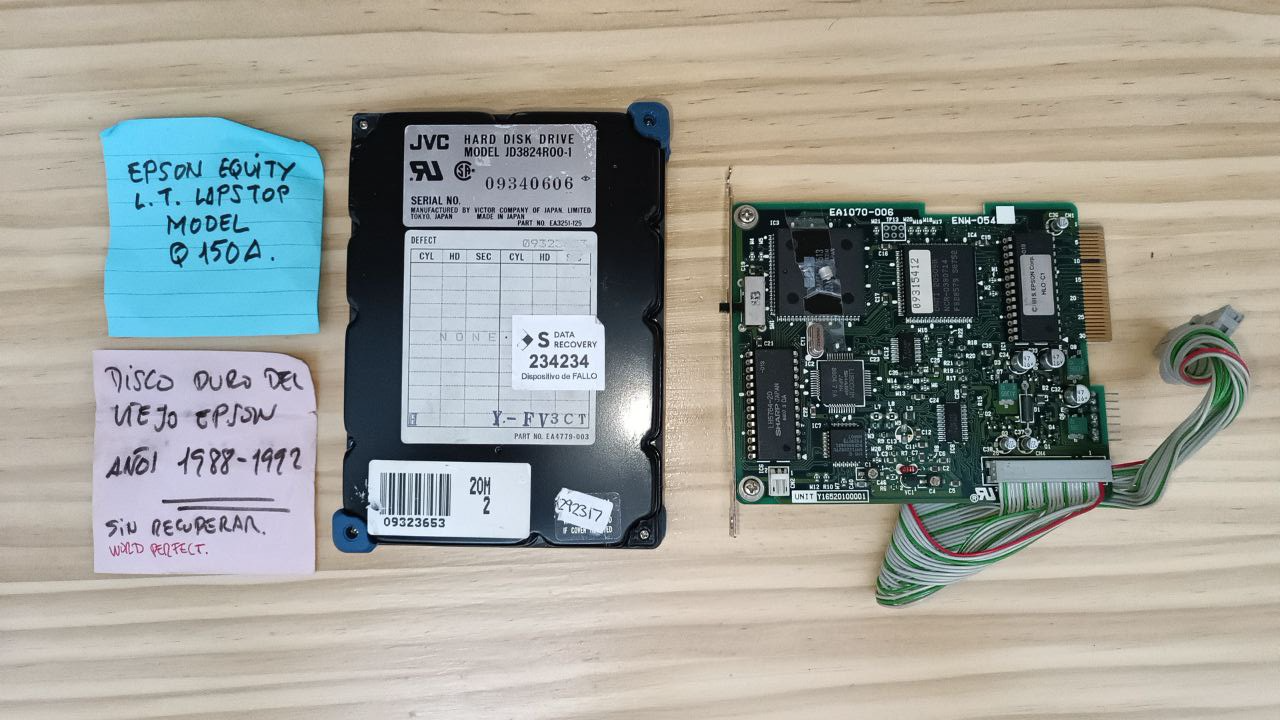
This person has told me that the hard drive has passed through a thousand hands and that no one has been able to recover the data. It's not something that discourages me because it uses a proprietary interface. It's not about taking an IDE hard drive, poking it, and trying your luck. That is to say, this is not just another old hard drive, but one of the first mass-produced portable hard drives that existed. For this, you need the PC with its proprietary connectors and that's more difficult to have (he himself no longer has the computer, only the disk and the controller).
As I can see, the controller has a capacitor glued with tape to one of the integrated circuits. There's already a problem there. I have mine and I think it's fine. But my laptop had a problem, precisely also with the hard drive. In my case, the failure was that the disk didn't rotate and when I managed to make it work, it wasn't detected (from minute 4:40 of the video).
In principle, the idea is to take my controller and try my luck with their disk. I'm worried that having passed through so many hands, someone may have messed it up by doing strange things with the interface. In addition, there are indications that, or they have tried to open it, or they have opened it. That's not to mention the typical pathologies of these gadgets that range from mechanical problems (like mine) to the demagnetization of the surface.
I already told this person that I could try the recovery, but that they should choose me as a last resort since I could end up destroying the hard drive. This, moreover, is a job that I won't charge for because, as I said, it's a hobby. In return, we agreed that they would make a video of the operation (without revealing the contents of the disk if it was recovered). We'll see if I make the video (depending on the time I have). For now, I'm going to document the operation in this thread.
And of course, if anyone has suggestions on this type of thing, please leave your comments.
Toda la actualidad en la portada de Hardlimit
Mis cacharros -
Interesting challenge @cobitoI think you should share it in the retrocomputing group, to see if any fellow has compatible hardware like the controller for example.
Let's hope it's a success, good luck with it

Best regards!
>> i7-2600K Sandy Bridge @4.4GHz || Noctua NH-D14 || ASRock Z77 Extreme4 || 4x8Gb G.Skill Ripjaws X DDR3 1600MHz || XFX RX 5700 XT 8Gb || SSD Samsung 850 PRO 256Gb & 850 EVO 500Gb || WD Caviar Green 1Tb || Barracuda 1Tb || Corsair TX650 V2 || M-Audio Fast Track Pro || KRK RP8 RoKit G3 || BenQ GW2750 27"
>> Athlon 64 X2 5600+ Brisbane @2.9GHz || Gigabyte GA-M61PME-S2 || 2x2Gb DDR2 Kingston 800MHz || Sapphire Radeon HD 5850 Xtreme 1Gb || Maxtor 320Gb SATA2 || OCZ ModXStream 500W Modular || TEAC PowerMax 120/2 || Acer X243w 24"
>> Intel Core2Duo E6600 Conroe @2.4GHz || Asus P5N32-SLI SE DELUXE || 2x1Gb DDR2 Kingston 800MHz || Asus nVidia GeForce 9800GT 1Gb GDDR3 || Seagate Barracuda IDE 80Gb 7200RPM || Linkworld LPK12-35 450W -
@Sylver That without hesitation. I'll first see if it works with mine and if not, see if anyone has spare parts.
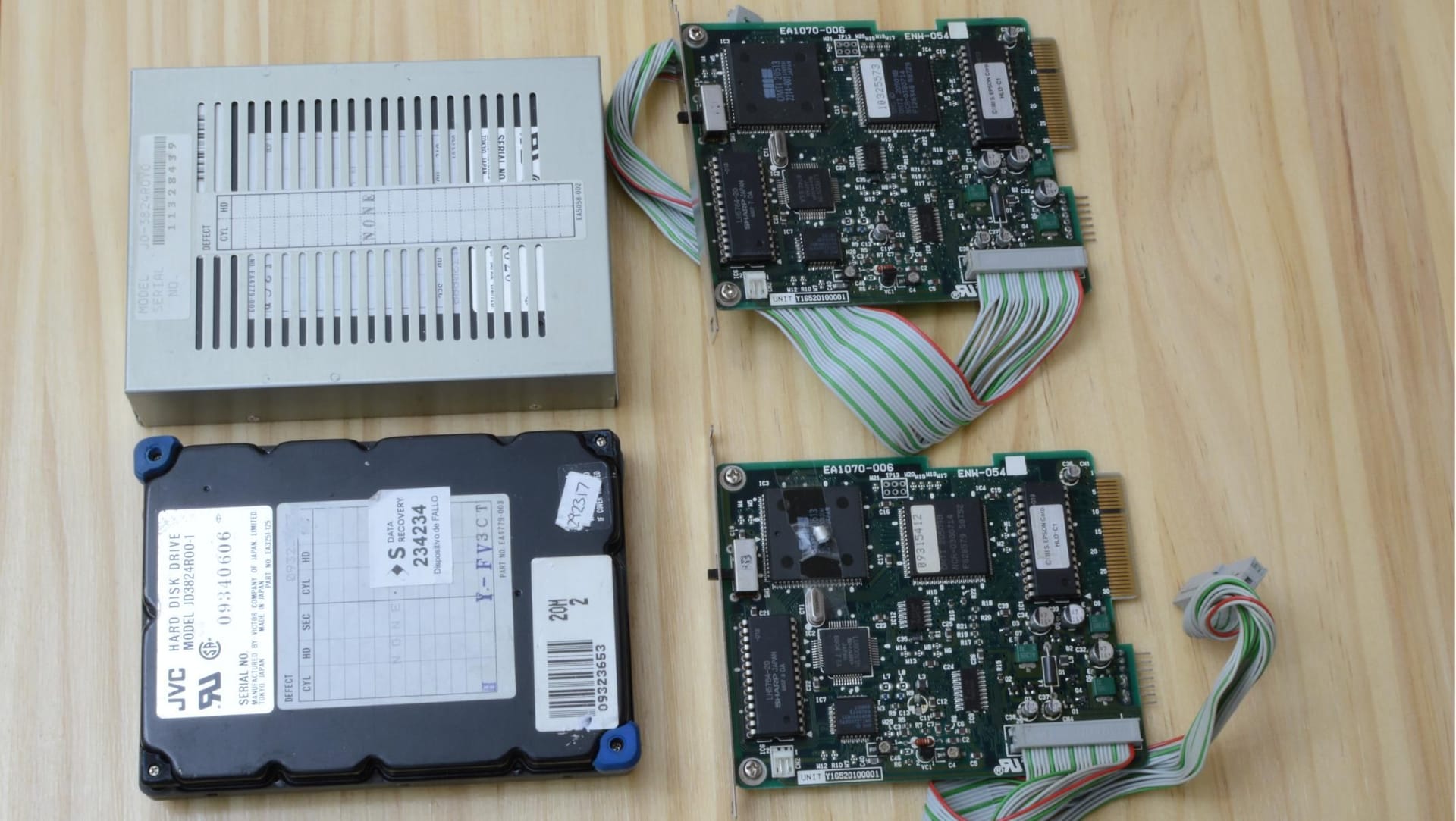
In the next image you can see the controller-hard drive pairs (above mine with disk inside its metal casing):
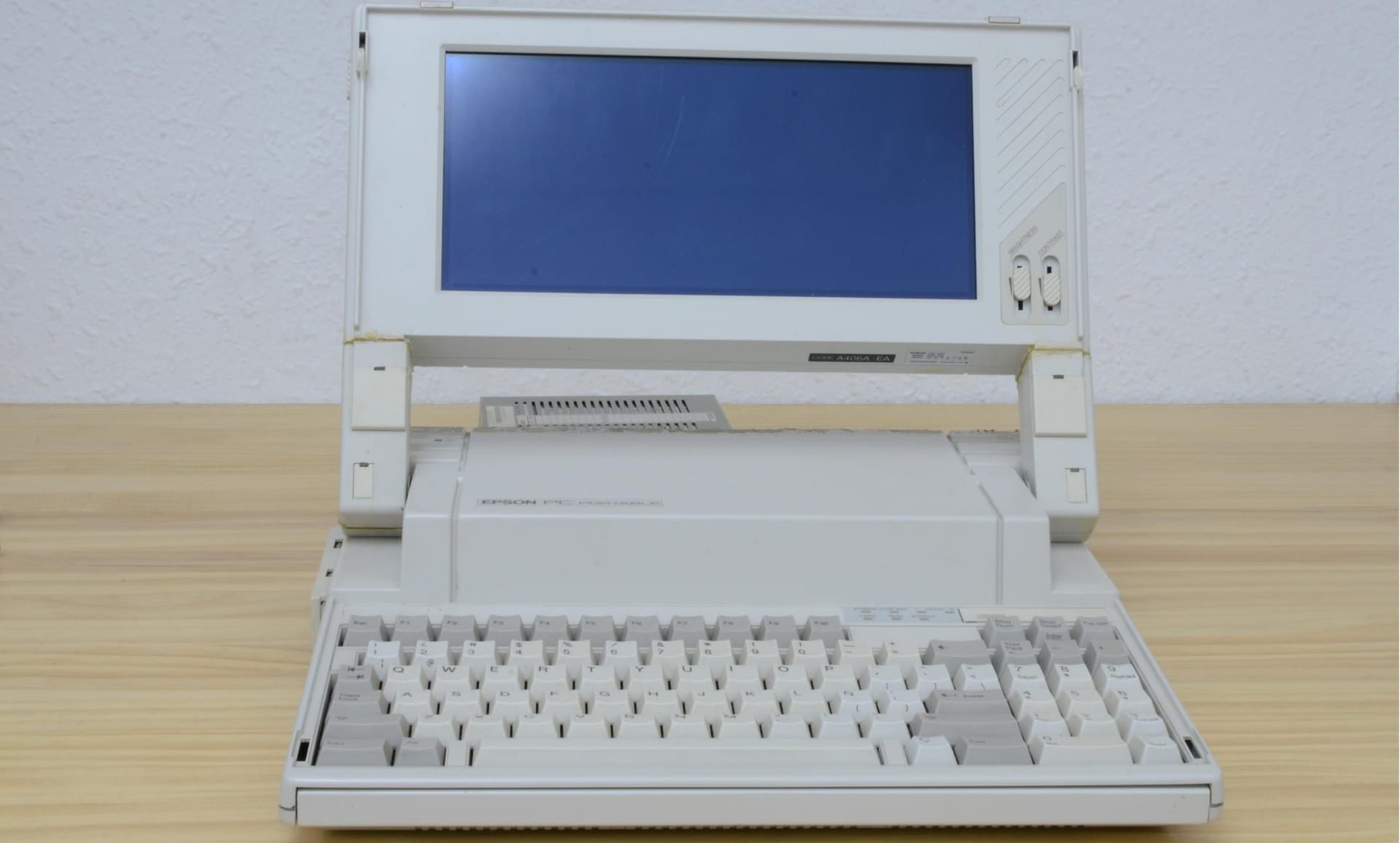
Here is the laptop in question dusted off:
And here is the beast alive and kicking:
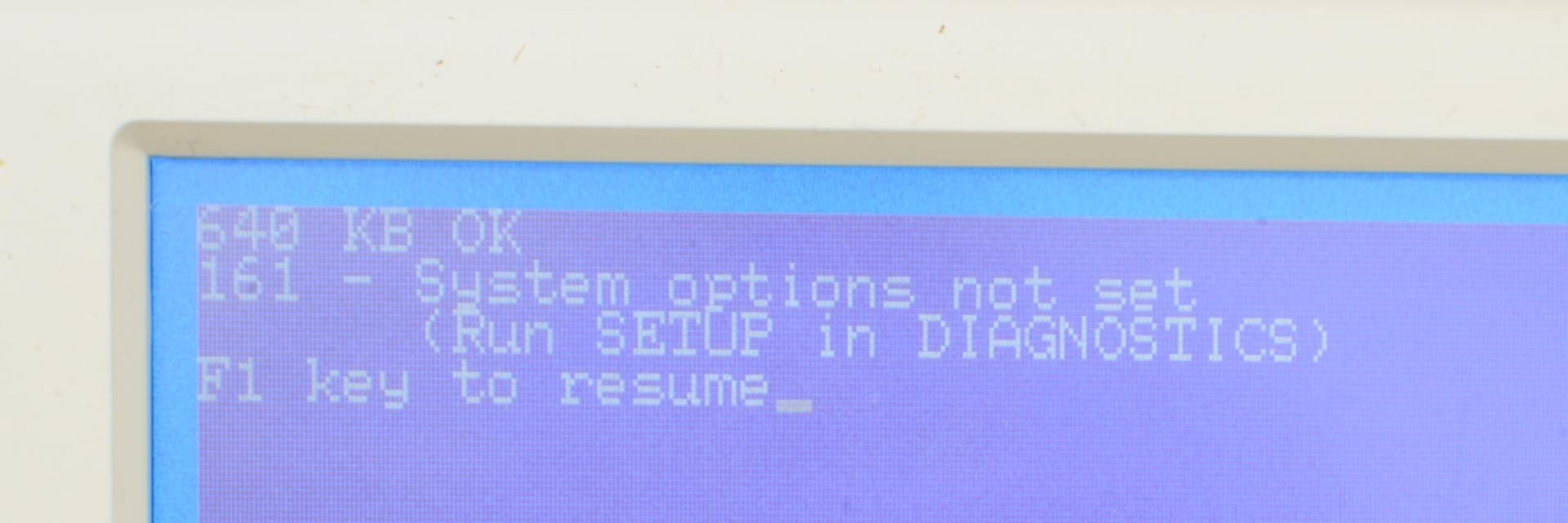
I also have a USB floppy drive and a box of 10 floppy disks on hand.
With this, we can begin.
Toda la actualidad en la portada de Hardlimit
Mis cacharros -
What excitement!
The disk in question had the same problem as mine: it had the shaft stuck. Doing the same thing as in mine, it has become unstuck and has started to rotate. But from my controller, it was not detected.
So I have tried the one they gave me (the one with the capacitor torn off). That one, unlike mine, does make the attempt to start but the head stays oscillating and does not finish anything. As it has the capacitor torn off, I have blamed it on that. Then I exchanged the ROMs to see if it was that to see if mine did anything, but nothing.
After that I saw that the protective glue of one of the variable capacitors of the controller they gave me was torn off, so I started to rotate it with a screwdriver and it started!
This is the one I touched:
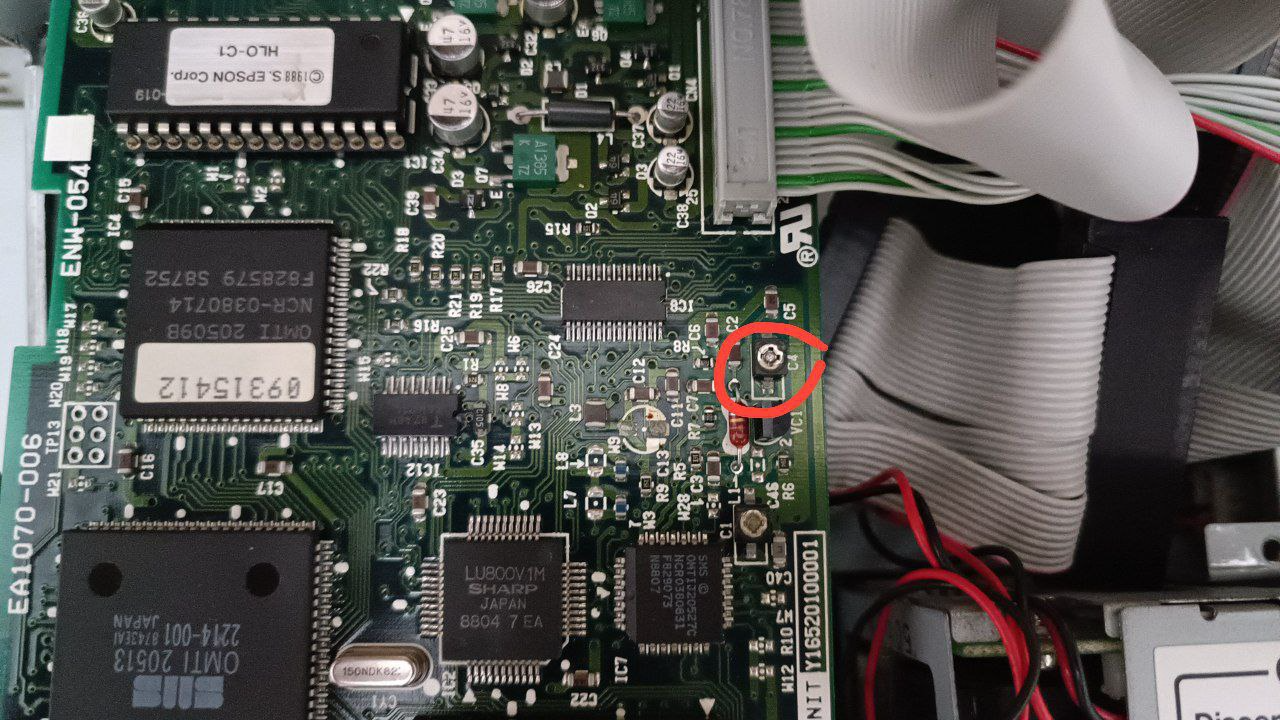
I am going to prepare some disks with its sticker and to pass data, to see if it is the whole surface accessible.
I will also try my disk, to see what treasures it hides.
PD: Incredible that it works without the capacitor. And also incredible that it can start the MS-DOS 3.30 that it brings after all these years.
Toda la actualidad en la portada de Hardlimit
Mis cacharros -
Well, this has reached its vital limit. I have been able to recover quite a few things but there are just as many left.
I used ARJ to make a copy of the entire disk and when it reached a certain folder, the hard drive started doing the classic retry of reading bad sectors.
Now it won't boot. I suppose that if I use a boot disk I will be able to keep accessing it. I am weighing all the possibilities to keep the disk on as little as possible.
Here you can see how the data is transferred to a floppy disk and how the disk reading fails at the end
Toda la actualidad en la portada de Hardlimit
Mis cacharros -
It seems there is still room for hope. From the retrocomputing group, I have been recommended a tool called SpinRite 4 and it seems that progress is being made. It's a kind of HDD Regenerator but I must say that I find the operation very sophisticated. It is dedicated to analyzing all data (whether they are good or not) and if any bit falls within a region of indetermination between 0 and 1, it performs a statistical analysis of the adjacent bits to determine the real value of the indetermination. The program is from 96 and works on the V30 with MSDOS 3.30.
Here I leave an image of the program in execution:
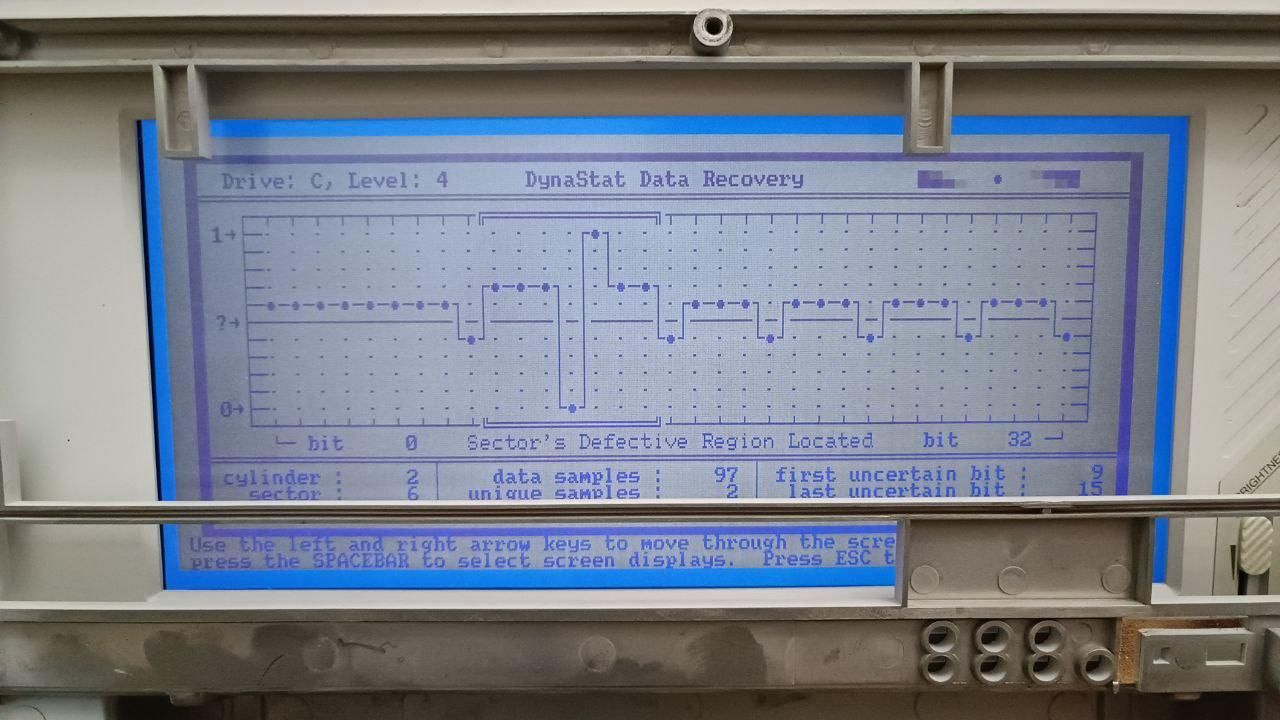
After more than 3 hours running, it says that there are just over 4 days of analysis left to finish:
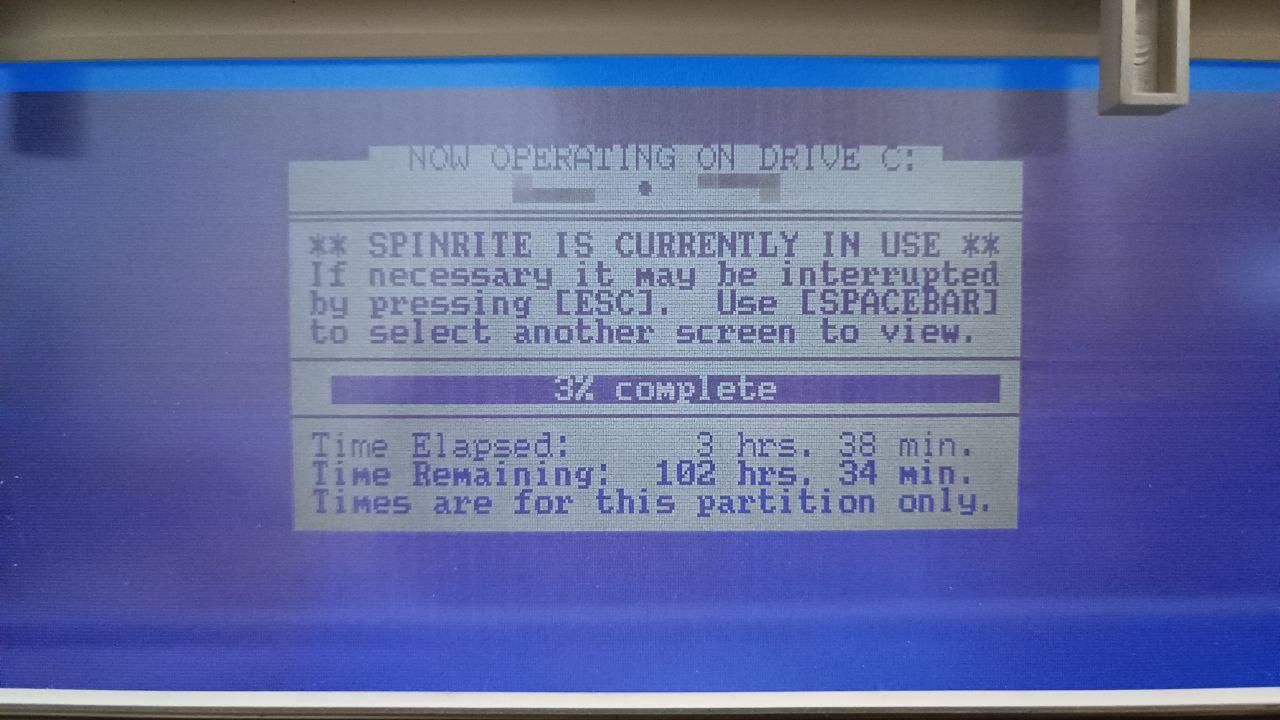
I hope that the time comes when the surface starts to be in better condition. At the moment, it is like this (R=Recovered, Dots=Block 100% correct, U=Irrecoverable):
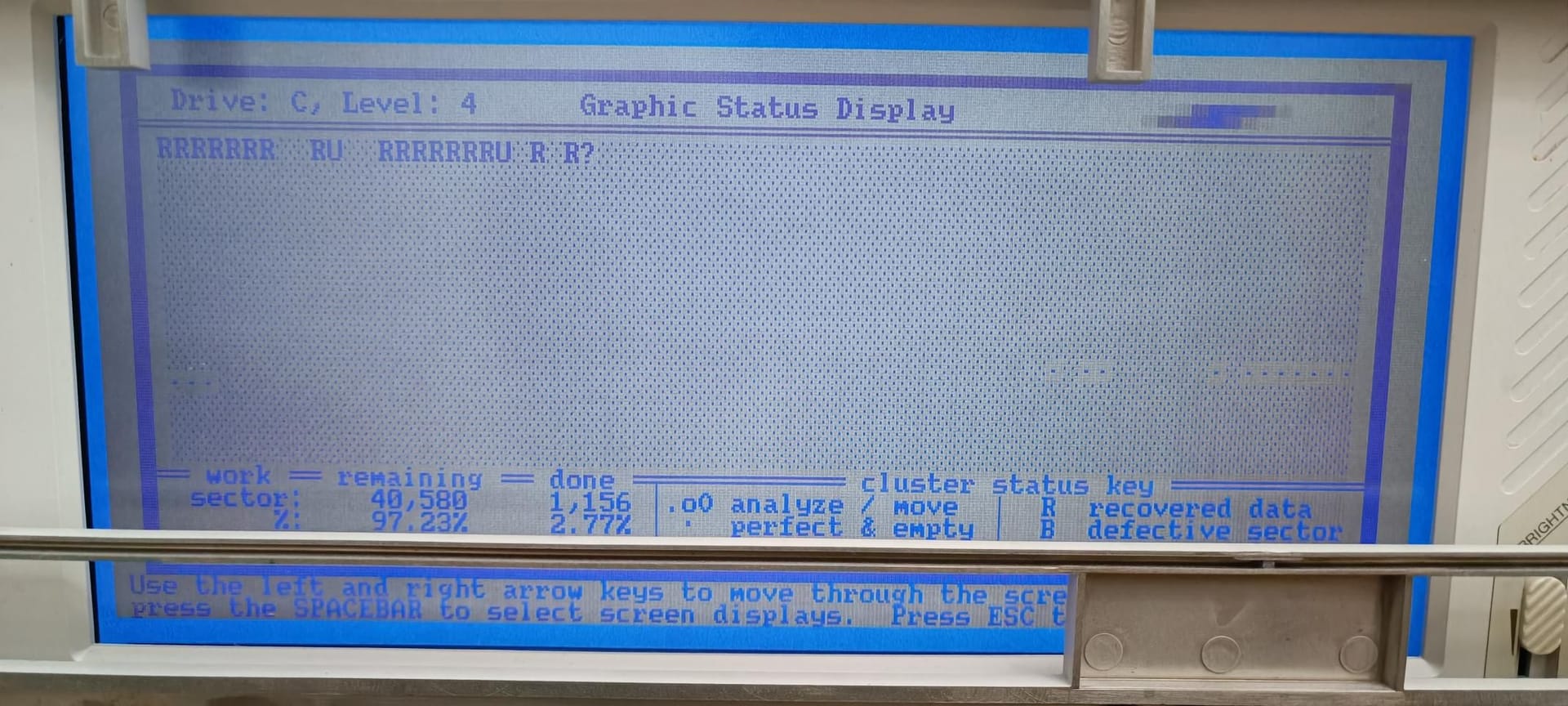
It's not rocket science, but not bad either.
And here I leave you a short video of the setup I have put together:
At the moment, the hard drive is once again able to boot MSDOS 3.30 again.
Toda la actualidad en la portada de Hardlimit
Mis cacharros -
Well, this is coming to an end. The last 13 hours of SpinRite have produced only a 1% progress with quite a few unrecoverable sectors. I was hoping that easier regions would appear, but the opposite is happening. At this rate, it's not feasible. On the one hand, the hard drive is on its last legs and having it on for so many hours will finish it off. On the other hand, I don't want to fry my laptop with this operation. So I've changed my plans.
What I've done is copy the files with
copyas is. It turns out that since MSDOS 3.30, when corrupt data is found, one of the following messages may appear. This one: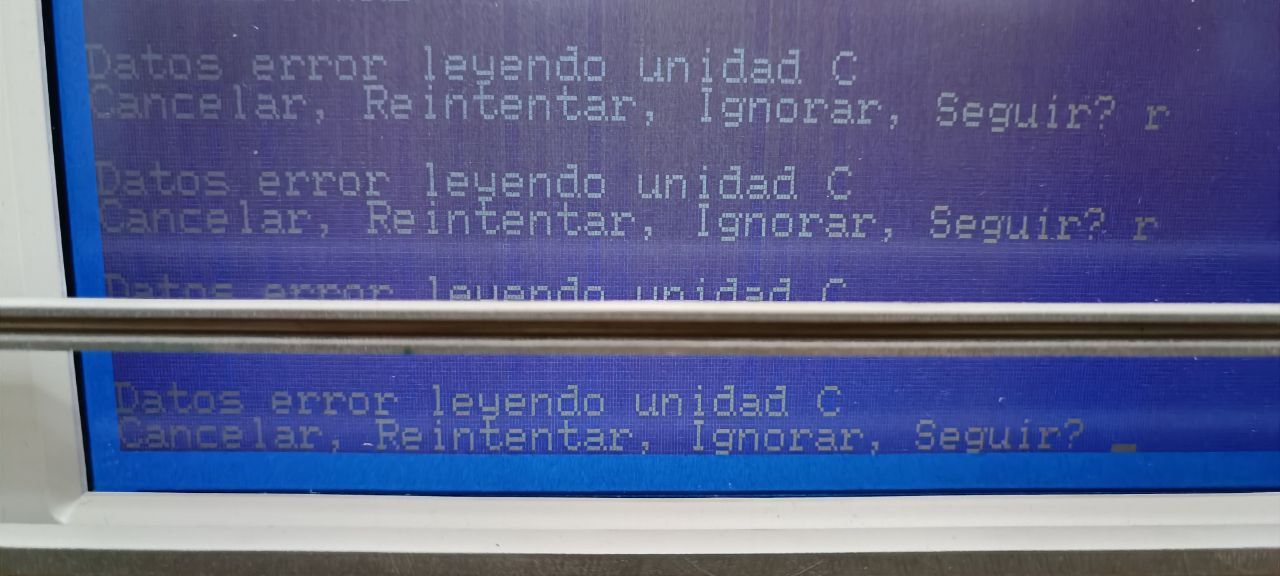
Or this one:
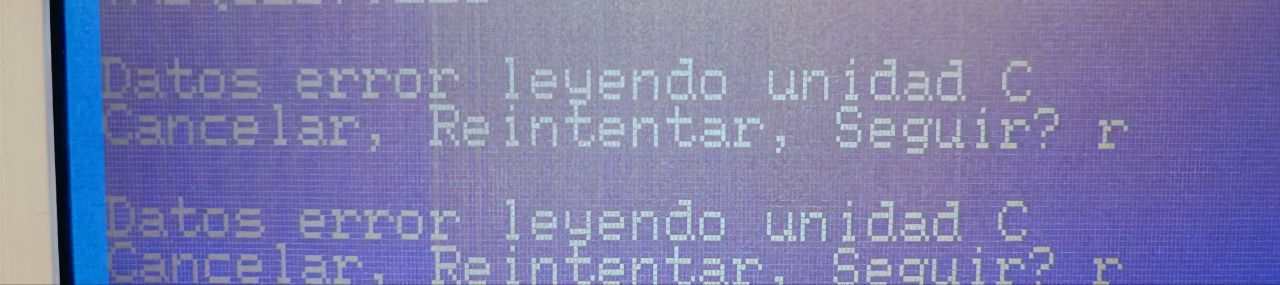
The difference between the two is subtle: the first one gives the option to Ignore while the second one doesn't. From what I've read, when "Ignore" doesn't appear, it means the error is in the file system reading (now you'll understand why it's logical that it doesn't give the option to ignore). When it does give the option to Ignore, the error is in the data region. This is interesting because since MSDOS 6.22, when an error occurs in reading the FAT, it directly gives an interrupt error message and aborts the operation without asking. In that aspect, MSDOS 3.30 is quite more robust.
On the other hand, Continue and Ignore essentially do the same thing with the difference that Ignore tells the program that everything is fine and Continue tells it that something is wrong. The decision comes down to whether to deceive the program (Ignore) or let the program manage the error (Continue). In my case, the program is copy and, through testing, Continue doesn't copy anything from the file while Ignore does (with corrupt fragments). And it's logical that when there's a FAT error, it doesn't allow Ignore because without that metadata, you simply can't access the data region.
I've also tried ARJ (2.75a), but when the read error from the hard drive appears, the program crashes. So it's not an option.
In summary, what's happening is that when the CRC doesn't match, MSDOS gives this warning and you have two options: don't copy the file or copy it as it's being read, which includes corrupt sectors. So in this scenario, the option was clear: use MSDOS 3.30 and Ignore the errors. Since the relevant data is text documents, the data corruption should be correctable by hand if there aren't too many consecutive corrupt bytes. And if there are, at least there will be a fragment of the document accessible.
Now you're probably wondering, "okay, you ignore the data errors, but what do you do with the FAT errors that can't be Ignored?" The thing is that SpinRite has half-fixed the first two thousand odd sectors of the disk, within which the file system is. Thanks to that, when this error appeared, with Retry several times (rarely more than 2 times), it was able to read the metadata.
So the process (tedious as hell) consisted of copying batches of files to a floppy disk and then transferring them to my PC. The strategy I followed to have some order (there are folders with hundreds of files that don't fit on a single floppy), was to copy groups of files with a specific extension.
But that strategy wasn't entirely accurate because, for some reason (probably due to the enormous amount of errors), MSDOS 3.30 skipped (didn't copy) many files in each batch. In the end, I had to create two Excel sheets: one with the contents of dir (DIR C:\\FOLDER > A:\\LIST.TXT), which has the complete tree, and another sheet with the files that were actually copied. By comparing both sheets, I was able to make a list of missing files that I copied one by one.
It's a real pain in the neck. But in the end, I was able to verify that what I have on my PC matches perfectly in number of files and number of bytes with what MSDOS 3.30 reports from the Epson laptop.
I've already sent the result to the owner of the disk. There are many documents that are 100% correct and just as many with some defective sectors (probably very few bytes per document). I hope it's of some use to them.
Toda la actualidad en la portada de Hardlimit
Mis cacharros -
Congratulations on the result @cobito, incredible work. Without a doubt, the owner owes you more than just gratitude.
Thanks for sharing it here in detail, even though it seems like a very particular and isolated circumstance, in reality, you never know when all this information might be needed.
Best regards!


Hello! It looks like you're interested in this conversation, but you don't have an account yet.
Getting fed up of having to scroll through the same posts each visit? When you register for an account, you'll always come back to exactly where you were before, and choose to be notified of new replies (either via email, or push notification). You'll also be able to save bookmarks and upvote posts to show your appreciation to other community members.
With your input, this post could be even better 💗
Registrarse Conectarse