Mid-high range gaming PC.
-
@clipper it would have been good to have a reference game or test like 3DMark, in addition to DayZ to compare performance improvement.
And as for minimum FPS... any noticeable difference, right?.
Regards!
-
@_neptunno_ the 60s are stable, before I used to have some lows (miserable, 45/55)
Regards -
@clipper Is the 32" monitor FHD or 2K? 144Hz?
-
I'm considering a new GPU, AMD or Nvidia....
My monitor is for AMD, although I've read that it can be "tuned"
In AMD this would be a possible candidate:
https://www.pccomponentes.com/xfx-speedster-swft309-amd-radeon-rx-6700xt-core-gaming-12gb-gddr6
In Nvidia this would be another possibility.
https://www.pccomponentes.com/gigabyte-geforce-rtx-3070-eagle-oc-8gb-gddr6-rev-20The budget...
About 150 that I got from my GPU.
Plus 150 that I owe for overtime plus about 300 € more.
The purchase is without VAT that I would do for work (a favor I do to my boss) and to my
What do you think?
Any other options?
Regards -
@_neptunno_
This is my monitor:
https://eu.aoc.com/es/gaming/products/monitors/c32g2ze-bk
Best regards -
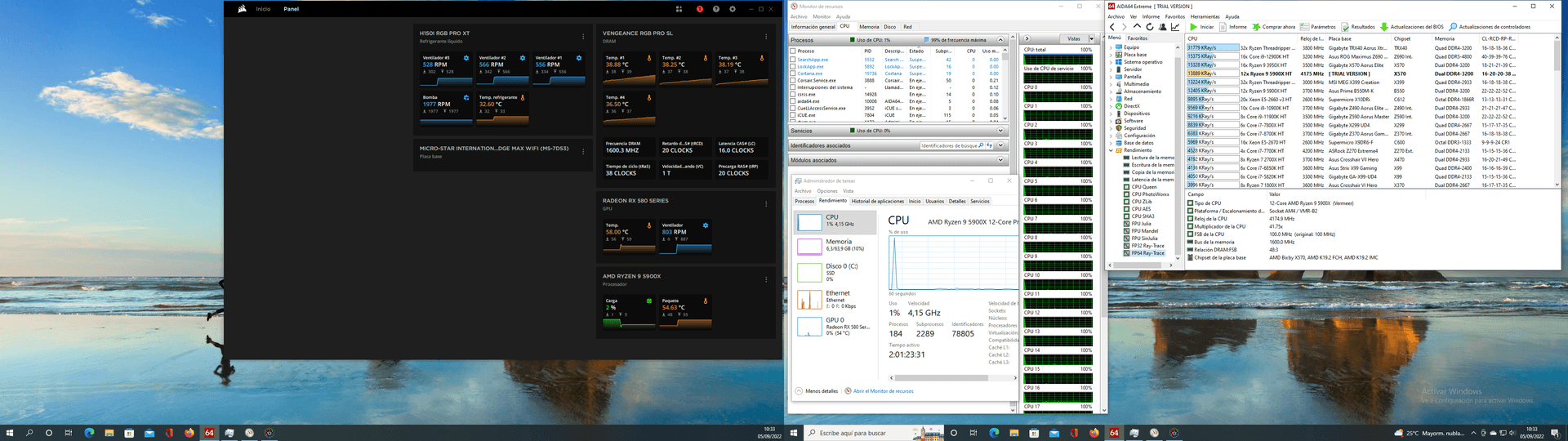
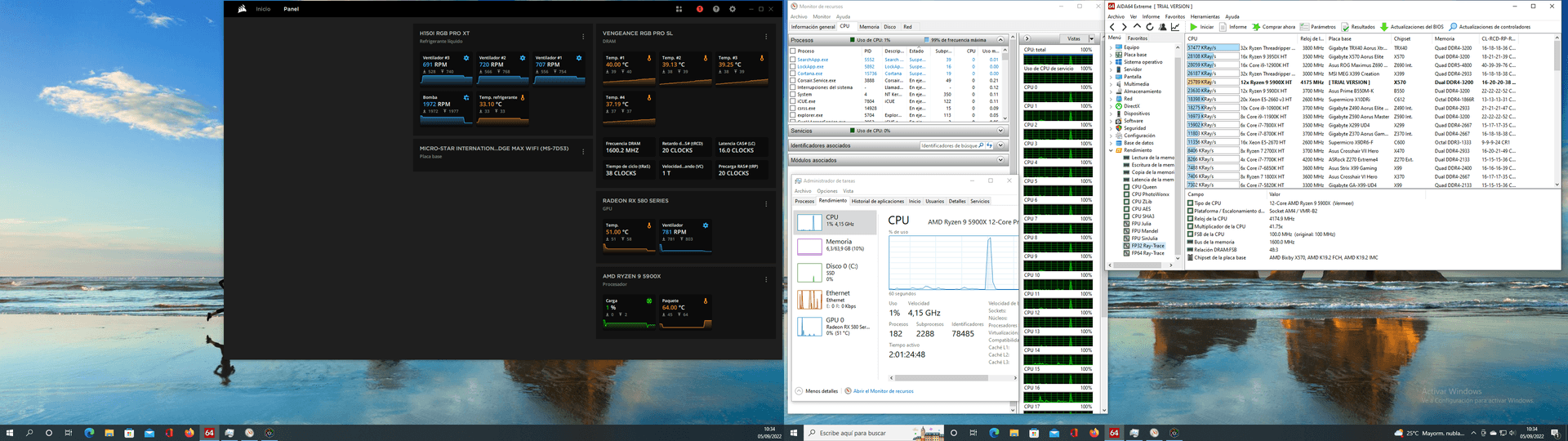
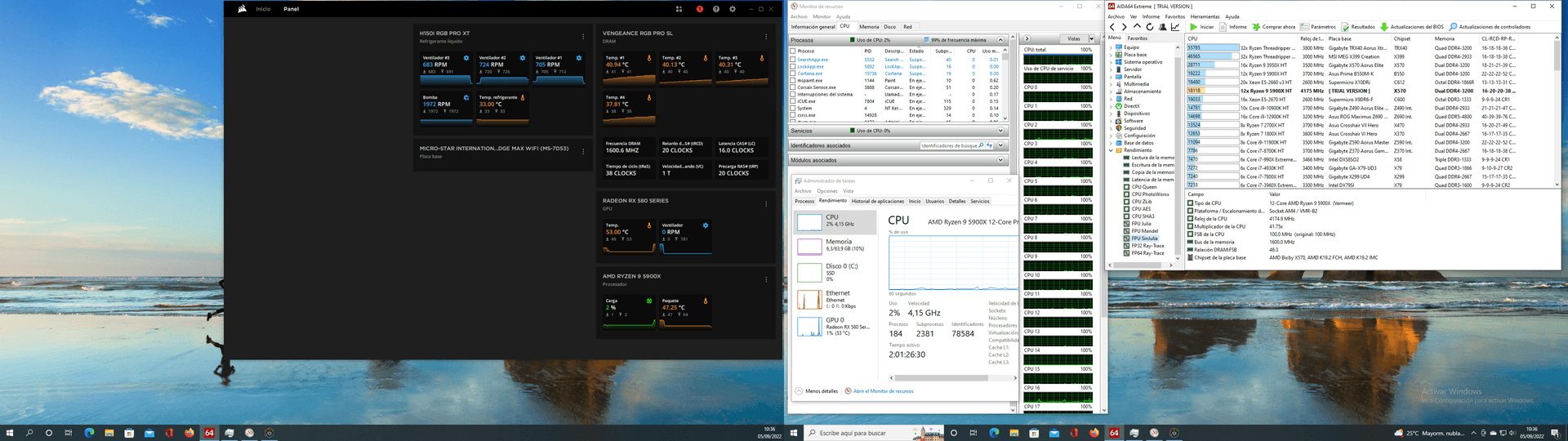
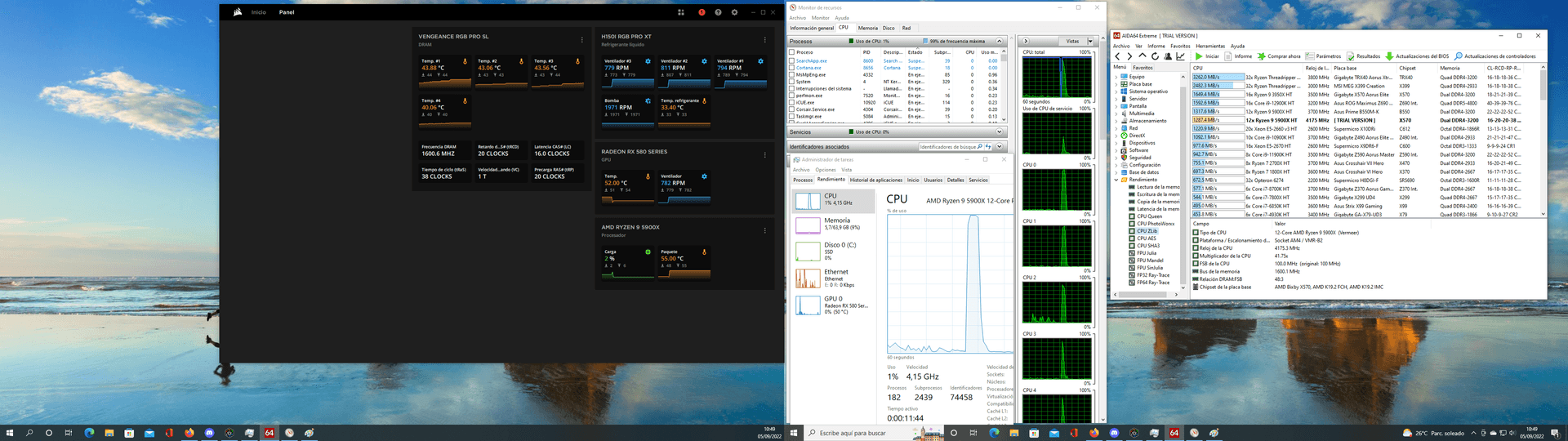
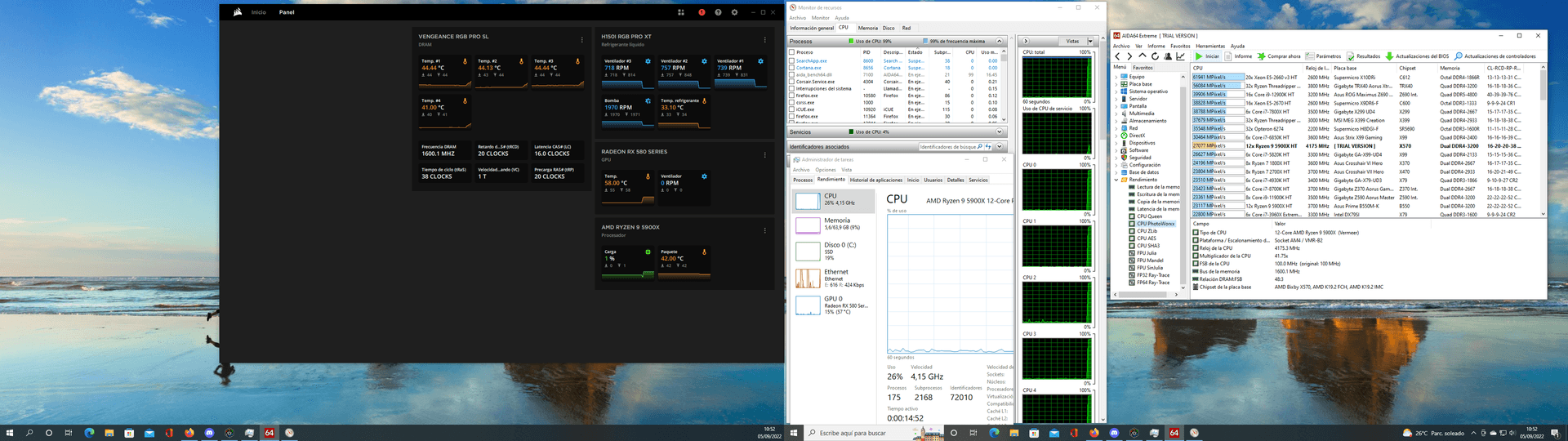
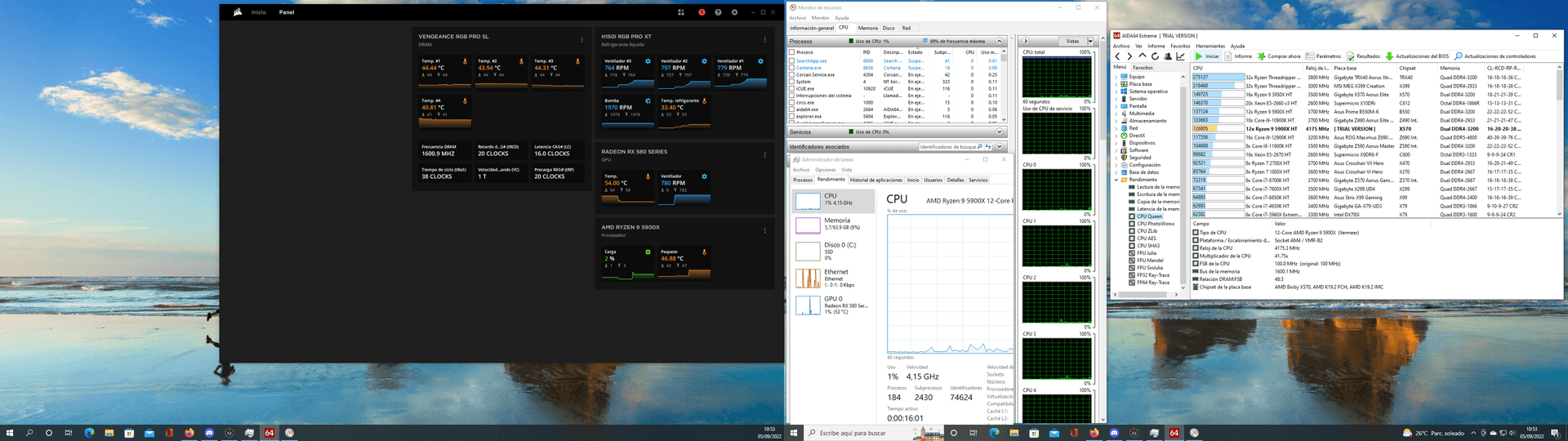
first tests
-
@clipper said in Mid-range gaming PC.:
first tests
@clipper
I changed a limit. What size was the file you were uploading?
Toda la actualidad en la portada de Hardlimit
Mis cacharros -
@cobito said in Mid-high range gaming PC.:
@clipper said in Mid-high range gaming PC.:
first tests
@clipper
I changed a limit. What size was the file you were uploading?
2.93 MB (3,082,607 bytes)
a screenshot, maybe because I have two monitors
regards -
@clipper Ok, it should work smoothly from now on.
Toda la actualidad en la portada de Hardlimit
Mis cacharros -
The image test3 is not visible. -
I can't see anything

>> i7-2600K Sandy Bridge @4.4GHz || Noctua NH-D14 || ASRock Z77 Extreme4 || 4x8Gb G.Skill Ripjaws X DDR3 1600MHz || XFX RX 5700 XT 8Gb || SSD Samsung 850 PRO 256Gb & 850 EVO 500Gb || WD Caviar Green 1Tb || Barracuda 1Tb || Corsair TX650 V2 || M-Audio Fast Track Pro || KRK RP8 RoKit G3 || BenQ GW2750 27"
>> Athlon 64 X2 5600+ Brisbane @2.9GHz || Gigabyte GA-M61PME-S2 || 2x2Gb DDR2 Kingston 800MHz || Sapphire Radeon HD 5850 Xtreme 1Gb || Maxtor 320Gb SATA2 || OCZ ModXStream 500W Modular || TEAC PowerMax 120/2 || Acer X243w 24"
>> Intel Core2Duo E6600 Conroe @2.4GHz || Asus P5N32-SLI SE DELUXE || 2x1Gb DDR2 Kingston 800MHz || Asus nVidia GeForce 9800GT 1Gb GDDR3 || Seagate Barracuda IDE 80Gb 7200RPM || Linkworld LPK12-35 450W -
-
-
@clipper memories
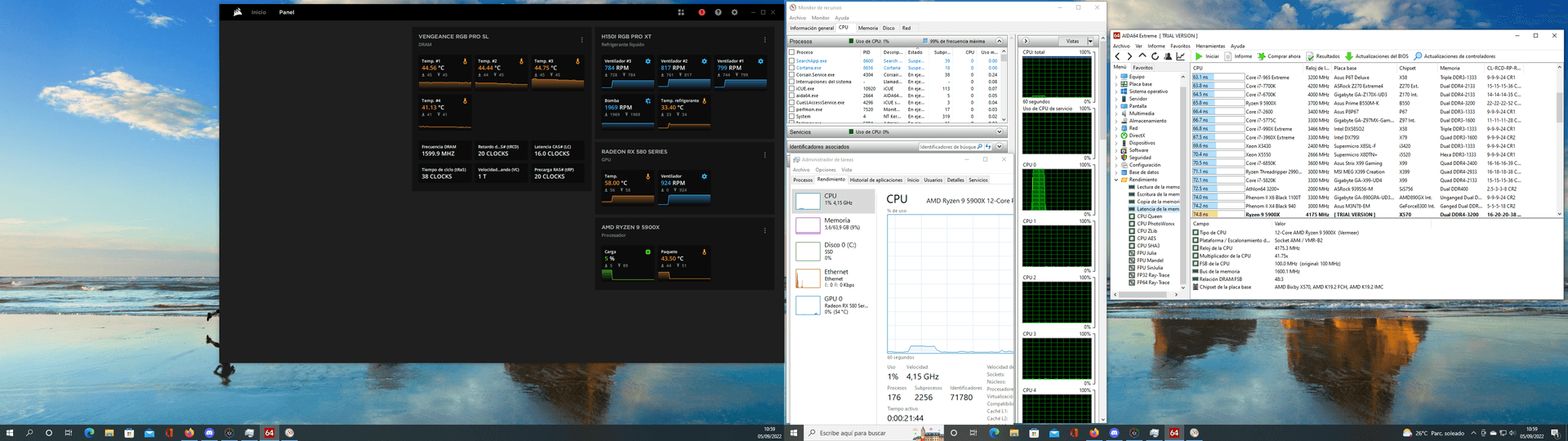
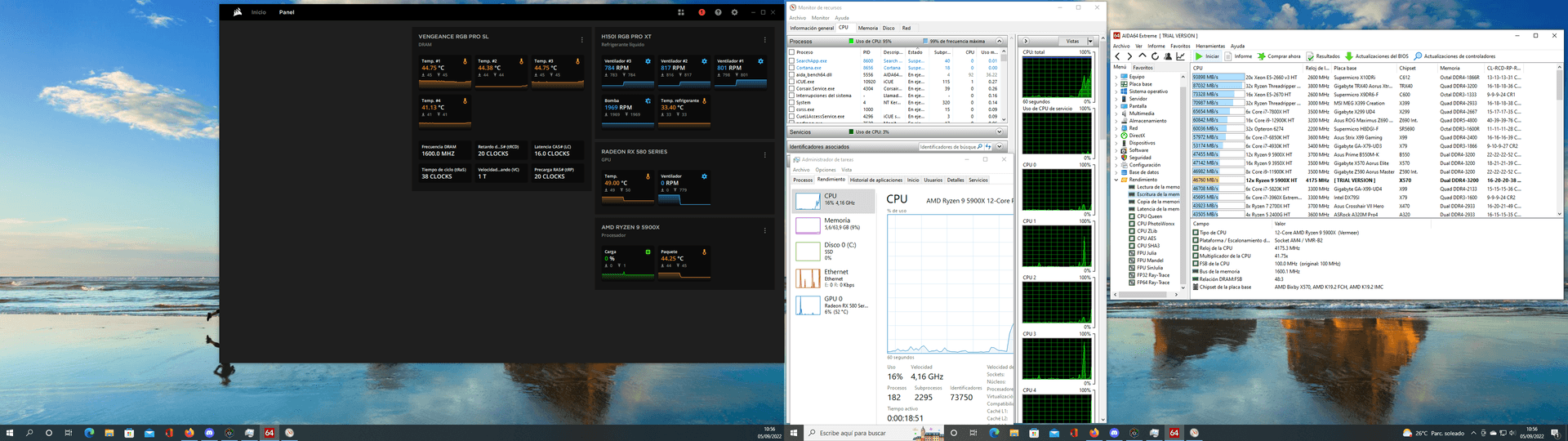
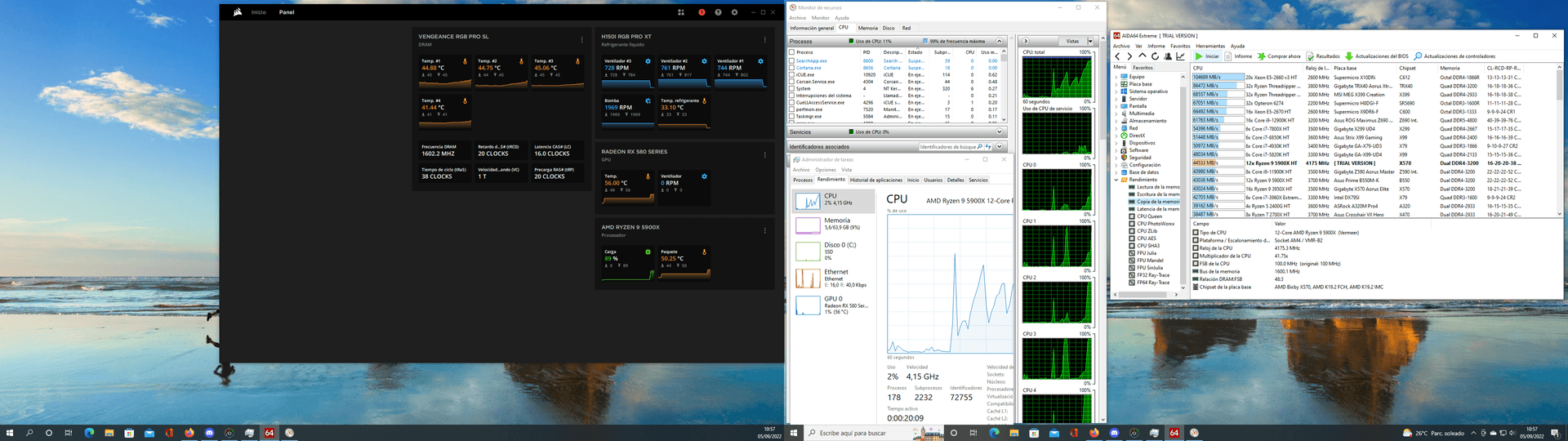
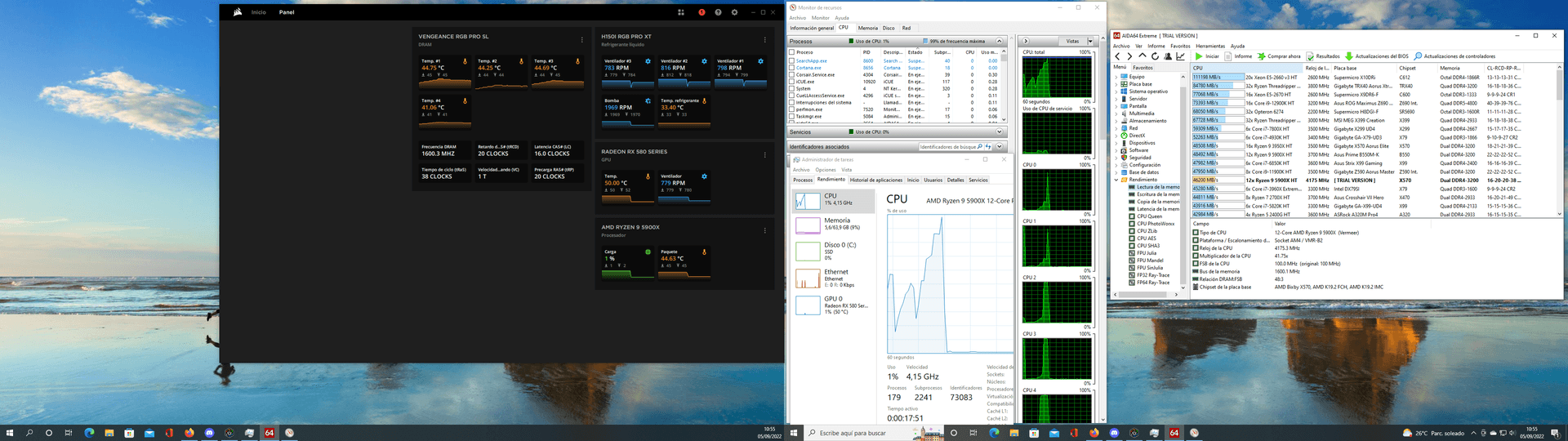
and it's done -
Alright alright.
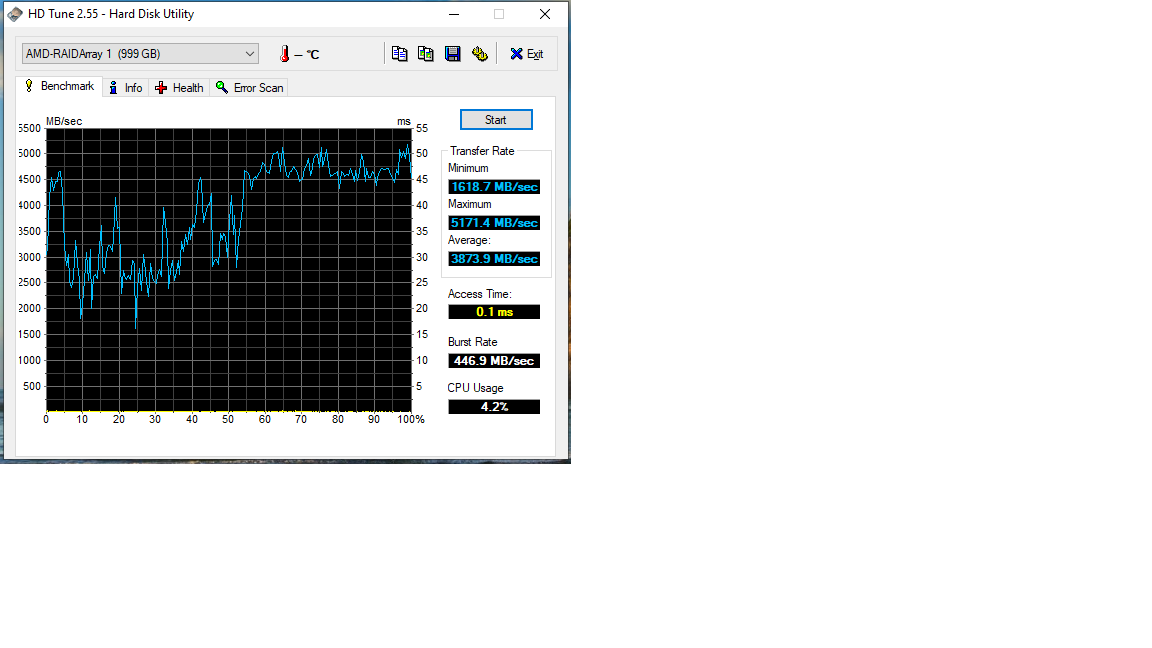
hdtune? You show us that Raid0?
-
@defaultuser said in Mid-range gaming PC.:
Alright, alright.
hdtune? Will you show us that Raid0?
I ran it this afternoon.
The raid 0 seems to be set up incorrectly, so to compare, I'll have to reinstall everything and try with a single mn2.
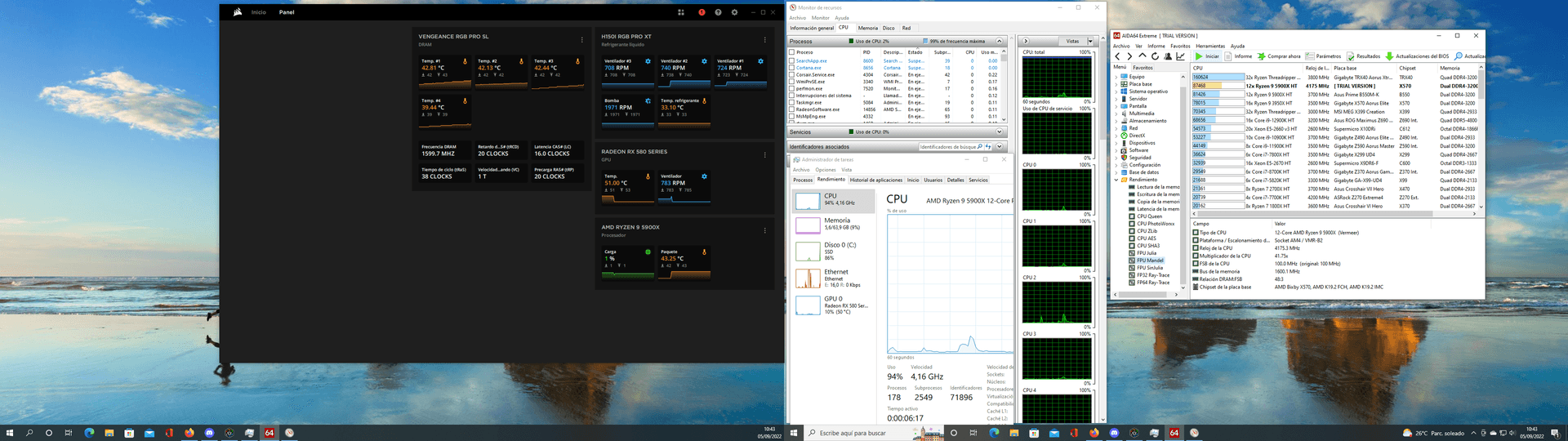
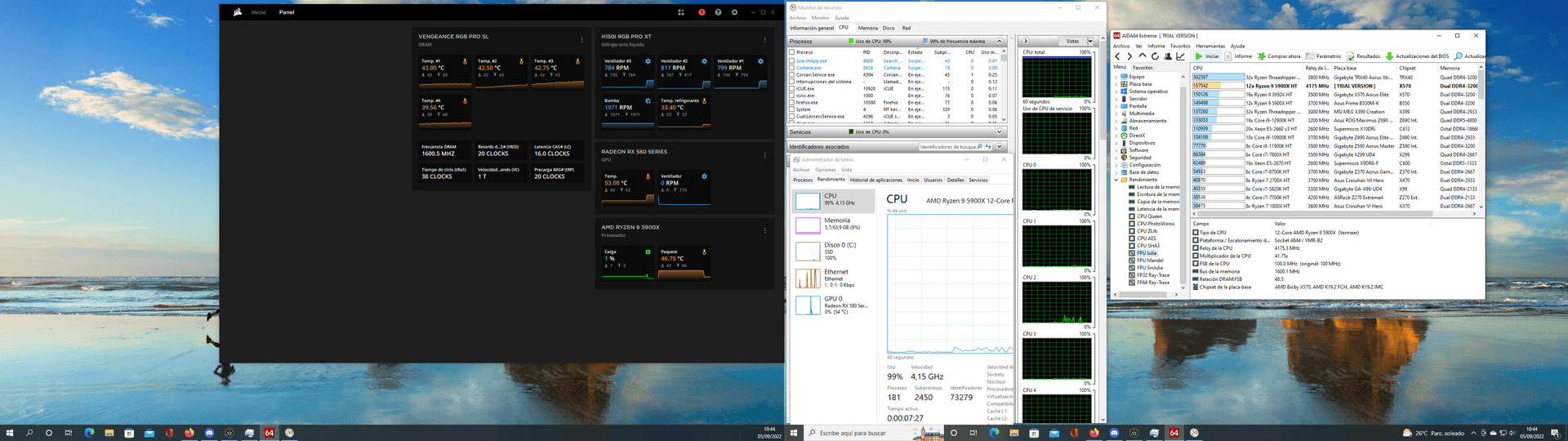
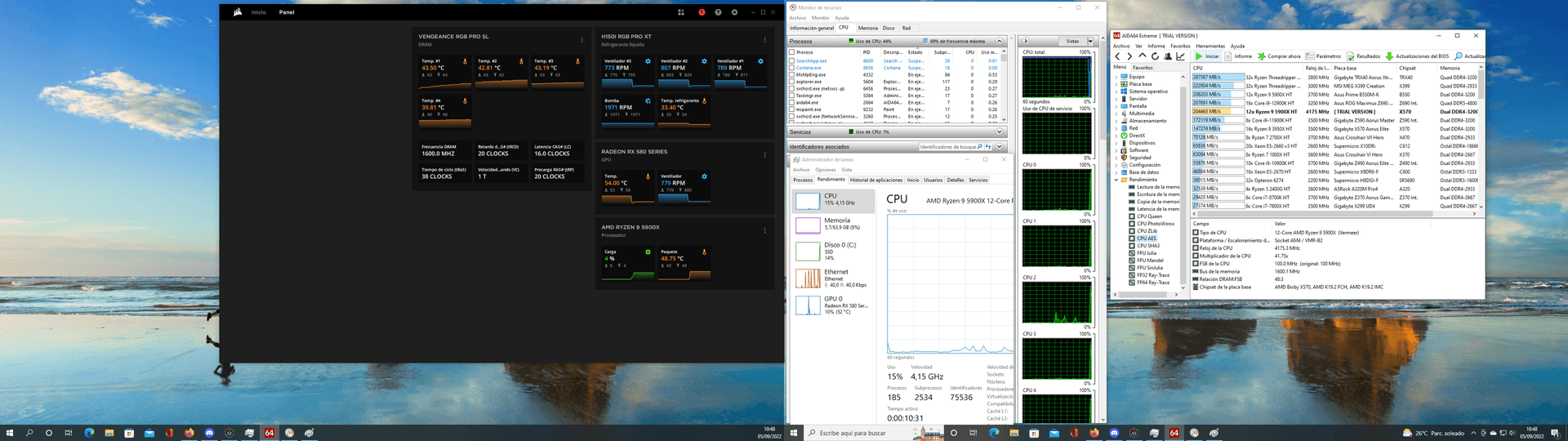
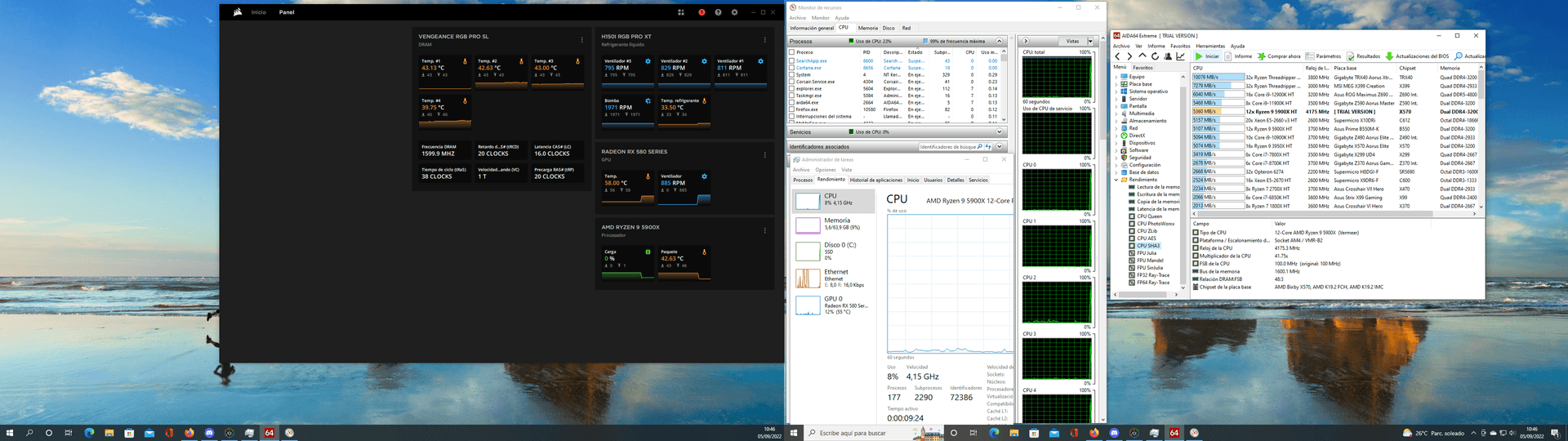
As a curiosity, it goes up 2 points if I only have Aida 64 open.
And I can't run the tests all at once because it crashes.
The most curious thing is the latency, number 1 is DDR2
Best regards -
@clipper
greetings -
@clipper The first M2 slot is controlled by the cpu, the other two by the chipset.
The chipset communicates with the cpu through a pcie x4 channel, in theory it has plenty of bandwidth, but response times will always be worse than in slot 1.A raid0 in the first two slots probably performs poorly, and I think that's what you've set up based on the results.
A raid0 in the chipset should increase the transfer, but we would have to see how much, and in any case with the speed that those disks already give....
In summary, setting up the raid0 in the chipset to have a secondary large disk without paying the prices of "large" disks maybe not, but increasing performance with a raid0 on this platform I don't see it, you will have to "settle" for the speeds of a single disk, which are already the best.
Now you are not really doing badly, but comparing prices, your two disks sold could even pay directly for the 1TB one, or you can have double disk and have system on one side and games on the other and things like that, that is, a disk in the first slot and in the chipset another or a raid.
-
@defaultuser said in Mid-range gaming PC.:
@clipper The first M2 slot is controlled by the CPU, the other two by the chipset.
The chipset communicates with the CPU through a PCIe x4 channel, in theory it has plenty of bandwidth, but response times will always be worse than in slot 1.A raid0 on the first two slots probably performs poorly, and I think that's what you've set up based on the results.
A raid0 on the chipset should increase transfer, but we'd have to see how much, and in any case with the speed that these disks already give...
In summary, setting up raid0 on the chipset to have a large secondary disk without paying the prices of "large" disks is maybe not the way to go, but I don't see an increase in performance with a raid0 on this platform. You'll have to "settle" for the speeds of a single disk, which are already top-notch.Now you're not actually doing badly, but comparing prices, your two disks sold could even directly pay for the same 1TB model, or you could have double the disk space with the system on one side and games on the other and things like that, that is, a disk in the first slot and another in the chipset or a raid.
I already said that the raid 0 is set up incorrectly.
For several reasons, the first one, that of course... With age one thinks they know everything and the manual is just filler
And indeed it's set up in ports 1 and 2.
On the other hand, whenever I've set up a raid (this is my first raid on mn2) it has never added the two or three capacities, it has always indicated one drive, for example two 500gb disks in raid 0 with a size of 500gb.
And this one shows 1 Tera.
And on the other hand, although it's something that never happens, the startup reminds me of mechanical disks, not slow... but the next thing.
So on Saturday if I have some time I'll disassemble the raid and try leaving only one mn2 in port 1 and do the test.
And then the two in ports 2/3 and compare.
Best regards -
@clipper said in Mid-high range gaming PC.:
I already said that the raid 0 is poorly assembled.
Estooo.... it seems like I can't get into the forum in such a hurry


Back in the day, Raid 0 with mechanical drives gave me a performance that was anything but good, and I didn't just throw in three drives willy-nilly, fond memories.
Well, if you end up trying raid0 on the chipset, it will be interesting to see the truth,.
@clipper said in Mid-high range gaming PC.:
On the other hand, whenever I've set up a raid (this is my first raid in mn2) it has never added up the two or three capacities, it has always indicated one drive to me, for example, two 500gb drives in raid 0 as 500gb.
And this one looks like it's 1 Tera.
The previous ones were software-based though.
I imagine it will be better that the drive is seen everywhere as just one, so you never have any issues with anything "strange" that you want to do with the software
With mechanical drives on the nforce4sli chipset, it used to show me one drive with the total capacity (you had to load the driver during the installation of Windows). I haven't seen what came after that.





Hello! It looks like you're interested in this conversation, but you don't have an account yet.
Getting fed up of having to scroll through the same posts each visit? When you register for an account, you'll always come back to exactly where you were before, and choose to be notified of new replies (either via email, or push notification). You'll also be able to save bookmarks and upvote posts to show your appreciation to other community members.
With your input, this post could be even better 💗
Registrarse Conectarse